

3175x175(CURRENT).thumb.jpg.b05acc060982b36f5891ba728e6d953c.jpg)
This month marks the first time that security updates will be released to Windows 10 under Microsoft’s Extended Security Update program.
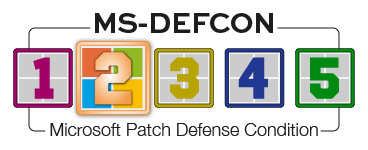
If you’ve enrolled in the ESU plan, you should see them offered in Windows Update. But that does not mean you should install them now. Nothing has changed from my normal stance of testing, waiting for issues, and reviewing for side effects. As far as I’m concerned, this is patch business as usual. And that means it’s time to raise the MS-DEFCON level to 2.
On October 29, Microsoft published Simplified Windows Update titles in its Windows IT Pro Blog. This post explained that the naming of updates would change. That sounds fine, given the stated goal to deliver “Enhanced clarity and consistency across update titles.” However, IT admins (including me) immediately freaked out over one part of the change — the removal of the date code from the titles.
Up until now, updates included a leading date code in the form YYYY-MM, such as “2025-08 Cumulative Update Preview for Windows 11 Version 24H2 for x64-based Systems (KB5064081) (26100.5074).” Such naming makes it easy for folks like me to ask, “Hey, did you have issues with the August updates?” Then the person we’re helping can examine their update history and quickly find those from the eighth month. Now Microsoft wants to simplify.

Figure 1. Enhanced update titles for “clarity”
It’s true that Windows Update history shows the date an update was installed. But that does not necessarily mean the month the update was released. For example, you may be deferring updates, based on my recommendations, and not get around to installing an update in the month it was released. With this new nomenclature, the only way to find the release information is by looking up the KB number on the Web. Of course, that takes extra time. But worse, how many updates were associated with a given month? The only way to tell is by looking up the information for every update until you’ve found every one connected to that given month. That’s nuts.
Comments erupted all over social media that backed me up on this. There was sufficient backlash that Microsoft added a note to the “Simplified” post a mere two days later:
Editor’s note 10.31.2025: We are actively listening to your feedback and planning further improvements. Thank you for helping us create a better user experience.
“Further improvements?” I’ve received other assurances on social media that the YYYY-MM date information will be brought back. We should see the confirmation next week, when the normal security updates will be released. I wish Microsoft would stop shooting itself in the foot like this.
Just ask us in advance the next time.
Consumers
In an upcoming newsletter, I’m going to dive deep into Secure Boot certificates and how they may need updating before June 2026. Needless to say, you may start to see a lot more articles about this issue. But don’t panic — your computer vendors may have already installed the needed update on your computer. More to come later.
The November updates include a new change in File Explorer. As Will pointed out regarding stuff just showing up, this will be gradually rolled out to users. Will may have it (he does), and I may not (I don’t). That’s in spite of the fact that both of us installed the preview update, just to see what it was all about.
As pointed out in the October preview update KB5067036:
The Recommended section in File Explorer now makes it easier to access files you frequently use or recently downloaded. To view this section on the homepage, turn on the Show Recommended section setting in File Explorer | Options. This feature is now available to all users, including those signed in with personal Microsoft accounts.
That’s actually a weak explanation. This is about the Home page in File Explorer, reached by clicking the Home icon in the left navigation pane. Previously, this provided a “Quick Access” file listing. Now, the new “Recommended” section precedes it.
In addition, there is a new Start menu. Again. And those of us who actually use Windows and have all our shortcuts and icons just how we want them will ignore this change and go on with our work. Again. I really hate to sound jaded about the start menu, but I’m at the point where these changes are meaningless to me. I use my own mechanisms and tools to control — or rather, ignore — the start menu,
We’ll be looking to ensure the November updates don’t introduce a bug included in KB5067036 that has to do with Task Manager. Merely clicking the x in the upper-right corner of Task Manager doesn’t close it. Instead, you must use Alt+F4.
If you’ve enrolled in the Windows 10 ESU, remember that it includes only security updates, not feature changes. New features? Available only on Windows 11.
Businesses
The November updates include some much-needed fixes for Windows 11 24H2, 25H2, and Server 2025, as noted in KB5067036.
- Fixed: An issue that caused an ACCESS_DENIED error when users attempted to change passwords remotely on member servers or workgroup devices, even when they had the required permissions.
- Fixed: This update addresses an issue that affects the Kerberos Key Distribution Center (KDC) service on server domain controllers. When the KDC service is manually stopped, the server cannot retrieve Kerberos tickets.
- After installing the September 2025 security update for Windows Server 2022 (KB5065432), you might experience repeated reauthentication issues with Active Directory Federation Services (AD FS).
- Fixed: An issue occurred where web servers using HTTP.sys (such as Internet Information Services [IIS]) rejected incoming HTTP requests with a “NOT_SUPPORTED” error.
Reminder: If your Windows 10 PC is on a domain managed by Intune, you will need to purchase a single-year ESU for USD$61. You cannot opt for the consumer ESU when Windows sees your PC as in being use by a business.
Microsoft did fix an issue where Windows 10 business versions incorrectly stated they were in end of support — even though they were subscribed into the Extended updates.
Hope you enjoyed this news post. Feedback welcome.
Posted Friday 7 November 2025 at 3:50 am AEST (my time).
News posts... 2023: 5,800+ | 2024: 5,700+ | 2025 (till end of October): 5,009
Recommended Comments
There are no comments to display.
Join the conversation
You can post now and register later. If you have an account, sign in now to post with your account.
Note: Your post will require moderator approval before it will be visible.