

3175x175(CURRENT).thumb.jpg.b05acc060982b36f5891ba728e6d953c.jpg)
By Susan Bradley
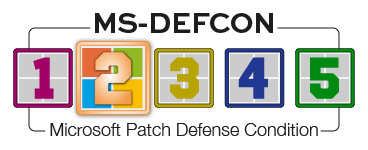
It’s time to prepare for the May updates, which includes pausing and deferring them. That’s why the MS-DEFCON level is going to 2.
There may be some confusion about the recent changes to the level. You’ll recall that I changed the level to 4 on April 28 and then one day later upped it to level 3, which translates to “There are widespread problems with current patches.”
That quick change had to do with KB5083769 and the problems it posed for many backup programs. The KB post was updated on May 1 to include the following:
[Vulnerable driver blocklist] This update introduces a security hardening change that adds known vulnerable kernel drivers to the Microsoft vulnerable driver blocklist. Backup applications that rely on blocked drivers might experience failures when attempting to mount or manage disk images.
These apps relying on blocked drivers might display error messages, including “The backup has failed because Microsoft VSS has timed out during the snapshot creation” or VSS_E_BAD_STATE. Affected users should update to a newer version of their application that uses newer drivers that include the required protections.
In other words, products such as Macrium Reflect 8, which is no longer supported, were affected. Microsoft added a support post, April 2026 Windows security updates introduce protections to known vulnerable kernel drivers, which included the following:
After installing Windows updates released on or after April 14, 2026, certain third-party backup applications that rely on the kernel driver psmounterex.sys might experience failures when attempting to mount or manage disk images. These Windows updates include routine security hardening to help protect devices by blocking third-party drivers with known vulnerabilities. For more information on the psmounterex.sys driver vulnerability, see CVE-2023-43896. Learn about these protections at Microsoft vulnerable driver blocklist.
There is community guidance out there to disable the vulnerable blocklist protection, but I do not recommend following that advice. There comes a time to stop using older software. This is one of those times. Macrium X is not blocked from working. You may have installed Macrium 8 on your system, which left behind the vulnerable driver. Macrium X does not have this issue. Start first by uninstalling any old Macrium installations left behind. If that doesn’t work, at an administrative command prompt type in:
sc config psmounterex start=disabled
This will disable the offending driver. Note: This is not a new bug. It was first identified in 2023. Microsoft is finally getting around to blocking it.
Consumers
The upcoming May updates will once again dribble out fixes to Secure Boot. Although I’ve said in the past that no matter what happens regarding Secure Boot, your computer will boot when the certificates expire in June, Reader John McKenzie shares that some of his fleet of HP desktops will no longer boot to Windows 11 after the March Microsoft updates. He reports:
If we go into the BIOS and disable Secure Boot, the desktop will boot to Windows 11. HP has identified this issue, but the recovery steps provided (basically restoring the factory default keys) is not working. It appears that some feature of their BIOS security is preventing the restoration of factory default keys.
KB5083631, the May update, is gradually rolling out a change to Drag Tray. This is a UI feature that allows a file to be shared or moved by dragging it to the top of your display. Here’s what Microsoft has to say about it:
[Sharing] New! Drag Tray is now called Drop Tray. Its settings are now under Settings > System > Multitasking (previously Nearby sharing). Drop Tray uses a smaller peek view. This improvement helps prevent the Drop Tray from opening unintentionally and makes it easier to dismiss when you work near the top of the screen.
Perhaps this is a useful change. But I take notice of the fact that not only was the feature renamed, but its controls were moved from one section of Settings to another. Is someone trying to confuse us?
Linux
Many of you Linux users ignore patching days. Don’t do it this time. You’ll want to launch your update mechanism and make sure the distro you are using is up to date to fix an issue called CopyFail. I’ll have more details on the bug later, but for now, make sure you know how to get updates installed on your system.
Apple iOS
One complaint I see over and over again is that autocorrect with iOS 26.4.2 is still a mess. If you want to tame it a bit, and you have a newer phone that runs Apple Intelligence, try turning it off and see whether that helps the platform to do better at spelling. To disable, tap Settings | Apple Intelligence | Siri and turn it off.
Businesses
In the upcoming May updates, Microsoft is adding support for a dynamic app-removal list to the “Remove Default Microsoft Store packages” policy for Windows Enterprise and Education. Administrators can remove additional MSIX/APPX-packaged apps by specifying their app package family names via Group Policy. As Microsoft notes in the preview update of KB5083631:
The dynamic list is not currently available in Intune Settings Catalog. Validation must be performed using Group Policy or custom OMA-URI. For more information, see Policy-based in-box app removal.
Although Microsoft wants to move businesses to the cloud, the fact that there isn’t parity between Intune and Group Policy after all of these years is still a bit comical.
Linux
Linux server administrators should pay close attention to the CopyFail vulnerability, just as with Consumers. More in Monday’s newsletter, with the actions you should take.
Resources
- Susan’s Master Patch List
- The MS-DEFCON System explained
- BlockAPatch — Tools to help you hide or block updates
- Steve Gibson’s excellent InControl to manage feature releases
Hope you enjoyed this news post. Feedback welcome.
Posted Friday 8 May 2026 at 7:19 am AEST (my time).
News posts: 2023 5,800+ | 2024 5,700+ | 2025 5,700+ | 2026 (to end of April) 1,700
- bigcid10
-
 1
1
Recommended Comments
There are no comments to display.
Join the conversation
You can post now and register later. If you have an account, sign in now to post with your account.
Note: Your post will require moderator approval before it will be visible.