

3175x175(CURRENT).thumb.jpg.b05acc060982b36f5891ba728e6d953c.jpg)
By Susan Bradley
The holidays are behind us, so now we can get back to business as usual.
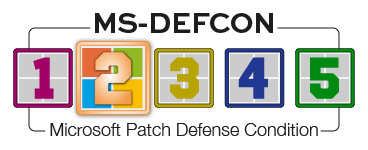
You know — when to pause updates so we can test and evaluate the January patches. Thus, the MS-DEFCON goes up to level 2.
For those of you still running Windows 10, rest assured that it is still very much a supported platform. Consumers, in particular, can still get one more year of updates. Most of us will qualify for a free ESU and dodge the $30 fee. If you have a special need to stay on Windows 10 or just aren’t ready to buy a new PC, Microsoft has provided an easy way to stay on Windows 10 — at least for another 10 months.
Lately, Windows 11 has become an easy target for clickbait and other potshots. Microsoft should get a black eye for some of its decisions and for its constant shove of AI without letting it be an organic evolution of the operating system. Even so, Redmond probably does not deserve some of the videos I’ve seen lately — ironically, some clearly made with AI!
For example, a newly minted YouTube channel, Tech Report, contains clues that its videos or channels are AI-generated. Look for a very recent “joined” date; Tech Report’s is December 11, 2025. Look for a small number of videos, in this case 14 as of this writing. Look for videos that are coming out quickly. On January 3, seven 15-minute videos had been uploaded within in the previous seven days. It is extremely difficult for a new channel to produce at that rate. And if you watch one of the videos, look for repetition of facts, sometimes three or four times — it’s padding to make the video longer, and it’s a characteristic of the way the chatbots respond.
Also look for pure, unadulterated clickbait. The most recent video I’ve seen is subtitled Bill Gates PANICS as Windows 11 Upgrade RULES Lock Millions Out Overnight! It’s nothing more than a bunch of claims without any factual basis.
If you take a look at the channel, you’ll note that there are 11 videos with a thumbnail picture of Gates, whose name is mentioned in 10 of the titles. But Gates has not been formally involved in Microsoft management since 2020, and his personal ownership stake in the company is insignificant. He has no reason to “panic” or “lose it” or be “shocked.”
My take on this AI bubble is to just wait it out until all this hype dies down. AI in moderation is helpful: Perplexity.ai as a search engine, Askbluej.com for tax research, ChatGPT for general queries. For now, remove Windows AI if you seriously object to AI. Otherwise, don’t click on the icon, and wait until the dust settles. It will. Ultimately, Microsoft must be accountable to both its shareholders and its customers — even if it doesn’t seem like it is at the moment.
Keep an eye out for the Secure Boot fix — see whether it’s been pushed to your PC. If not, determine whether you need to take manual action. I believe that consumer PCs will still boot, even if they have the updated Secure Boot keys. But for businesses, please make sure you review my past article on the subject.
Consumers
Consumers don’t have the normal preview of what the January Windows updates will include, because the normal end-of-the-month preview updates were not released. That’s a key reason to pause updates this month until the uncertainty clears.
I also urge readers to ensure that you have a plan for recovery. This is not due to my thinking that the January updates are going to be buggier. It’s my annual urge for you to set a New Year’s resolution. While you’re doing your annual review of past and present resolutions about your health and exercise habits, throw tech into the mix. January is a great time to review your backup and recovery practices — no matter what operating system you use.
Whether you use the cloud for backup or purchase an external hard drive with backup software to create a fallback, January is the time to do a test. Take a file on your computer and rename it. Now attempt to restore that file to its original location and name, utilizing whatever method you use. If you can’t restore the file, it’s time to rethink your recovery process.
The December Windows 11 24H2 and 25H2 update KB5072033 included a change that impacted performance on some systems. As noted in the change log:
[System Components] The AppX Deployment Service (Appxsvc) has moved to Automatic startup type to improve reliability in some isolated scenarios.
However, there are no details about which “isolated scenarios” this includes. I haven’t noted the issue on my computers, but some users with lower-end computers are noticing the impact. AppXSvc handles the installation and updating of Microsoft Store apps such as Calculator, Photos, and other built-in tools.
I’ve seen some incorrect posts indicating that the service setting can be changed by clicking on the search box and typing in services. Find the AppX Deployment Service and double-click it, then go into Properties and change the service to manual. However, Microsoft has grayed out this option, so you can’t use it.
The Registry key involved is:
- HKLM\SYSTEM\CurrentControlSet\Services\AppXSvc
Changing the value of Start to 3 and rebooting the PC doesn’t work, either. The service is still running, even if the startup is set to manual. Bottom line: Microsoft wants this service running, and any guidance you read online to disable this service doesn’t work— at least not on my system. I’ll keep an eye on this and see whether there are better ways to tweak this setting.
Businesses
Businesses have two major goals as we enter the first part of 2026: deploy 25H2 and check on that Secure Boot status in their network.
Unless you have Windows 11 24H2 Enterprise or Education, 24H2 will drop out of support in October 2026. Make sure you have a deployment strategy in place. Also have a future plan to wean yourself off Windows Software Update Services and move to a third-party patching platform or Microsoft Intune.
Make sure you review the following KBs and URLs to prepare your 2026 to-dos:
- KB5025885 — Review this KB for the latest in Secure Boot guidance. In addition, review the Secure Boot playbook documentation.
- TLS 1.0 and 1.1 — Both will be phased out. A large number of incompatible applications are turning this into a prolonged process. Keep an eye on future mandates.
Last, but not least: Keep an eye out for which domain and forest level you have, and what you can safely raise it to. Now that we are phasing out on-premises Exchange and SharePoint deployments, you probably will have less need to stay on legacy Active Directory. Review your options and plan accordingly.
Resources
- Susan’s Master Patch List
- The MS-DEFCON System explained
- BlockAPatch — Tools to help you hide or block updates
- Steve Gibson’s excellent InControl to manage feature releases
Hope you enjoyed this news post. Feedback welcome.
Posted Friday 9 January 2026 at 5:49 am AEST (my time).
News posts... 2023: 5,800+ | 2024: 5,700+ | 2025: 5,700+
Recommended Comments
There are no comments to display.
Join the conversation
You can post now and register later. If you have an account, sign in now to post with your account.
Note: Your post will require moderator approval before it will be visible.