

3175x175(CURRENT).thumb.jpg.b05acc060982b36f5891ba728e6d953c.jpg)
By Susan Bradley
For once, I don’t anticipate any issues with the forthcoming March updates.
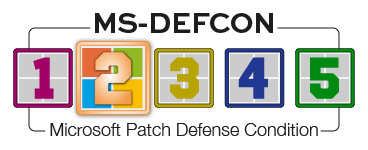
Nonetheless, I’ve raised the MS-DEFCON level to 2. It’s always wise to pause updates until thorough examinations are made and any bugs have been worked out. A little patience goes a long way.
I’m excited by some of the March updates. The frustrating part is that, as usual, updates are gradually rolled out. I can’t say you’ll see them on your devices soon after the March updates; it’s possible that it will take several weeks before you see them on individual PCs.
I find this gradual release process very annoying. Ideally, it would be nice if all machines received exactly the same updates and features at the same time. But in the “dribbled” world we live in, this is not to be.
Those who have subscribed to the Extended Security Updates (ESU) for Windows 10 will be receiving fixes to Secure Boot. In the KB5077241 preview update, Microsoft notes:
Devices will receive the new certificates only after they show sufficient successful update signals, which helps ensure a safe and phased rollout.
But unlike Windows 11, which receives dribbled or gradual releases, I’m seeing only security and stability fixes — but no dribbled changes — for Windows 10 users who subscribed to the ESU. For example, in February Win10 received fixes for Chinese fonts, sleep mode that had been broken by the January updates, renaming folders using desktop.ini, and stability for graphics. So you won’t get a lot of monthly surprises if you are on the ESU program.
Consumers
For consumers, the preview update gives us a hint about what will be dribbled to consumers.
The battery icon will be updated to help you more easily identify when you are running out of power. In addition, the dribble will continue as more users see the updated start menu.
More devices will receive the necessary fixes for Secure Boot certificates. But for consumers, my recommendation about them is to stop worrying. If your device does not receive the update, your system will still boot. Only businesses at risk of being targeted by attackers need to worry about these updates.
An additional item that will be dribbled out is a new set of emojis. As Microsoft puts it in KB5077241:
The Emoji 16.0 release introduces a small thoughtfully curated set of new emojis, one from each major category. Each emoji carries timeless symbolism and practical versatility. These new emojis now appear in the emoji panel.
Now I’m going to show my age. The use of emojis often leads me to wonder what exactly someone is trying to say. Words do that; emojis can be vague and difficult to interpret. I don’t equate emojis with “timeless symbolism and practical versatility.” Though I can relate to an emoji that is trying to say that someone is tired and has bags under their eyes (especially at this time of year), I would merely say, “I’m tired.” Writing actually helps you rewire your brain, as researchers have found.
Businesses
Even more exciting changes are being dribbled for businesses! Microsoft is now offering its “backup and restore” app, to more easily migrate from one PC to another. It should be called the “migration” app because it’s really not a full backup. As Microsoft notes in KB5077241:
This experience restores user settings and Microsoft Store apps automatically at first sign-in on Microsoft Entra hybrid joined devices, Cloud PCs, and multi‑user environments. This capability helps create a consistent setup process during device refreshes, upgrades, or migrations.
Also being rolled out is Quick machine recovery (QMR) for Windows Professional edition systems that are not domain-joined or controlled by Entra (i.e., “unmanaged”). These devices receive the same recovery features available to Windows Home users. For domain-joined or enterprise-managed devices, QMR stays off unless it is enabled by the organization. This is similar to the “repair install” process that I recommend when your computer refuses to install updates and instead throws off cryptic error messages.
Microsoft will also be rolling out a built-in network speed test available from the taskbar. You can open it by right-clicking the network icon in the system tray. No more Googling for a speed-testing tool in our future.
The most anticipated rollout is System Monitor (Sysmon), Microsoft’s built-in tool to better track attacks. You can enable this by going into Settings | System | Optional Features | More Windows features and choosing Sysmon (Figure 1).

Figure 1. Enable Sysmon from the Turn Windows features on or off control panel.
Alternatively, you can use PowerShell by running the following command:
Dism /Online /Enable-Feature /FeatureName:Sysmon
Prior to this, you had to download and install it.
I highly recommend downloading, playing around, and getting more educated about Sysmon and the recommended configurations that the community has built — including this highly recommended one. Each line of it is commented and sections are marked with explanations. So it will also function as a tutorial for Sysmon and a guide to critical monitoring areas in Windows systems.
Resources
- Susan’s Master Patch List
- The MS-DEFCON System explained
- BlockAPatch — Tools to help you hide or block updates
- Steve Gibson’s excellent InControl to manage feature releases
Hope you enjoyed this news post. Feedback welcome.
Posted Friday 6 March 2026 at 5:29 am AEST (my time).
News posts: 2023 5,800+ | 2024 5,700+ | 2025 5,700+ | 2026 (to end of February) 854
Recommended Comments
There are no comments to display.
Join the conversation
You can post now and register later. If you have an account, sign in now to post with your account.
Note: Your post will require moderator approval before it will be visible.