

3175x175(CURRENT).thumb.jpg.b05acc060982b36f5891ba728e6d953c.jpg)
By Susan Bradley
Social media is replete with complaints about how Microsoft shoves feature releases and updates, and reboots computers, at will.
It makes me shake my head. It’s as if everyone were thinking they had no control over the process at all. That’s not true. You have ample time to consider what the Redmond overlords want and to decide the specific action you will take.
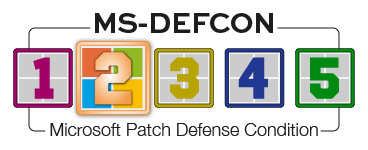
So it’s time to pause, which is why I’m raising the MS-DEFCON level to 2.
While you’re paused, take stock: Which version of Windows 11 are you currently running? This question is important because I’ve only recently recommended that everyone move to 24H2. If you’re on 23H2, that means you.
Then, lock in 24H2. Windows 11 25H2 is just around the corner, and it’s too early to make recommendations about moving to it. How do you lock it in? There are several ways, including a very easy and safe method.
Steve Gibson’s InControl
InControl is the fastest, easiest way to tell Windows that you want to stay on a specific feature release. Perhaps more important, it’s also very safe because it prevents Windows from moving to a new feature release without blocking monthly security updates or out-of-band updates relating to security. The zero-install program is small and self-contained, making it a quick download and easy to move to other PCs.
What could be simpler than this?

Figure 1. InControl is blunt: you are not in control.
Enter the Version and the Release of the version of Windows you want. Then click the Take Control button.

Figure 2. You’re in the green!
Once you have taken control, the Version/Release fields are grayed and you cannot change them. To change the version you want, you must first Release Control and start over.
Of course, traditional control methods remain. You can use Registry keys or Group Policy to keep a PC at a specific feature release. Businesses can use Intune in the same way. But there is one other thing to check. In Settings | Windows Update, you’ll find a slider to enable Get the latest updates as soon as they’re available. This makes your PC a target for dribbled updates and lessens your control, so you should make sure it is disabled. Otherwise, you may find 25H2 downloaded and ready to install before you’re ready.
Consumers
Don’t get frustrated if you haven’t been offered the Extended Security Updates (ESU) plan for Windows 10. There is no drop-dead date; enrollment is not required before October 14, the last official patching day for Windows 10 22H2. You can do it when ready, but remember that no matter when you enroll, the ESU expires on October 13, 2026.
Go back and review the recommendations in my On Security column this past Monday. If you still aren’t being offered the update, please start a new thread in the Windows 10 ESU questions forum.
Even if you haven’t been offered the ESU option, I still recommend that you pause or defer updating. Just because we’ve reached the last official release for Windows 10 22H2, that doesn’t mean we should change our normal stance from deferring, testing, and monitoring for issues. For both Windows 10 and Windows 11, place your machines in deferrals or pausing of updates, using your favorite tool or method of choice. The easiest way is merely to go into the Windows Update settings and use the Pause updates option. On Windows 11 24H2, you can pause up to five weeks. Others use WUMgr.
Businesses
If you are in the process of rolling out Windows Server 2025 and making it your primary domain controller, leave one older legacy operating system behind. Some 23H2 workstations are losing their trust relationship with the domain controller. So far, I’ve seen only workarounds and no better solution — other than not to move all your domain controllers to Server 2025. I’ll keep an eye on this issue and report back.
If you are moving to 25H2 and you work with clients who have older technologies or rely on peer-to-peer networking, be aware that 25H2 makes some changes — especially if the operating system is freshly installed. 24H2 removed SMBv1, but 25H2 continues with that behavior. So be aware that you may have to reinstall or reinstate some insecure settings in order to get your older technology to work. In addition, you may need to disable SMB signing and enable guest logons.
Also be prepared for the removal of the Windows Management Instrumentation command-line utility (WMIC) from 25H2. In addition, PowerShell 2.0 is no longer included. If you rely on either of these two tools, it’s time to ensure you are using newer technologies.
Managed service providers, please make sure you are taking actions to control these feature releases. Neither you nor your clients should be the beta testers of Windows 11 25H2 until these issues are identified and fixed. Even though the 25H2 release is an easy entitlement package this time, make sure it’s installed when you want it, not when Microsoft dribbles it out to your clients.
Resources
- Susan’s Master Patch List
- The MS-DEFCON System explained
- BlockAPatch — Tools to help you hide or block updates
- Steve Gibson’s excellent InControl to manage feature releases
Hope you enjoyed this news post. Feedback welcome.
Posted Friday 10 October 2025 at 2:33 am AEST (my time).
News posts... 2023: 5,800+ | 2024: 5,700+ | 2025 (till end of September): 4,533
Recommended Comments
There are no comments to display.
Join the conversation
You can post now and register later. If you have an account, sign in now to post with your account.
Note: Your post will require moderator approval before it will be visible.