

3175x175(CURRENT).thumb.jpg.b05acc060982b36f5891ba728e6d953c.jpg)
By Susan Bradley
Unless you really want to be an unpaid beta tester for Microsoft, it’s wise to pause, defer, and mainly sit on the sidelines.
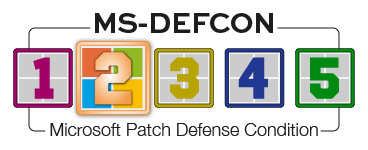
That’s why I’m raising the MS-DEFCON level to 2. I realize the opportunity to install January patches was brief, but that’s a combination of calendar realities and the serious problems with the most recent updates.
So, prepare your computers and networks to hold back the monthly onslaught of Microsoft madness. Here’s what we are waiting to see, based on items still under investigation.
Microsoft is investigating boot failures triggered by the January 2026 and later security updates. At the moment, these failures are not being seen on home PCs or on virtual PCs — only on devices that are managed. I’m not seeing this in my network at the office nor in my peer-to-peer home environment. Microsoft indicates that the impacted machines already experienced a failure while installing the December 2025 updates and were left in this state when they rolled back. A partial resolution has been included in the Windows nonsecurity preview update released on January 29, 2026; however, it’s not a full resolution. Microsoft stated:
This resolution helps prevent devices from becoming unable to boot when attempting to install updates while in this improper state. However, this resolution does not prevent devices from entering the improper state, nor does it repair devices that are already unable to boot.
My two cents? This seems remarkably similar to what happened years ago when we were applying a service pack at the same time as other updates, which triggered a “torn state.” This refers to a condition in which the service pack updated some files but not others, resulting in an unstable system. It was called a torn state because an update transaction was neither committed nor safely reverted.
Microsoft had to add dependency code to ensure that the service pack was installed all by itself. Although we don’t do service packs these days, we do have third-party patching tools that may not respect the same dependency rules as Windows Update. Time will tell whther my guess is in the ballpark. My remembrance of the torn state goes all the way back to Windows 7 and SP1. Granted, the way that Windows installs updates now is different, but let’s just say this side effect “feels” similar to what was happening back then. This is why I slightly roll my eyes whenever anyone waxes poetic about Windows 7 and how wonderful it was. I have too many painful memories of past patching pain to think it was perfect.
Note that in the January 29 nonsecurity update KB5074105, which will be rolled up into the February updates, a new User Account Control (UAC) setting will be in place. To help ensure that only authorized Windows users can access system files, Windows now displays a UAC prompt when you open Storage settings (Settings | System | Storage).
The February updates for Windows 11 24H2 will execute updates in the Boot Manager on devices that already have the Windows UEFI CA 2023 certificate in their Secure Boot Signature Database. It replaces the 2011-signed bootmgfw.efi with the 2023-signed bootmgfw.efi. In my Patch Watch column on Monday, I’ll remind you how to check whether these Secure Boot updates are installed.
Consumers
The classic Outlook freezing issue was fixed when the PST file was stored on a cloud storage system such as OneDrive. This is included for Windows 11 24H2 and 25H2 in KB5078127. As noted:
[File System] Fixed: After installing the Windows update released on and after January 13, 2026, some applications became unresponsive or encountered unexpected errors when opening files from or saving files to cloud-based storage, such as OneDrive or Dropbox. In certain Outlook configurations that store PST files on OneDrive, Outlook may hang and fail to reopen unless the process is terminated or the system is restarted. Users may also see missing sent Items or previously downloaded emails being re‑downloaded.
Although I don’t normally urge you to install out-of-band updates, do so if you’ve been impacted by this issue.
Businesses
If you are hosting virtual machines, make sure to hold back if you don’t have testing resources. If you do have those resources, ensure that you roll out in a staged manner. And, of course, have a plan for rolling back. Patches are an only slightly nicer version of an attack on your infrastructure. If you cannot recover from a failed update, it’s a sign you also can’t recover from a security attack targeting your workstations or your servers.
If you use Notepad++, be aware of an attack on its updating infrastructure that injected malware into its updating software. Kevin Beaumont pointed out that several organizations had initial access that came in through the Notepad++ updater. Turns out the (now former) Web host for Notepad++’s site wasn’t running a tight ship. Make sure you are on at least version 8.8.9 or higher (8.9.1 is current). Review Kevin’s excellent post if you are at all concerned that your organization might have an inadvertent back door.
Resources
- Susan’s Master Patch List
- The MS-DEFCON System explained
- BlockAPatch — Tools to help you hide or block updates
- Steve Gibson’s excellent InControl to manage feature releases
Hope you enjoyed this news post. Feedback welcome.
Posted Friday 6 February 2026 at 5:32 am AEST (my time).
News posts: 2023 5,800+ | 2024 5,700+ | 2025 5,700+ | 2026 (to end of January) 461
- funkyy
-
 1
1
Recommended Comments
Join the conversation
You can post now and register later. If you have an account, sign in now to post with your account.
Note: Your post will require moderator approval before it will be visible.