

3175x175(CURRENT).thumb.jpg.b05acc060982b36f5891ba728e6d953c.jpg)
Mozilla has announced that it will begin rolling out profile management in Firefox next week. The feature is already available in the browser, but is hidden behind a preference.
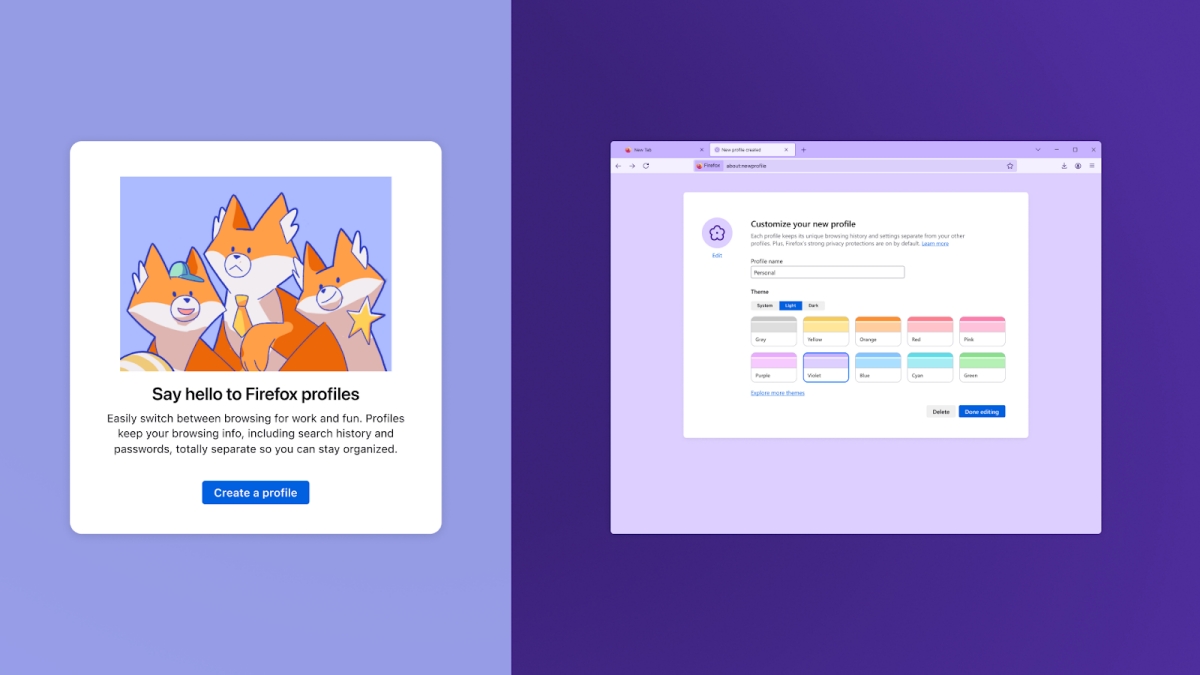
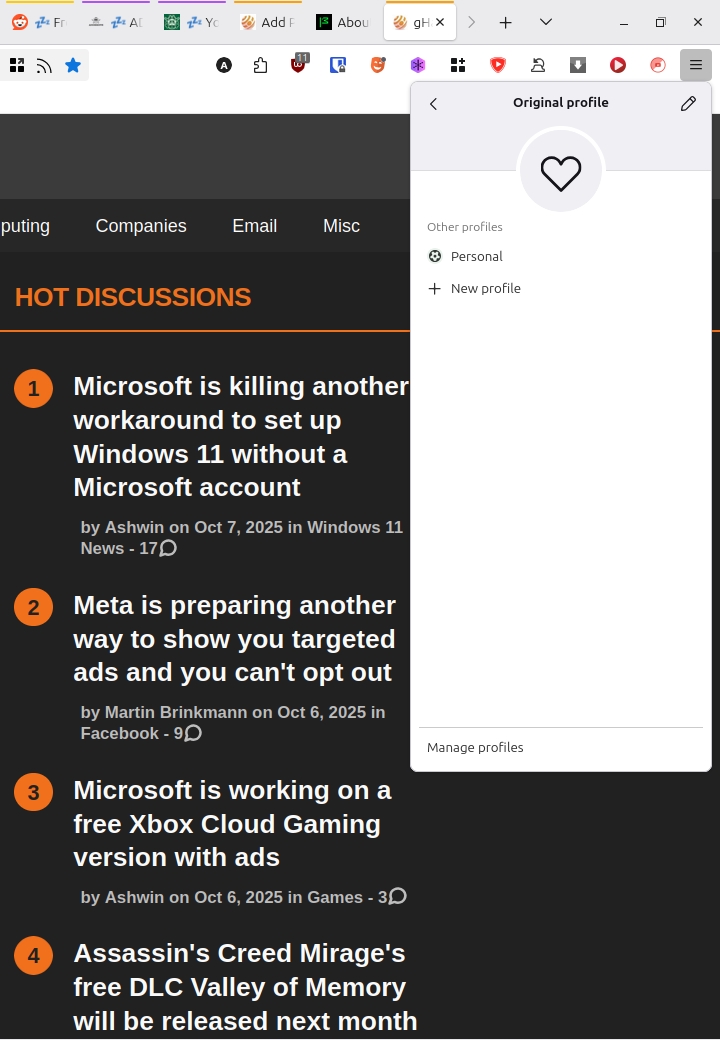
Martin tested this feature in January this year, and as he mentioned, opening Firefox with the P parameter like this "firefox -P" lets you access the Profile Manager. You can also access your profiles, or create a new one from about:profiles. But these methods are not particularly user-friendly. That's why the Profile Switcher menu has been designed, to simplify things.
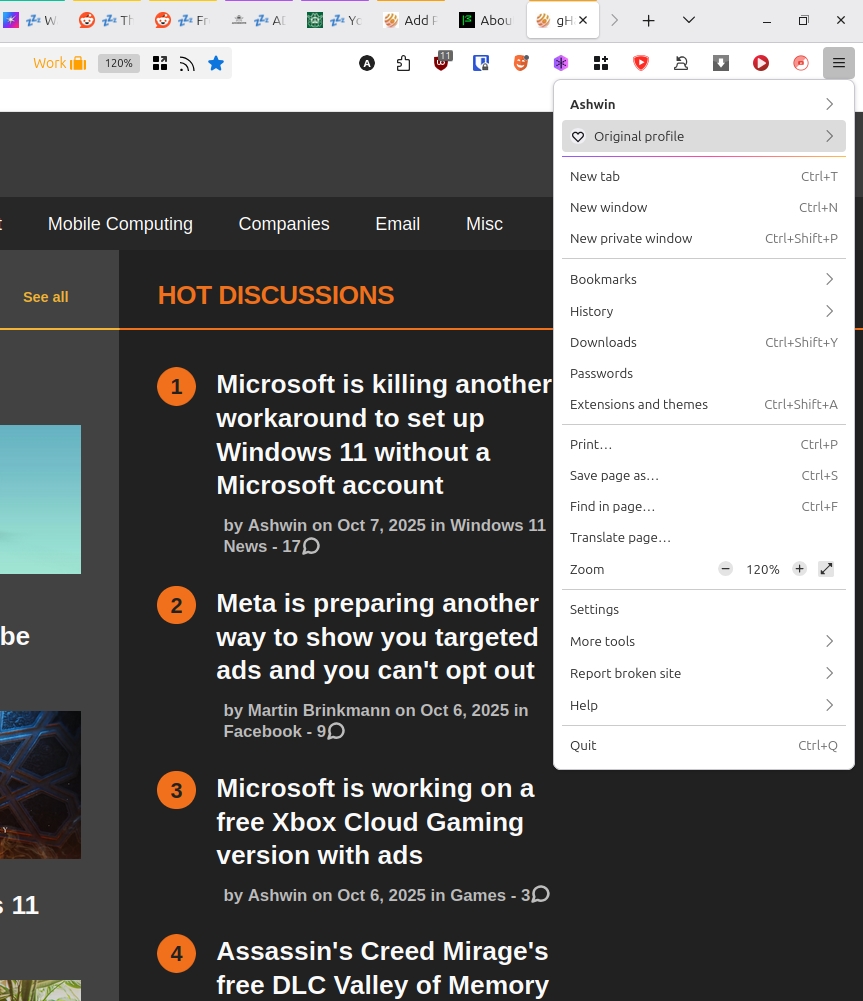
Using multiple profiles allows you to maintain a separate collection of tabs, bookmarks, add-ons, etc. You can create a separate profile for work, personal use, shopping, etc.
Mozilla says the new Profile Management feature will roll out to users from October 14th. A quick look at the Firefox Release Calendar says that Firefox 144 is set to release on October 13th. So that's the version which will bring profile management to the stable channel by default, for a limited number of users.
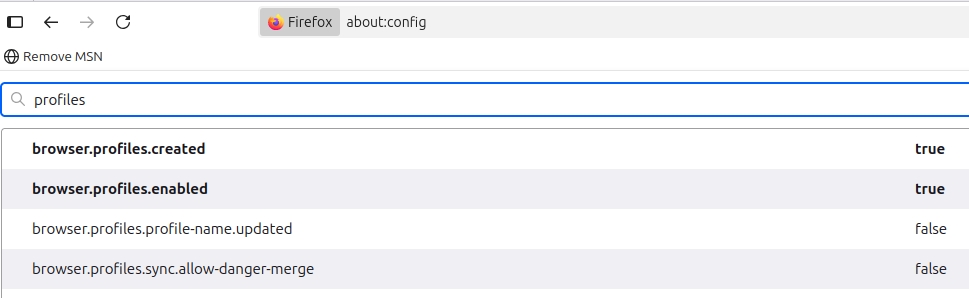
But you don't need to wait until then, you can try it right now in the stable version of Firefox by changing a flag. The setting has been available since Firefox 138, which was released in April 2025. To enable the Profile Switcher in Firefox, open about: config and search for browser.profiles.enabled and set its value to true. You don't have to restart the browser. To access the feature, just click on the hamburger menu button, and you should see Profiles at the top of the menu.
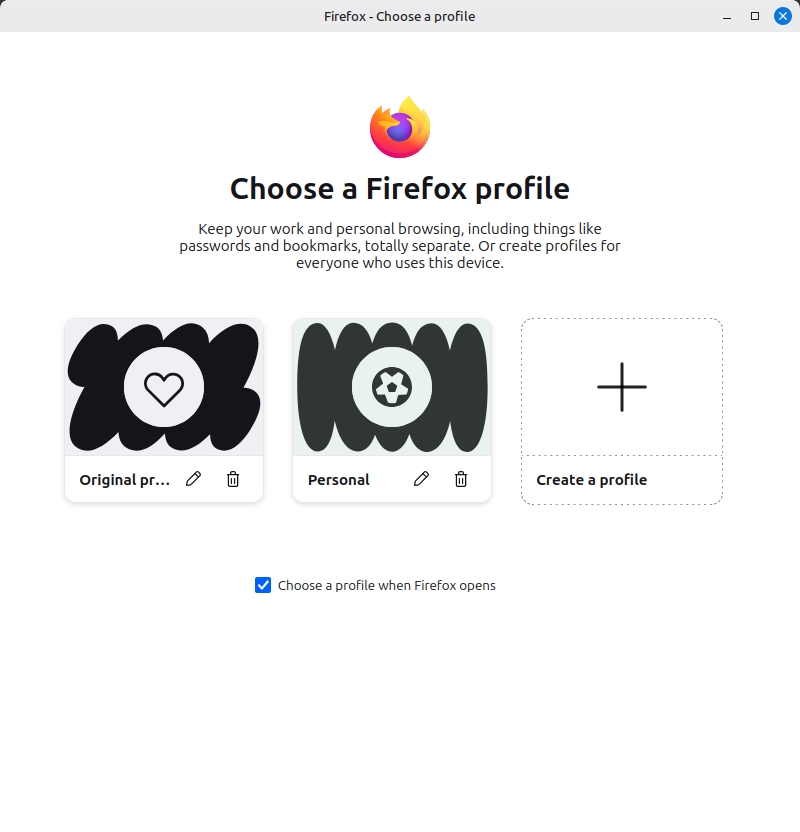
However, if you are worried that things might get messed up, you can install Firefox Nightly to test the Profile Manager. It already has the Profile Switcher enabled by default, so you don't need to edit any flag in the Nightly version.
Note: If you wish to sync profiles, you should create a separate Mozilla account for each profile. Refer to the support page here for more details.
Do you use multiple profiles in Firefox?
Hope you enjoyed this news post. Feedback welcome.
Posted Wednesday 8 October 2025 at 6:37 pm AEST (my time).
News posts... 2023: 5,800+ | 2024: 5,700+ | 2025 (till end of September): 4,533
- Matt and digitaldon2
-
 2
2
Recommended Comments
There are no comments to display.
Join the conversation
You can post now and register later. If you have an account, sign in now to post with your account.
Note: Your post will require moderator approval before it will be visible.