

3175x175(CURRENT).thumb.jpg.b05acc060982b36f5891ba728e6d953c.jpg)
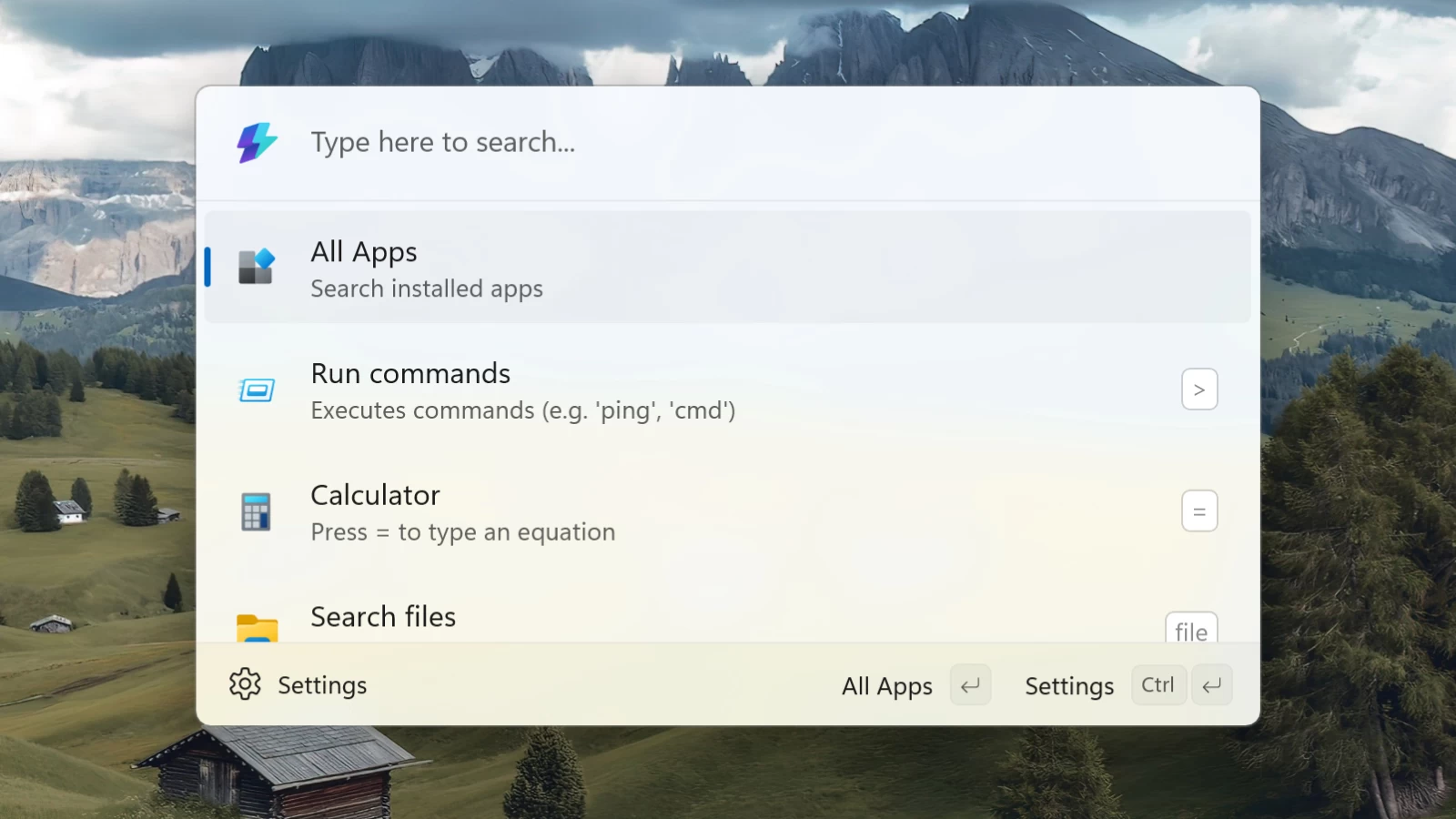
The Start menu in its typical form factor is long dead to me (my fellow Usama Jawad recently shared the same sentiment in his editorial). Microsoft's PowerToys Command Palette fully replaced it for me, and I never looked back. This powerful search-like launcher can find files, launch apps, run commands, and do much more with the help of additional modules. In the upcoming PowerToys update, Command Palette will become even more useful.
PowerToys' GitHub repository reveals that the next update, version 0.93, will bring a much-needed update to app search in Command Palette. In addition to showing you the entire list of available applications, it will allow you to pin your favorite apps, just like you can pin them to the taskbar or the Start menu. Also, your favorite apps should show up on the home screen when you invoke the launcher.
In case you are not familiar with it, you can open the list of all apps in Command Palette by pressing Win + Alt + Space (or your custom key sequence that can be set in the module's settings) and then selecting "All apps," which is shown first by default. Then, Command Palette scans all available apps and presents them in a list with a few additional bits like type or path.
As of right now, there is no information on how many apps Command Palette will let you pin or when version 0.93 will be available. The previous update, version 0.92, arrived at the beginning of this month, with a small bug-fixing update following shortly. Considering that PowerToys gets monthly feature updates, it is safe to assume that we will see version 0.93 somewhere in August.
Command Palette deserves a dedicated series of articles highlighting its capabilities, and if you have not tried it yet, we highly recommend you give it a shot. It is fast, powerful, configurable, and extensible (Microsoft should make it and a bunch of other tools part of Windows). You can get it as part of the PowerToys app, which is available in the Microsoft Store or GitHub.
Hope you enjoyed this news post.
News posts... 2023: 5,800+ | 2024: 5,700+ | 2025 (till end of June): 2,864
RIP Matrix | Farewell my friend
Recommended Comments
There are no comments to display.
Join the conversation
You can post now and register later. If you have an account, sign in now to post with your account.
Note: Your post will require moderator approval before it will be visible.