

3175x175(CURRENT).thumb.jpg.b05acc060982b36f5891ba728e6d953c.jpg)
Microsoft is streamlining the AI experience by introducing a simplified entry point and updated keyboard shortcuts for Copilot across Office apps.
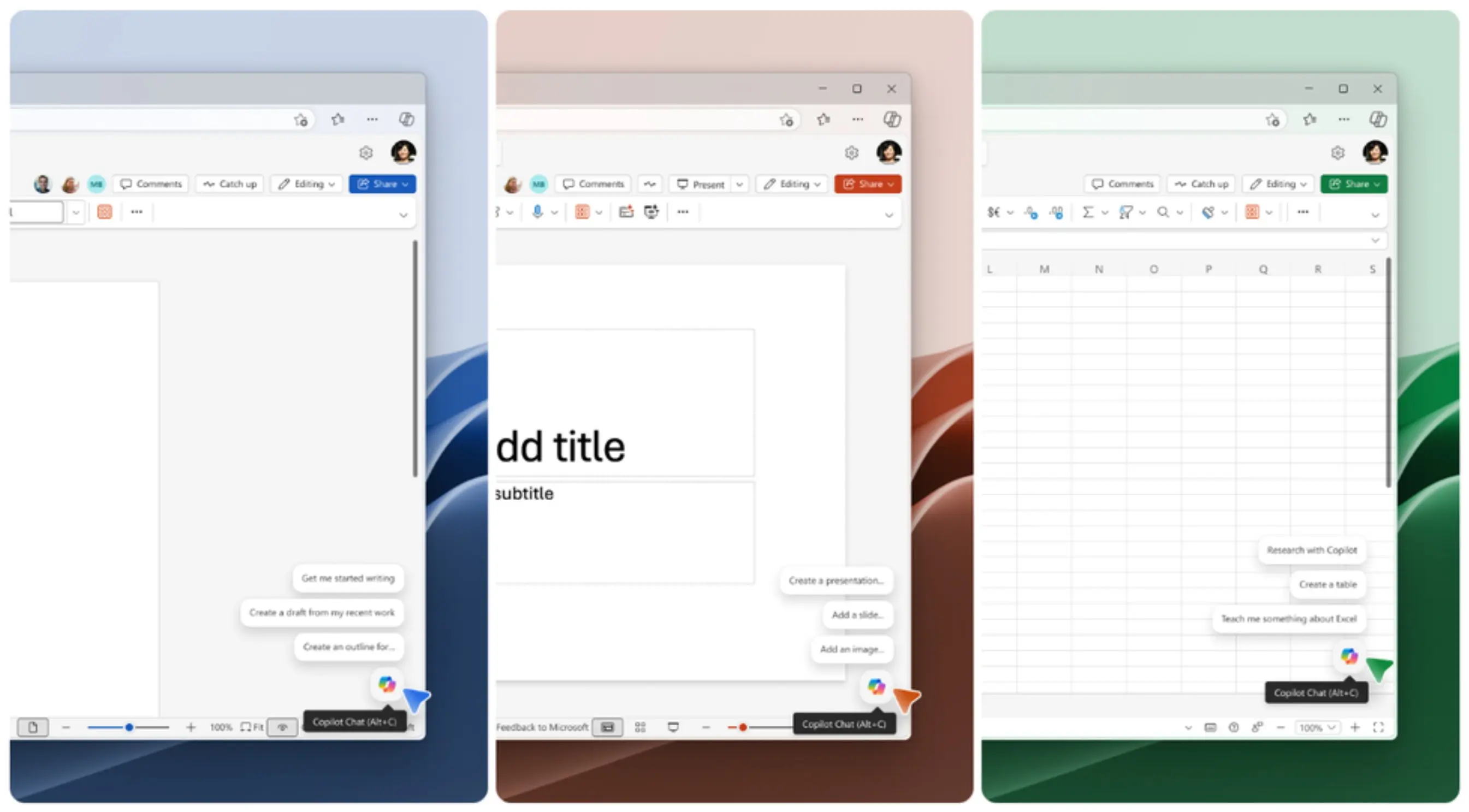
Today, Microsoft announced that it is making Copilot easier to access across Word, Excel, PowerPoint, and other Microsoft 365 apps with a new, simplified entry point and updated keyboard shortcuts. As part of this effort, Microsoft is reducing the number of Copilot entry points and adding proactive suggestions to help users get started with Copilot more easily.
From now on, Copilot will appear in two main places:
- A Copilot icon at the bottom-right corner of the screen
- A contextual entry point when users interact with content, such as selecting text
Users can hover over the Copilot button or use keyboard shortcuts to get proactive suggestions. These suggestions will change depending on the selected content. For example, Copilot may offer broad drafting help for a full document, but more targeted rewrites, edits, or fixes when a paragraph, sentence, or word is selected.
If users find the new floating Copilot icon distracting, they can use the new docking option for the Copilot button. Users can right-click the Copilot button and select "Dock" to move it away from the content. In the future, users will also be able to drag the icon to dock it to the right side of the content, or to the left side for right-to-left locales.
Microsoft also announced today that it is changing the Copilot keyboard shortcuts across Microsoft 365 apps and platforms. Users who previously used Alt + H, F, X to open the Copilot pane can now simply use the F6 key to focus on the Copilot button and the up arrow key to move through suggested prompts.
The new Copilot button and updated shortcuts are rolling out to Word, Excel, and PowerPoint for Windows and Mac, with web support coming soon. Microsoft expects the rollout to reach general availability by early June. The feature requires the following versions:
- Windows: Build 2606, version 19822.20182 or later
- Mac: Build 16.108, version 26050324 or later
The simplified Alt + C and Cmd + Control + I shortcuts are available today in Outlook and Word for Windows and Mac in English. Microsoft says support for other apps and languages will follow shortly after the new entry point rolls out.
Hope you enjoyed this news post. Feedback welcome.
Posted Tuesday 12 May 2026 at 5:30 pm AEST (my time).
News posts: 2023 5,800+ | 2024 5,700+ | 2025 5,700+ | 2026 (to end of April) 1,700
Recommended Comments
There are no comments to display.
Join the conversation
You can post now and register later. If you have an account, sign in now to post with your account.
Note: Your post will require moderator approval before it will be visible.