


3175x175(CURRENT).thumb.jpg.b05acc060982b36f5891ba728e6d953c.jpg)
Visual Studio Code weekly releases have become a bit tame, but 1.129 is interesting thanks to the includion of the modern UI preview.
Microsoft has just released Visual Studio Code 1.129 and while normally these weekly releases aren’t super exciting, this week’s update is notable because it includes a preview of the new modern UI that updates the look of the VS Code workbench. The update also introduces an experimental new editor panel in the Agents window.
Let’s start with the modernized user interface. To enable it, go to the Settings and search “modern”. You should see “Workbench > Experimental: Modern UI”. Once you enable it, the sidebars and bottom panel will be shown as floating cards with rounded corners and gaps. Refresh workbench styles are also applied that match the new Agents window.
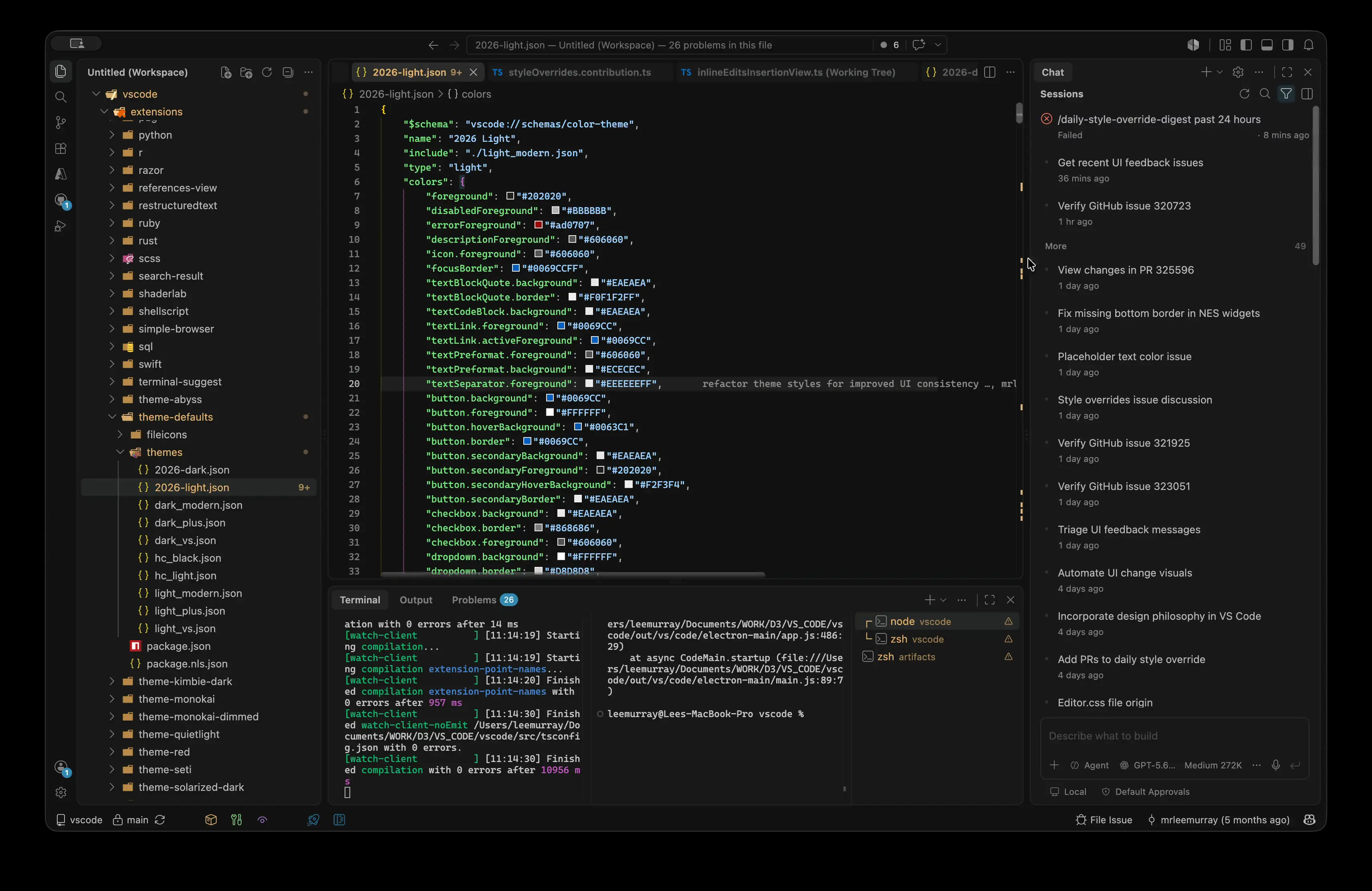
Now let's have a look at the new editor panel in the Agents window. As background, the Agents window shows your conversation with an agent next to a detail area for the files and changes it produces. The new editor panel brings the editor and detail area together into one docked pane with a shared tab bar so that reviewing your agent’s work feels more like you’re still working in the main editor instead of navigating to another pane.
The final worthwhile feature that deserves a mention is that you can now prefix chat messages with an exclamation mark to run their contents as terminal commands. Microsoft said this works in agent host sessions both in the editor and Agents window.
If you have Visual Studio Code, you should automatically be offered this latest weekly update. If you still need to manually install it, get it from the VS Code website. You can see the full change log here.
Hope you enjoyed this news post. Feedback welcome.
Posted Thursday 16 July 2026 at 4:59 pm AEST (my time).
News posts: 2023 5,800+ | 2024 5,700+ | 2025 5,700+ | 2026 (to end of June) 2,475
- DLord
-
 1
1
Recommended Comments
There are no comments to display.
Join the conversation
You can post now and register later. If you have an account, sign in now to post with your account.
Note: Your post will require moderator approval before it will be visible.