

3175x175(CURRENT).thumb.jpg.b05acc060982b36f5891ba728e6d953c.jpg)
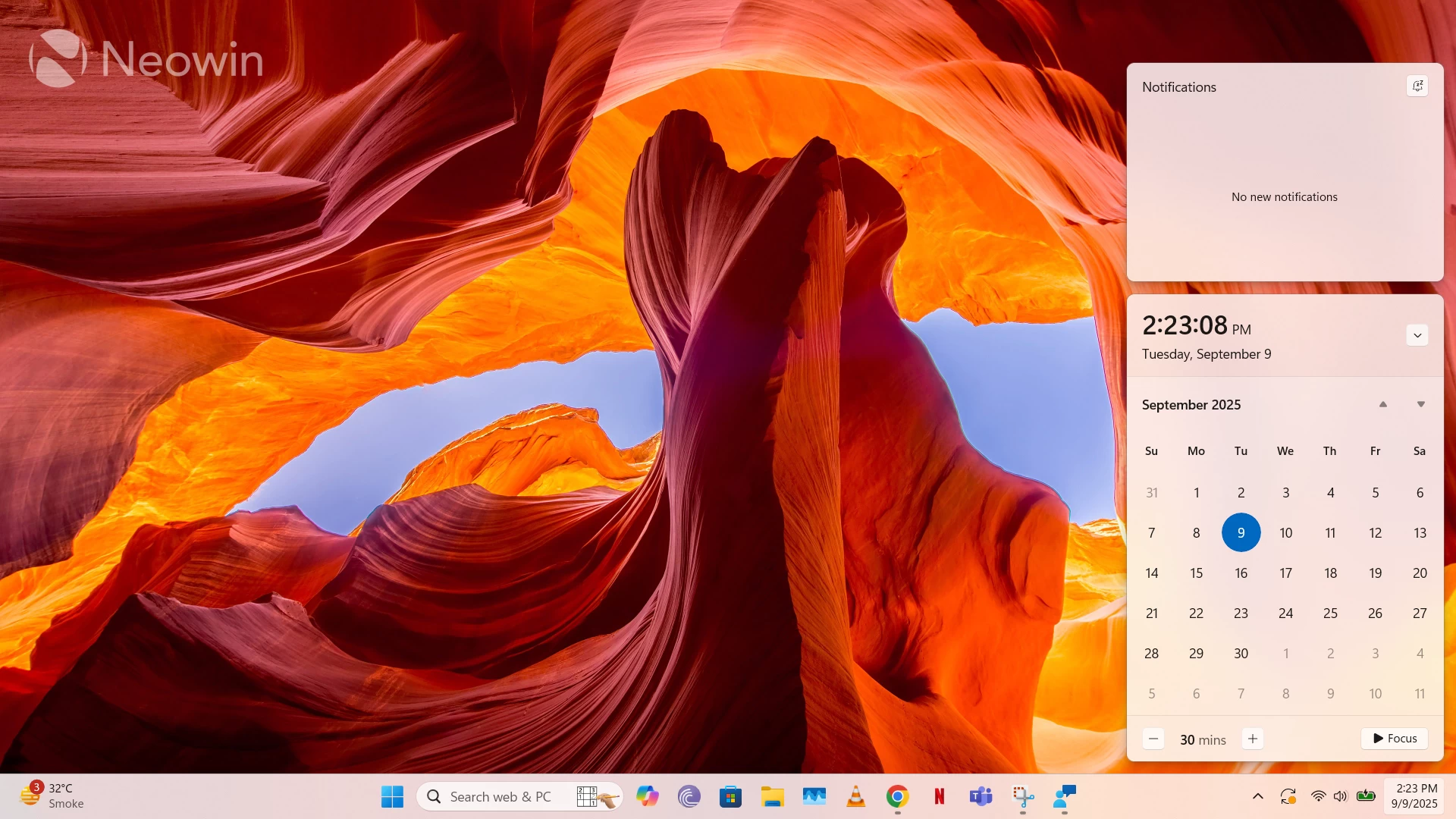
Windows 11 has been out for almost four years, while Windows 10 is about to lose support in a little over a month. Despite that, many, including myself, have been struggling to find strong enough reasons to upgrade to Microsoft's latest operating system. However, I finally decided to pull the trigger on my personal machine last month because I realized that I don't want to stick to an unsupported system on my trusty PC, or jump through hoops for official or unofficial support. It seems like Microsoft really appreciated that gesture, because it has now decided to bring back a Windows 10 feature that I sorely missed.
Back in 2022, I complained about how Microsoft had inexplicably removed the seconds precision in the calendar clock present in the Taskbar flyout. While this feature may appear trivial to many, it had numerous niche use-cases for me. I used it to monitor the duration of contact while measuring my body temperature with a Mercury thermometer, keep track of the exact time remaining before an online meeting starts, and send people birthday messages exactly at midnight.
All of these abilities were hampered by Microsoft when it got rid of the precision in the flyout. If you think I'm being pedantic, do note that it is one of the most upvoted requests in the Feedback Hub.
Microsoft has finally listened to user feedback and is restoring this capability in Windows 11 soon. The company began testing this UX with limited Insiders on the Dev Channel back in June, released the feature in Canary builds recently, and also rolled it out as a preview for Windows 11, version 24H2 customers less than two weeks ago. Since this optional preview update is typically a precursor for Patch Tuesday, that means that this feature should land later today. That said, some features roll out gradually so not everyone may get it today.
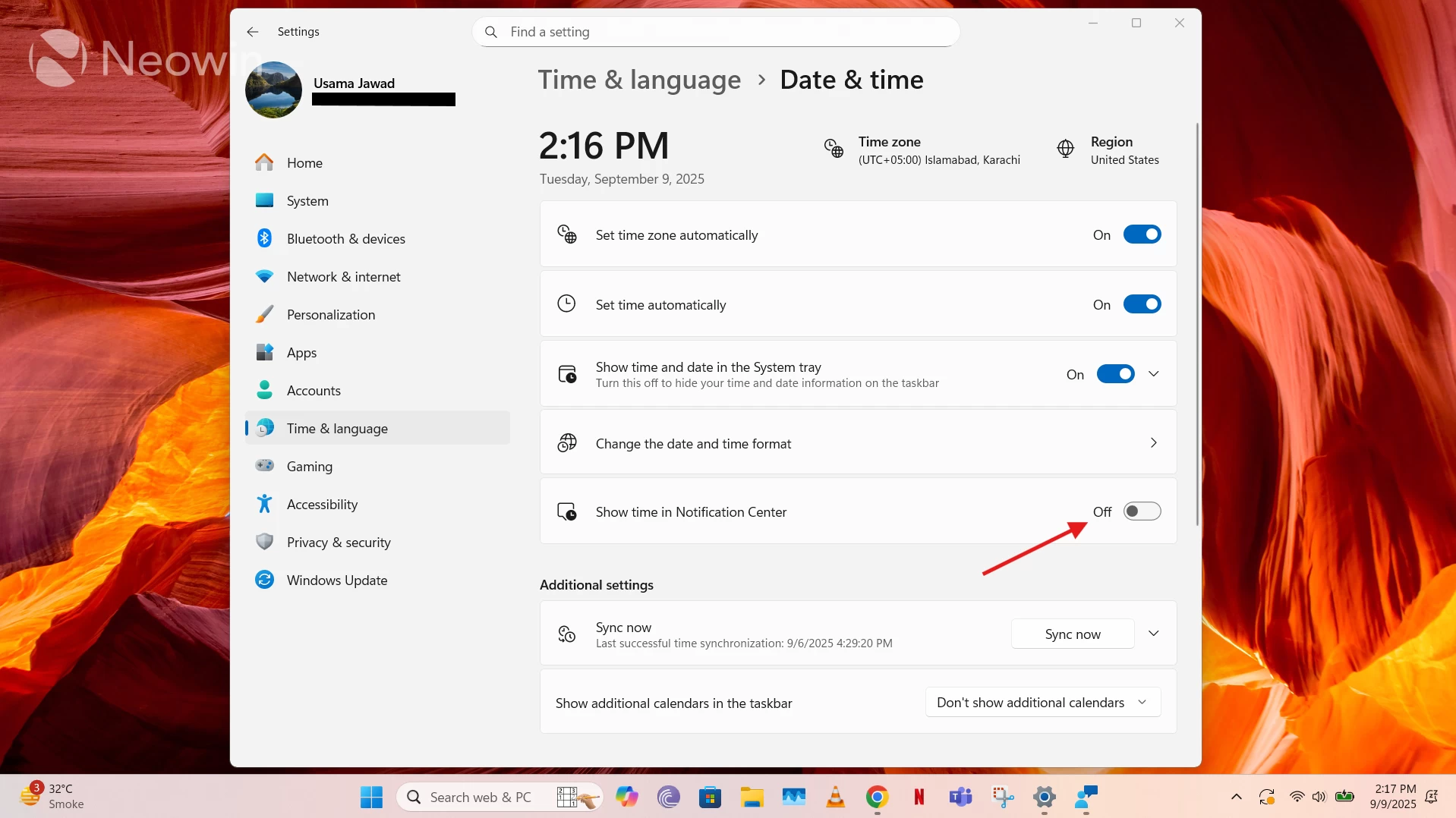
People who used this feature regularly in Windows 10 will be pleased to know that its layout is quite similar in Windows 11, with identical functionality. That said, while it was enabled by default in Microsoft's previous OS, it now needs to be manually enabled through Windows Settings > Time & Language > Date & time > Show time in Notification Center, as can be seen above. This makes it ideal in terms of flexibility.
As you may have surmised from the tone of this editorial, I am quite happy that Microsoft has finally restored a Windows 10 feature that I use quite heavily, and just in time with respect to the fact that I only recently upgraded my machine to Windows 11. That said, I still stand by my other stance from three years ago that implementing relatively minor, but highly requested, functionalities in Windows 11 shouldn't take this long.
Hope you enjoyed this news post. Feedback welcome.
Posted Wednesday 10 September 2025 at 4:10 am AEST (my time).
News posts... 2023: 5,800+ | 2024: 5,700+ | 2025 (till end of August): 4,048
Recommended Comments
There are no comments to display.
Join the conversation
You can post now and register later. If you have an account, sign in now to post with your account.
Note: Your post will require moderator approval before it will be visible.