

3175x175(CURRENT).thumb.jpg.b05acc060982b36f5891ba728e6d953c.jpg)
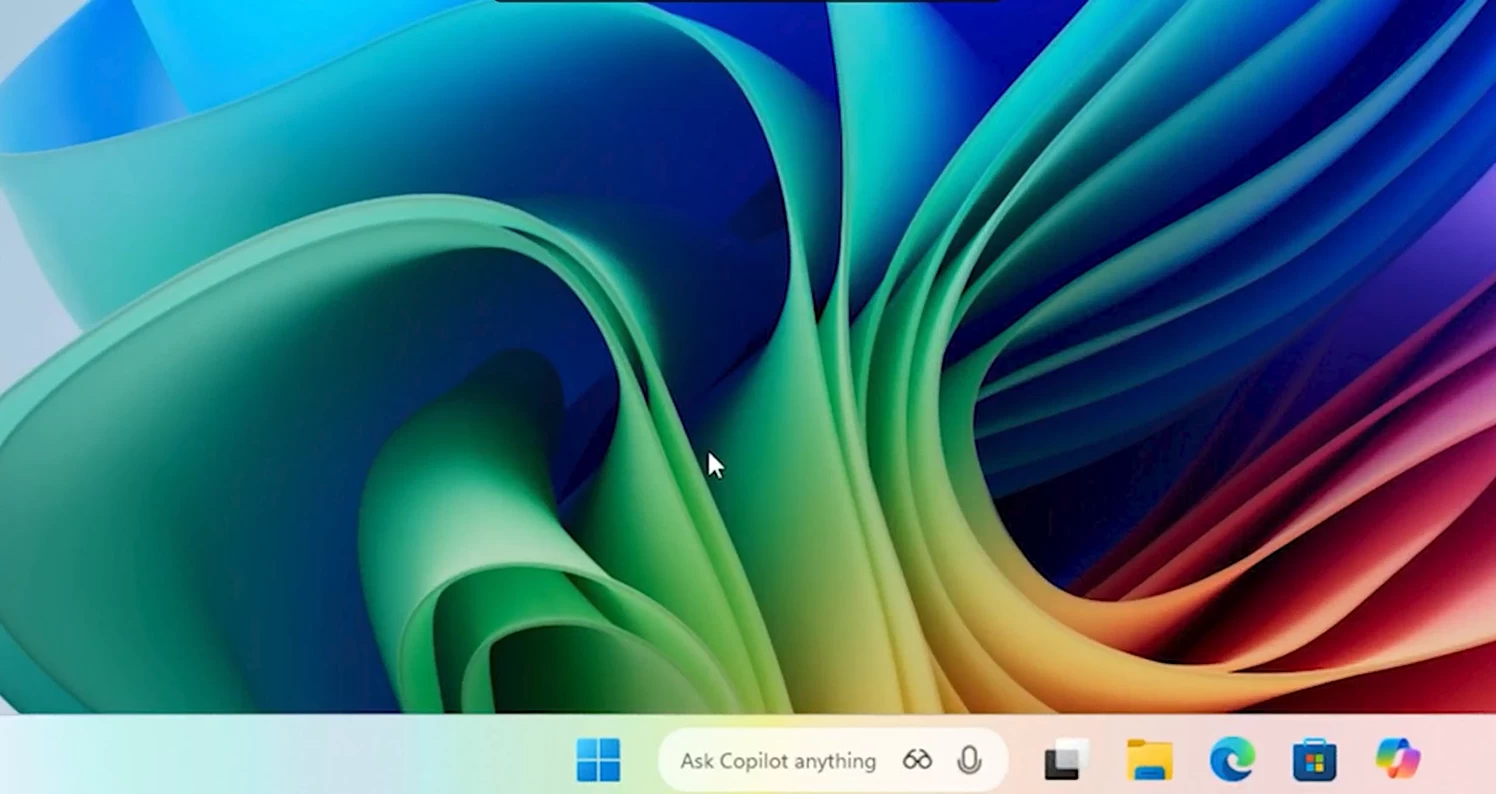
In addition to the ability to launch Copilot with a voice command and rolling out Copilot Vision to all users worldwide, Microsoft is introducing another Copilot-related upgrade for Windows 11 users. The company is upgrading Windows 11's taskbar with new Copilot elements, giving users a quick and easier way to interact with the AI assistant.
Windows 11 users are famously very sensitive to taskbar and Start menu changes, so this one may ruffle some feathers. Still, it could be a welcome change if you often use Copilot to chat about various things. The new taskbar experience is a search-bar-like button with quick shortcuts to Copilot Voice and Copilot Vision. It is not a real search bar, though, as clicking it reveals a small search window with fast search results.
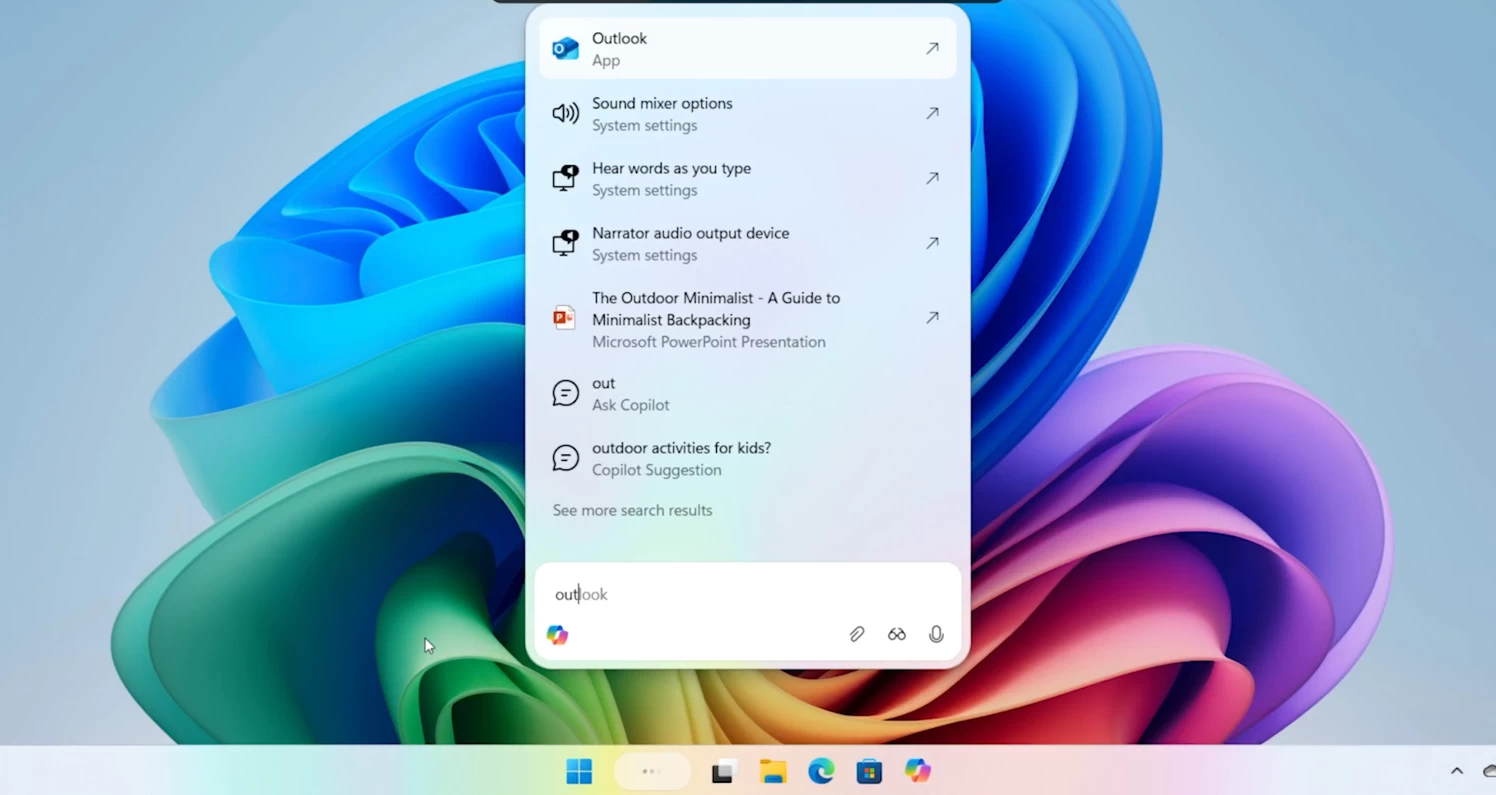
Microsoft says that this new taskbar experience offers "lightning-fast search results in a refreshed design" that makes it easier to find apps, files, settings, and other elements. Here is how Microsoft describes it:
Our vision is simple yet bold: to make the taskbar a dynamic hub that helps you accomplish more with less effort, transforming everyday interactions into moments of productivity and delight. This opt-in experience provides one click access to Copilot Vision and Voice, enabling more natural engagement in your flow. With utility across voice, text, and guided support with Copilot Vision, you can engage Copilot on your terms, in the way that works best for you.
As for privacy, another sensitive topic among Windows users, the new taskbar experience does not give Copilot access to your files, apps, or settings. Instead, it uses existing Windows APIs that the operating system uses in Windows Search. In scenarios where Copilot needs direct access to your files or data, the app asks you for permission, and Microsoft keeps such experiences strictly opt-in.
Hope you enjoyed this news post. Feedback welcome.
Posted Friday 17 October 2025 at 4:04 am AEST (my time).
News posts... 2023: 5,800+ | 2024: 5,700+ | 2025 (till end of September): 4,533
Recommended Comments
There are no comments to display.
Join the conversation
You can post now and register later. If you have an account, sign in now to post with your account.
Note: Your post will require moderator approval before it will be visible.