

3175x175(CURRENT).thumb.jpg.b05acc060982b36f5891ba728e6d953c.jpg)
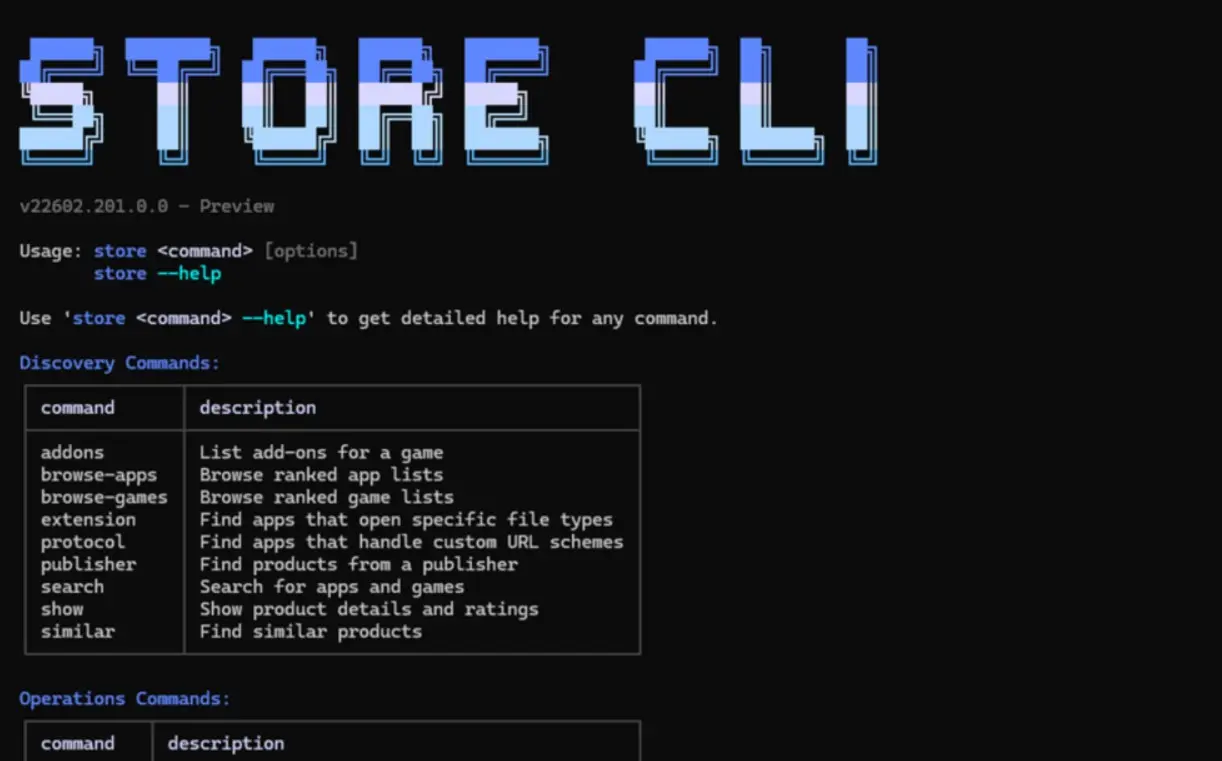
Microsoft today announced a new command-line interface for the Microsoft Store. Developers and power users generally prefer CLIs for accessing apps and services. This new Microsoft Store CLI will allow them to explore apps, install, and manage updates directly from the terminal without opening the Microsoft Store GUI app.
The initial version of Store CLI will support the following features:
- Browse apps with store browse-apps: Search and filter the Store catalog by category, subcategory, listing type (top-free, top-paid, new releases), market, language and more.
- Install apps instantly with store install : Install any app in Microsoft Store directly from the command line with a single command.
- Update specific apps with store update : Update to the latest version of any app without navigating through Microsoft Store menus.
- Typing store --help will provide the list of commands that are supported along with their capabilities.
It is important to note that the Store CLI will only work on Windows devices with the Microsoft Store already in an enabled state. In addition to the Store CLI, Microsoft also announced several new features and updates across developer analytics, the web installer, and more.
First, Microsoft has made some key improvements to Health, Summary & Usage reports in Partner Center. Health Reports now offer deeper app stability insights with multi-filters across app versions, device architectures, and OS builds, making it easier to identify reliability patterns and track changes over time. The new Anomaly Alerts will flag unusual spikes in crash or hang rates and notify developers via email and the dashboard, helping teams investigate issues earlier.
A new Summary Dashboard consolidates key KPIs such as installs, ratings, stability, and engagement into one view with links to detailed reports. A redesigned Usage Dashboard adds more useful engagement metrics like active devices, session counts, and engagement duration, plus filters for region and app version, to better understand app usage trends.
Microsoft is also improving the Microsoft Store Web Installer to support more deployment scenarios. For example, with the new auto-open capability for Win32 apps, apps can launch automatically after installation, reducing extra user steps. It also comes with better support for enterprise-managed devices via improved install logic, helping more installs complete successfully. A refreshed Store Badge creator will allow developers to easily publish official badges.
Hope you enjoyed this news post. Feedback welcome.
Posted Friday 13 February 2026 at 6:30 am AEST (my time).
News posts: 2023 5,800+ | 2024 5,700+ | 2025 5,700+ | 2026 (to end of January) 461
Recommended Comments
There are no comments to display.
Join the conversation
You can post now and register later. If you have an account, sign in now to post with your account.
Note: Your post will require moderator approval before it will be visible.