

3175x175(CURRENT).thumb.jpg.b05acc060982b36f5891ba728e6d953c.jpg)
Microsoft is quietly improving the experience in its web-based Office apps with a change many users will appreciate.
Although the full-fledged versions of Microsoft's Office apps are present in the Redmond company's desktop suite for customers, many still prefer using the online versions of these apps. This is due to multiple reasons such as the fact that it's free to use as long as you have a Microsoft account, content created here can be accessed across any device, and it constantly saves your data, so you never need to worry about losing your work. Now, Microsoft has added a new feature to its online portals that will likely please many customers.
If you look at the screenshot at the bottom, this is what the online portal for Word looks like right now. The portals for Excel and PowerPoint are structured in a similar fashion. They contain templates at the center, followed by your recent content at the bottom. The header pane at the top of the page is fairly empty and primarily contains some controls to navigate across your Office apps or Microsoft 365 account:
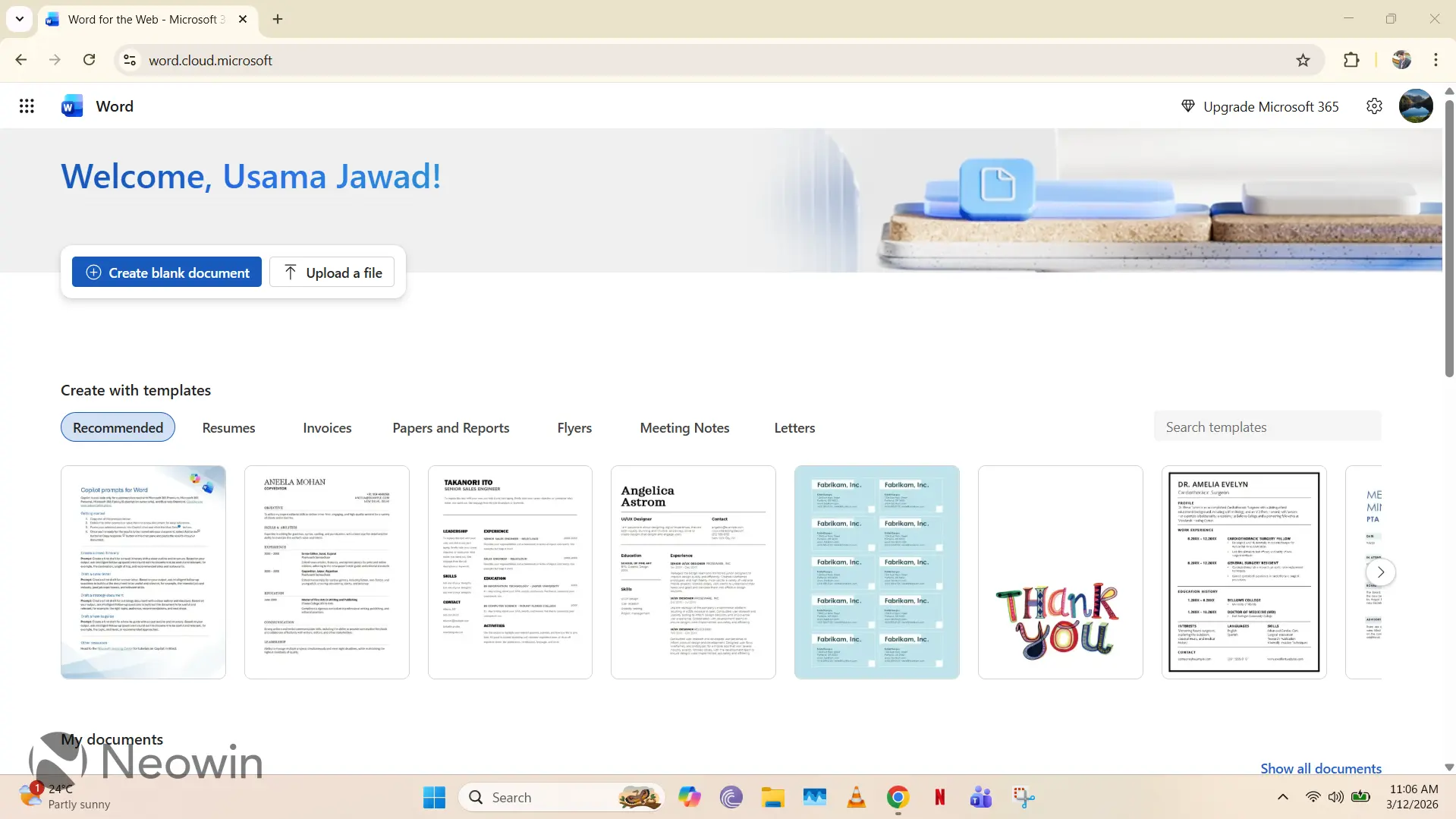
The problem with this UX is that it does not offer a very basic capability, that is, a search bar in the header. Although there is a search bar in the bottom section, it is not intuitive to locate, so it's not user-friendly at all. Fortunately, Microsoft is finally remedying this issue by introducing a search bar in the header, as can be seen in the GIF below:
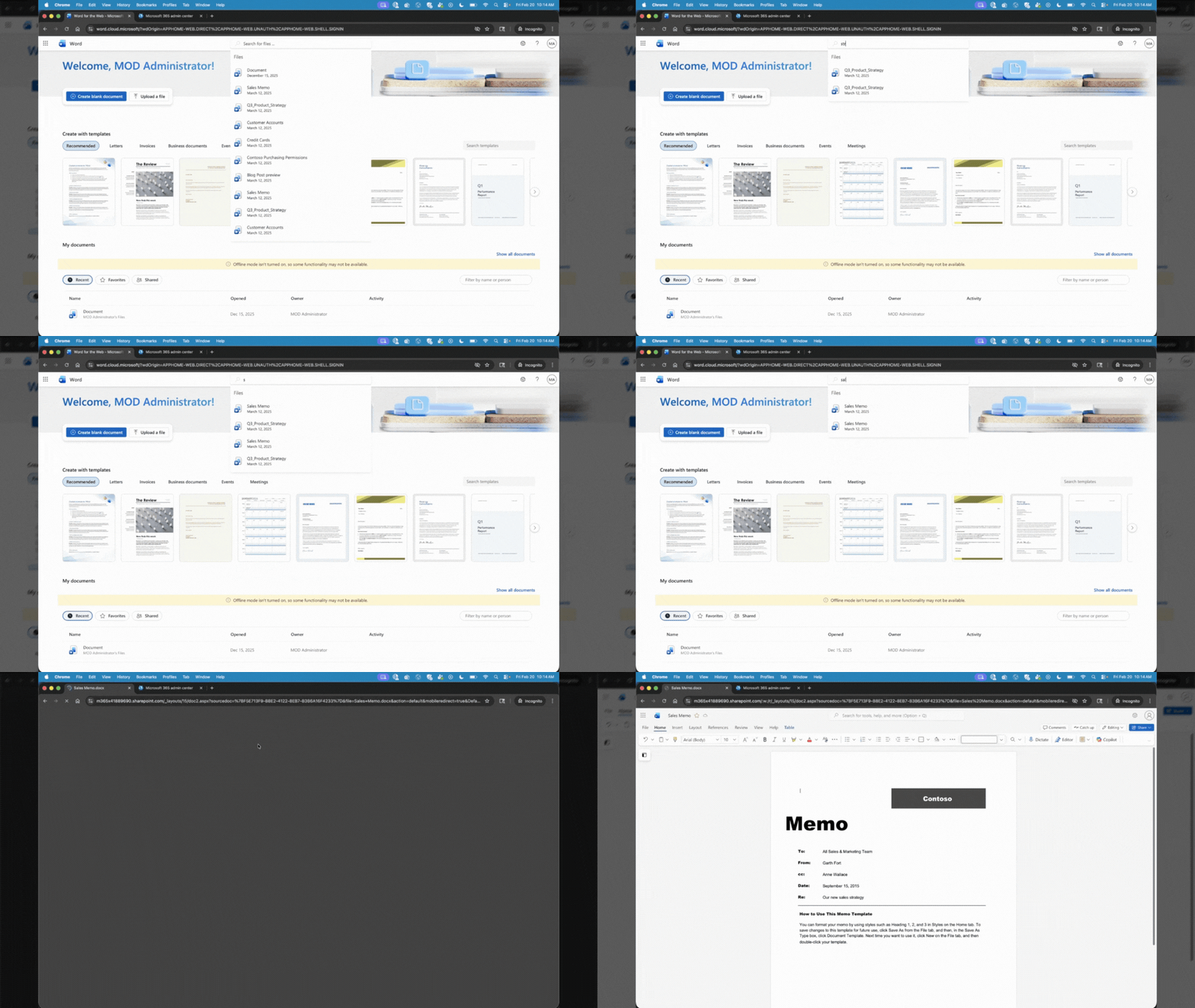
The search bar behaves as you would expect it to. You simply begin typing a file name, and relevant results start popping up. You can click on any of the surfaced items in the search bar to directly open it too.
This should make the lives of Microsoft 365 customers so much easier, and it's honestly surprising why Microsoft didn't utilize all the empty space in the header pane for the search bar in the first place, and instead, relied on a relatively obscure location.
Microsoft has begun rolling out this search bar UX for the online portals of PowerPoint, Word, and Excel customers. Right now, it is being deployed for commercial customers of Microsoft 365 only, it remains to be seen when general consumers will get this capability.
Hope you enjoyed this news post. Feedback welcome.
Posted Thursday 12 March 2026 at 5:12 pm AEST (my time).
News posts: 2023 5,800+ | 2024 5,700+ | 2025 5,700+ | 2026 (to end of February) 854
- jenyco2
-
 1
1
Recommended Comments
There are no comments to display.
Join the conversation
You can post now and register later. If you have an account, sign in now to post with your account.
Note: Your post will require moderator approval before it will be visible.