


3175x175(CURRENT).thumb.jpg.b05acc060982b36f5891ba728e6d953c.jpg)
Microsoft could enhance Windows 11 Phone Link with smarter integration, file sharing, clipboard history, and more.
It's probably not controversial to say that Windows, including its UI (user interface) and UX (user experience), is far from perfect. And there are several examples of it too. For example, recently, users complained about a messy update to a Settings page wherein it appears like a half-baked remix of Windows 11 and 10. And Microsoft itself makes criticizing easy as it finally managed to fix a bug that broke all Shell components after a whole year.
Another issue we reported on recently is about Phone Link, where users have noticed for some time that the app gobbles up lots of memory. Phone Link, as the name suggests, essentially helps users sync their phones with their Windows 11 PCs, and so it seems unusual for such a software to consume so much RAM unless there is a memory leak in the code somewhere.
Well, Microsoft has never seemingly acknowledged this bug, but regardless it may still get fixed as according to a new news report, the company is looking to overhaul the design of Phone Link in order to better integrate it with the Windows 11 UX.
The report adds that Microsoft is looking to improve the Phone Link experience in several key areas. For example, more recent activity will be shown on Windows 11 itself, instead of the user having to open the Phone Link app. The experience could be similar to how File Explorer shows us recently opened files. A hover-over functionality could be added as well which will let users hover over a particular message (say) and it will display the whole message.
A new smartphone flyout in the notification area on the Taskbar is also said to be in the works, which will pop out from the phone icon there. The flyout itself is reportedly expected to provide a quick overview of the connected phone's status while also offering one-click controls for common actions. These may include toggles for Do Not Disturb (DND), vibration mode, and even a Find My Phone option, which could eliminate the need to pick up the handset or launch the Phone Link app just to perform basic tasks.
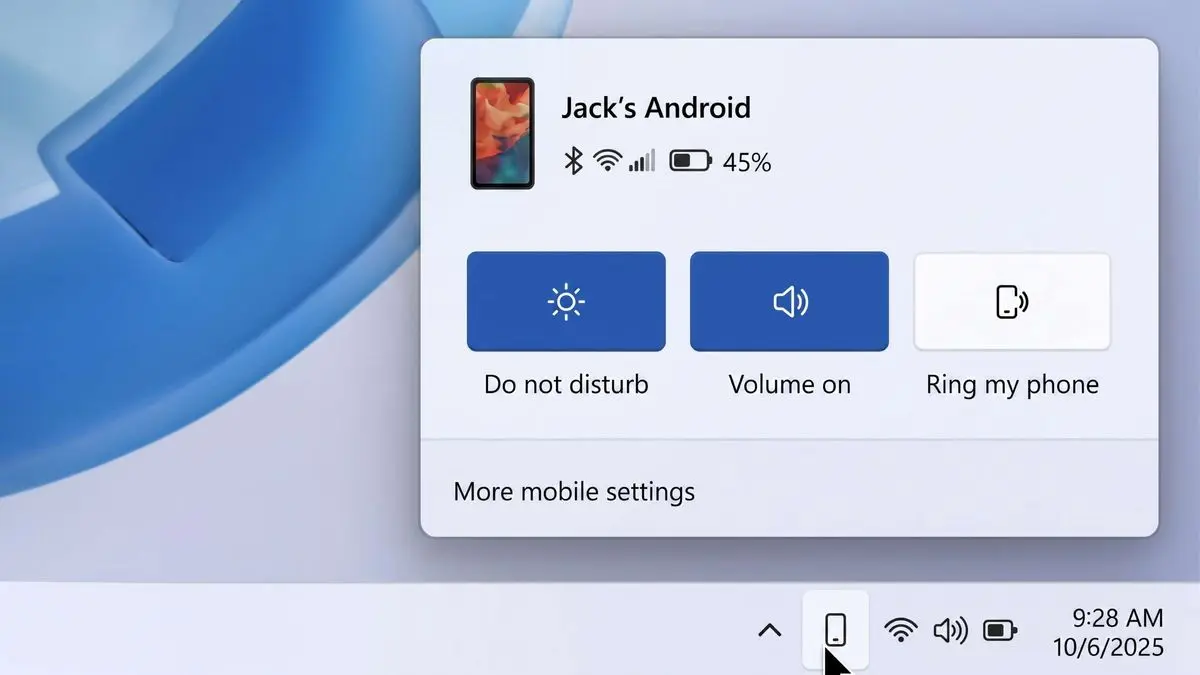
Interestingly, Microsoft is also said to be testing drag-and-drop file sharing through this flyout. Users may simply drag a file onto the phone icon in the system tray to send it directly to their smartphone, making the transfer process much more seamless than it currently is.
Aside from those, clipboard syncing could also receive a meaningful upgrade. Windows already supports cross-device clipboard sync, but it is limited to only the latest copied item. According to the report, Microsoft wants to expand this into full clipboard history synchronization, allowing users to access a list of previously copied text and other content across both their PC and phone.
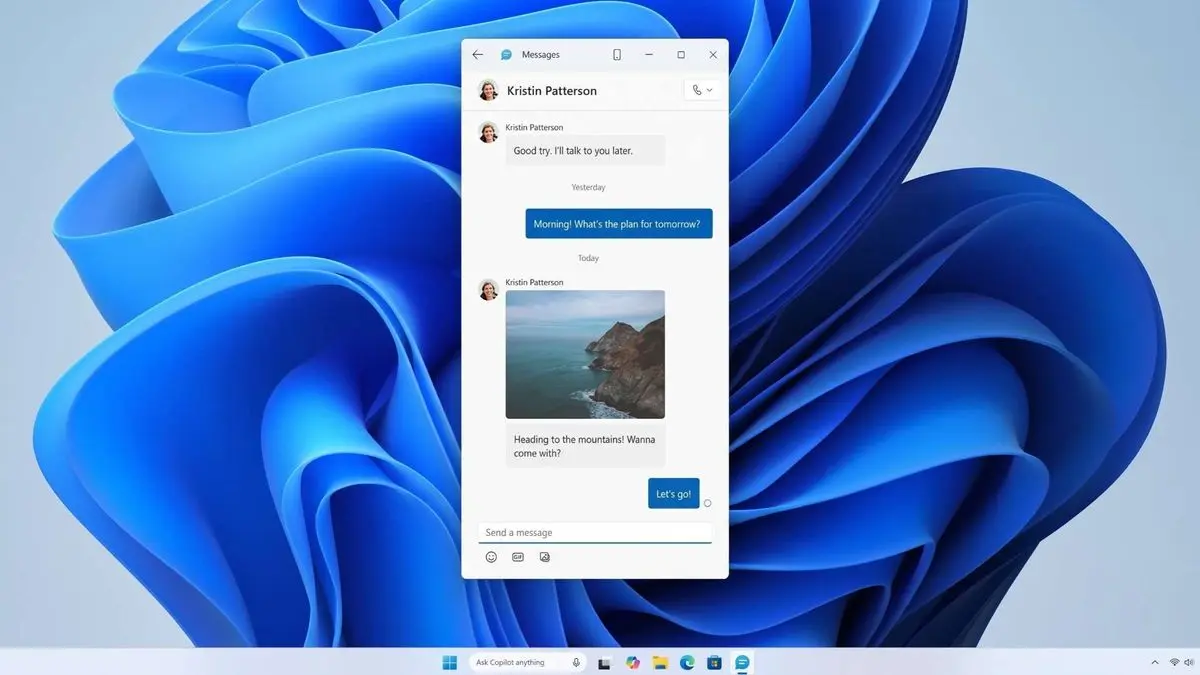
Perhaps the biggest change, however, is the reported development of a standalone Messages app for Windows 11, which suggests that Microsoft may split messaging into a dedicated app that can be pinned to the Start menu and taskbar like any other native Windows app. This could make conversations feel like a more integrated part of the Windows desktop experience.
That said, none of these changes is guaranteed to ship, and the report notes that these features are currently being explored internally and will likely have to go through Windows Insider testing before Microsoft commits to a public rollout.
Also, the addition of several of these features means the memory footprint will likely increase, but even so, if the already-existing memory leak issues are fixed as a result of the internal code reshuffle, that's a win for consumers like us, since at least you will get more out of your system for the amount of RAM taken up. Plus, when you won't be using these features, the memory consumption should lower, again, assuming the underlying memory leak issue gets addressed.
Source and images: Windows Central
Hope you enjoyed this news post. Feedback welcome.
Posted Monday 13 July 2026 at 5:21 pm AEST (my time).
News posts: 2023 5,800+ | 2024 5,700+ | 2025 5,700+ | 2026 (to end of June) 2,475
Recommended Comments
There are no comments to display.
Join the conversation
You can post now and register later. If you have an account, sign in now to post with your account.
Note: Your post will require moderator approval before it will be visible.