


3175x175(CURRENT).thumb.jpg.b05acc060982b36f5891ba728e6d953c.jpg)
Microsoft is testing a one-click Windows 11 feature to uninstall local AI components on Copilot+ PCs.
At the end of last month, Microsoft released its latest Windows 11 Insider channel Experimental preview build, 26300.8553. Aside from features that were already mentioned in the changelog, Windows enthusiasts and X users techosaruserex and phantomofearth discovered a new hidden option inside the Settings page.
I guess that this one could be quite popular among certain users, as Microsoft is working on a new AI uninstall button; it seems it will be very simple and intuitive to use, too, as it is going to be a one-click, no-fuss button. This is quite reminiscent of the Google Chrome AI model we recently covered that takes up around 4GB of space.
Windows 11, ever since version 24H2, has been bifurcated into two distinct categories. The first is the general PC, like it used to be, while the second is the new AI PC that Microsoft officially refers to as the Copilot+ PCs. The latter also has a different set of minimum system requirements compared to the vanilla systems. While the latter needs 4GB RAM (at least on paper) and 64 GB of disk space, the Copilot+ PCs require 16GB RAM and 256 GB of storage.
The fourfold increase in storage and memory requirements is there for a reason, alongside the need for a 40+ TOP NPU. Doing the locally installed AI processing, of course, requires additional resources compared to a base Windows 11 system, and the components themselves also eat up quite a lot of additional storage space. As you see in the screenshot below, the AI Phi Silica component is consuming over 2.5 GB of disk. If you notice, there is a new "Uninstall" button right below it that will remove the component after a system reboot.
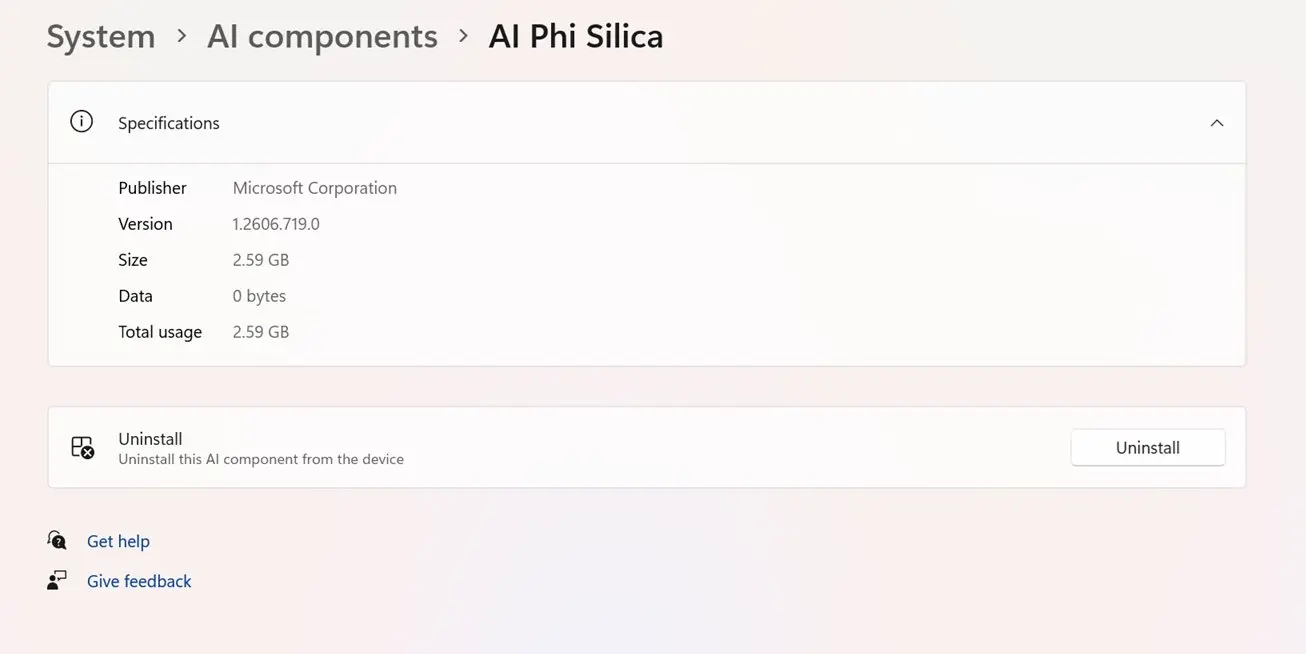
For anyone wondering, Windows 11’s Copilot+ PCs include several built-in AI models that power on-device AI features for local processing. Phi Silica is Microsoft’s compact language model for local execution on a device’s Neural Processing Unit (NPU) to help perform tasks such as text summarization, rewriting, and content generation. The Image Creation AI component, as the name suggests, is the text-to-image model that generates images from text prompts and so on. On the flip side, the Image Processing AI component helps in analyzing user-provided images. Finally, the Image Transform AI component is there for editing, enabling features like object removal, intelligent background reconstruction, and such.
Source and image: PhantomofEarth (X)
Hope you enjoyed this news post. Feedback welcome.
Posted Thursday 4 June 2026 at 8:36 am AEST (my time).
News posts: 2023 5,800+ | 2024 5,700+ | 2025 5,700+ | 2026 (to end of May) 2,092
Recommended Comments
Join the conversation
You can post now and register later. If you have an account, sign in now to post with your account.
Note: Your post will require moderator approval before it will be visible.