

Jump to content
  • Microsoft begins rolling out new Start menu on Windows 11 — here's everything you should know

    Karlston

    • 1 comment
    • 486 views
    • 3 minutes
     Share


    • 1 comment
    • 486 views
    • 3 minutes

    The new Start menu that Microsoft unveiled for Windows 11 earlier this year is now beginning to roll out for users who install the latest optional non-security update.

    Microsoft has released the October non-security preview update for Windows 11 version 24H2 and version 25H2 that introduces the long awaited new Start menu, which includes a more customizable layout among other quality of life improvements.


    The update, known as KB5067036, is available now for users with the "Get the latest updates as soon as they're available" toggle enabled in Windows Update. Unfortunately, the new Start menu itself is rolling out in waves, meaning not everyone will see it right away once the update is installed.


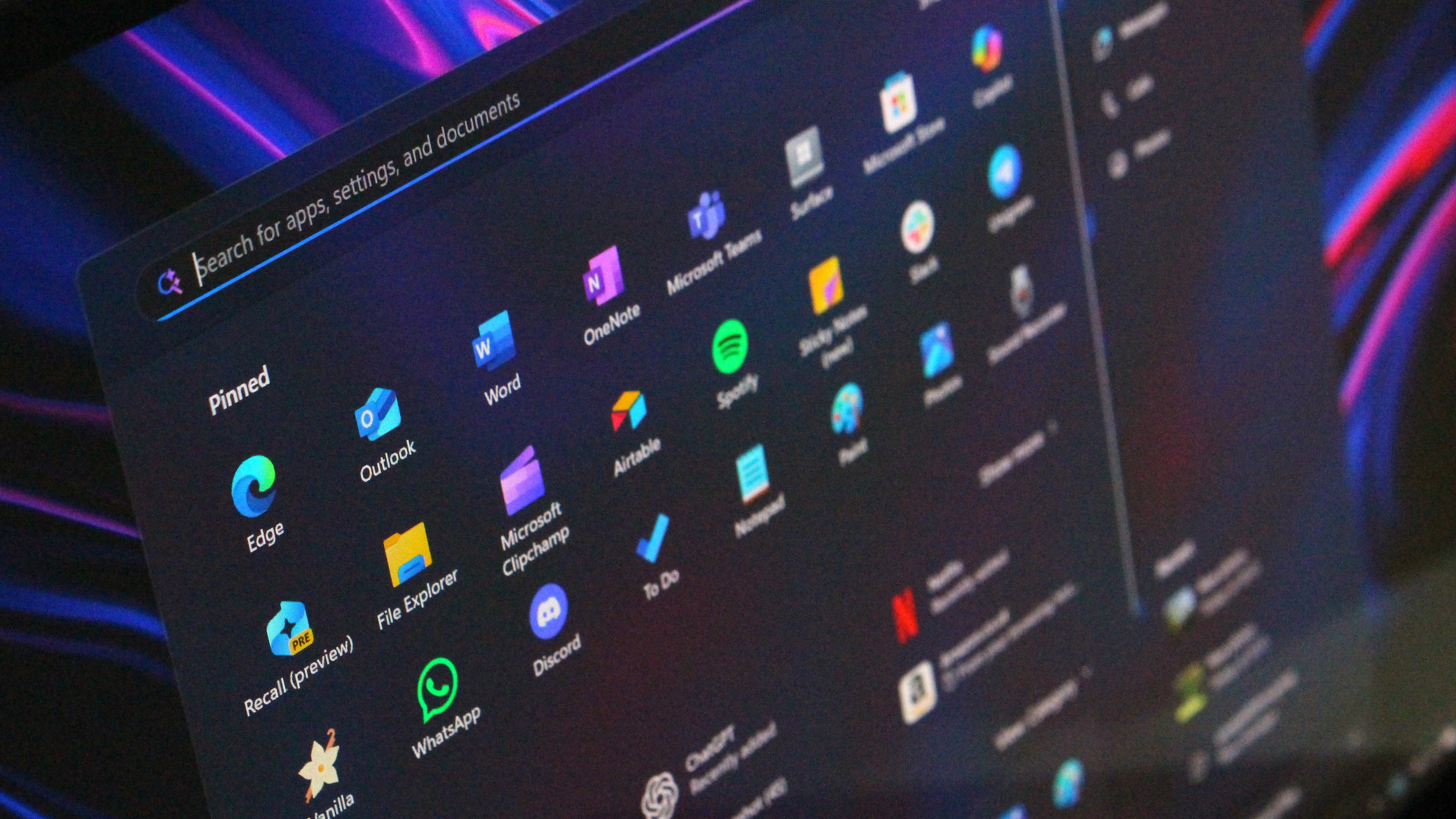
    Windows 11 Start menu 2025

    This is the new Start menu on Windows 11.

    (Image credit: Windows Central)


    The new layout also promotes the "all apps" list to the main page, and gives you two additional views: grid list and category view. By default, the new Start menu sets your all apps list to the category view, which attempts to automatically group installed apps into buckets similar to the app shelf on iOS or iPadOS.


    The new Start is also more adaptive, meaning it will appear bigger on devices with larger screens, giving you the ability to show even more pinned apps at once. It also includes an improved Phone Link panel, which now shows more recent activity including recent notifications, missed calls, and text messages.


    This new update also includes improvements to the Taskbar, including animations for thumbnails when hovering over open app icons, and a new battery icon that supports showing your battery percentage on the Taskbar.

    How do I get the new Windows 11 Start menu?

    The new Windows 11 Start menu is rolling out gradually as of the optional non-security preview update for version 24H2 and version 25H2, known as KB5067036. As the feature is rolling out gradually, you might not see it right away.


    To get KB5067036, make sure you have the "Get the latest updates as soon as they're available" toggle switched on in Windows Update, and check for updates.

    Can I turn off the new Start menu?

    No, once the new Start menu is available on your PC, it cannot be turned off. You can disable some of the new additions however, including the Phone Link panel and new views for the apps list.


    Source


    Hope you enjoyed this news post. Feedback welcome.

    Posted Wednesday 29 October 2025 at 6:22 pm AEST (my time).

    News posts... 2023: 5,800+ | 2024: 5,700+ | 2025 (till end of September): 4,533

    RIP Matrix


    User Feedback

    Recommended Comments

    Heh... NO!  This iteration of the Windows 11 Start Menu is uglier than before, and in all likelihood takes EVEN MORE local control away from end-users.  Why don't they just admit they don't know what the h*ll they are doing?  Oh, wait, they're Empowered (TM)... [sarcasm and satire intended]

    Link to comment
    Share on other sites


    Join the conversation

    You can post now and register later. If you have an account, sign in now to post with your account.
    Note: Your post will require moderator approval before it will be visible.

    Guest
    Add a comment...

    ×   Pasted as rich text.   Paste as plain text instead

      Only 75 emoji are allowed.

    ×   Your link has been automatically embedded.   Display as a link instead

    ×   Your previous content has been restored.   Clear editor

    ×   You cannot paste images directly. Upload or insert images from URL.


  • Recently Browsing   0 members

    • No registered users viewing this page.
×
×
  • Create New...