


3175x175(CURRENT).thumb.jpg.b05acc060982b36f5891ba728e6d953c.jpg)
Microsoft is updating PowerPoint with a new feature that should help those who often add images to their presentations. With the latest updates, PowerPoint now has a built-in "powerful image editor" that should make it easier to perform quick image edits without switching to third-party apps.
Microsoft says that images are a core part of every PowerPoint presentation, and switching between apps "can disrupt your flow." To make sure you stay in the flow, PowerPoint for Windows, Mac, and the web now lets you edit images using its built-in editor, which has some pretty powerful tools. Those include removing backgrounds, erasing unwanted elements, upscaling images, enhancing image quality, and adding text or effects.
If you want to try the new image editor, select the image you want to edit and click Edit Image on the Picture Format tab or in the context menu. Then, PowerPoint will open a new window and present you with available options. Changes appear in real time on the preview window, and once you are happy with the result, you can click Update to apply changes to the picture.
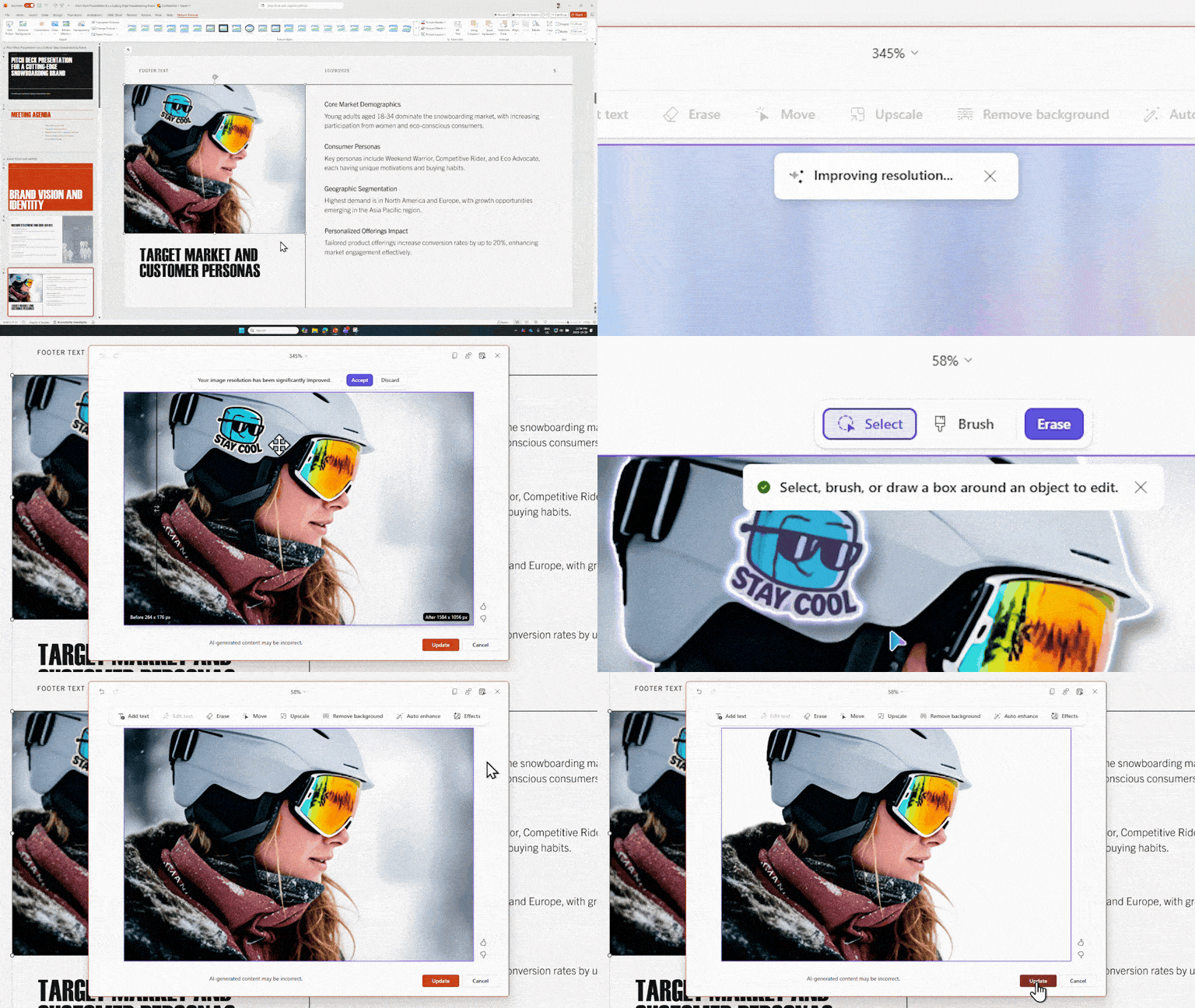
In the announcement post, Microsoft lists the following scenarios where PowerPoint's new image editor can come in handy:
- Clean up screenshots, photos, or online images.
- Remove distracting backgrounds from photos before placing them into layouts.
- Add text annotations with cool text effects.
- Improve low-resolution images copied from the web or scanned documents.
- Auto‑enhance lighting and contrast to make images presentation‑ready.
- Remove objects or artifacts that don’t belong with Erase.
- Improve clarity for images that look pixelated on large screens with Upscale.
The image editor is now rolling out to PowerPoint on Windows (version 2510, build number 19422.20000), macOS (version 16.104, build number 25121423), and the web. The rollout is gradual, so you might not have it right away. If so, give Microsoft a few more days and check back later.
Hope you enjoyed this news post. Feedback welcome.
Posted Saturday 7 March 2026 at 5:15 am AEST (my time).
News posts: 2023 5,800+ | 2024 5,700+ | 2025 5,700+ | 2026 (to end of February) 854
Recommended Comments
There are no comments to display.
Join the conversation
You can post now and register later. If you have an account, sign in now to post with your account.
Note: Your post will require moderator approval before it will be visible.