

3175x175(CURRENT).thumb.jpg.b05acc060982b36f5891ba728e6d953c.jpg)
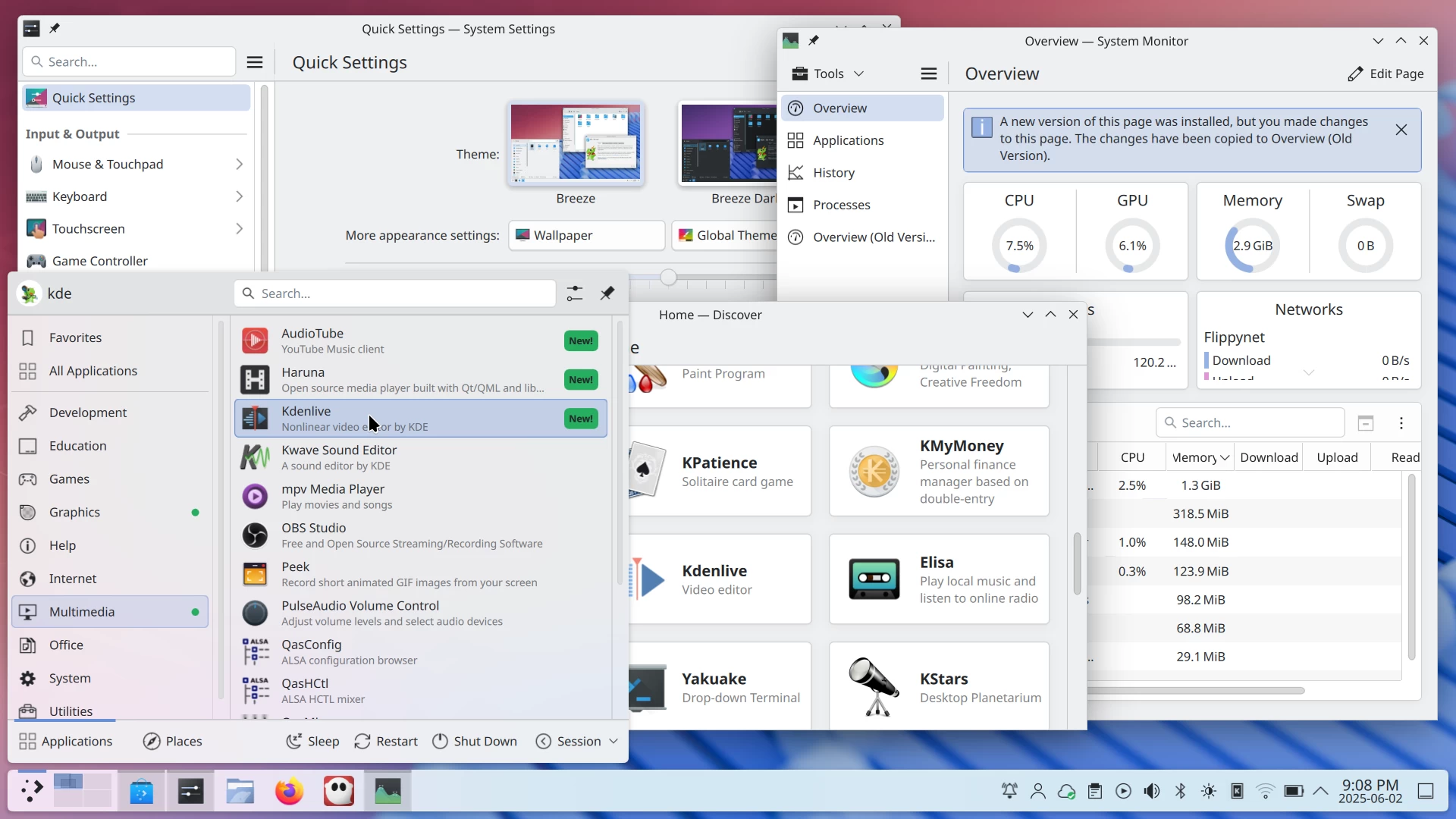
It's finally here. After several weeks of development, KDE Plasma 6.4 has been rolled out, delivering a ton of significant refinements across the entire UX, from how you manage windows to how you see notifications.
The biggest deal for power users is probably the increased flexibility in window management. Plasma 6.4 now allows you to set a completely different tiling layout for each virtual desktop. You can have a simple 50/50 split screen on one desktop for writing, and on another, have a complex grid with two apps snapped to the sides and two others floating in the middle.
On the visual side, the default Breeze Dark theme got a little darker for better contrast, and when a password box pops up, the rest of the screen dims to help you focus.

There is also a new Animations page in System Settings, which groups all the purely visual effects in one place so you can find them easily. The file transfer notification now shows a speed graph, giving you a much better idea of how a download is progressing. The system will even pop up a notice if you try talking into a muted microphone, and you can install system updates right from the notification that tells you they are ready. When you are in a full-screen application like a game or watching a movie, Plasma automatically enters a Do Not Disturb mode, holding back notifications until you are done.
Plasma 6.3, which was released last February, brought several features, including a "Help" category to the launcher after getting rid of the "Settings" one. Now, Plasma 6.4 gives the application launcher a green New! tag next to recently installed apps to help you find them.
KRunner and Spectacle, two of the most powerful utilities in Plasma, also received some serious attention. KRunner now lets you visualize colors just by typing in their hex code or even CSS names like "MintCream" or the ridiculous "PapayaWhip." The tool will then show you what that color looks like and give you its code in other formats.
Spectacle, the screenshot tool, has been completely overhauled. Pressing the Print Screen key now immediately puts you in selection mode, letting you grab a region or the whole screen much faster before jumping straight into the annotation tools. Screen recordings made in the WebM format or on screens with fractional scaling have also seen a massive quality boost.
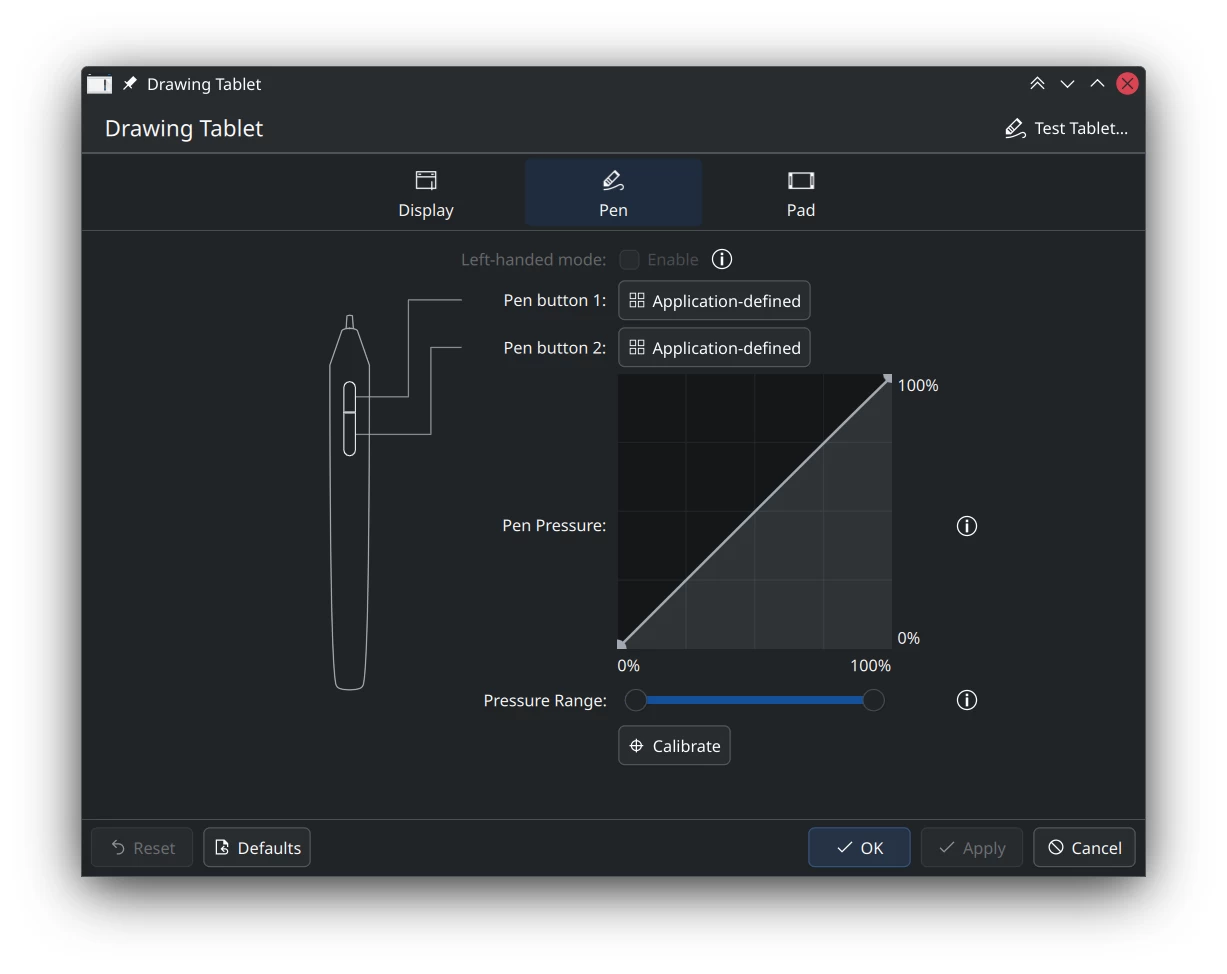
The Bluetooth widget is getting smarter with better device recognition and easier pairing (we touched on this last month). People with nice monitors will appreciate the new HDR calibration wizard in the display settings. Plasma can also now handle Extended Dynamic Range and the P010 video format, improving power efficiency with HDR content. Digital artists were not left out either. Configuring the buttons on a stylus is "much more intuitive," and you can easily reset your tablet's calibration if you mess it up.
Finally, there is a lot of work under the hood. The System Monitor can now show GPU usage for Intel and AMD hardware on a per-process basis and has a new Sensors page for nerds who want to see raw temperature data.

When you drag and drop files on the same disk, you can now set it to always move them instead of asking what to do every time. The browser integration feature now supports the Flatpak versions of Firefox and Chromium-based browsers. All of this is built on top of support for a slew of new Wayland protocols, like "FIFO", "toplevel tag," and more.
For more information, you can check out the official announcement post, as well as the full changelog.
Hope you enjoyed this news post.
Thank you for appreciating my time and effort posting news every day for many years.
News posts... 2023: 5,800+ | 2024: 5,700+ | 2025 (till end of May): 2,377
RIP Matrix | Farewell my friend
Recommended Comments
There are no comments to display.
Join the conversation
You can post now and register later. If you have an account, sign in now to post with your account.
Note: Your post will require moderator approval before it will be visible.