

3175x175(CURRENT).thumb.jpg.b05acc060982b36f5891ba728e6d953c.jpg)
Microsoft is releasing a new Windows 11 builds 28020.1743 and 29553.1000 with a brand new Feedback Hub. There are many more new changes.
Microsoft has released a couple of new Windows 11 builds for Insiders flighting the Canary channel. The new builds, 29550.1000, and 28020.1743 under KB5081339, have landed with some new features and improvements. On build 28020.1743, these features include upgrades for shared audio, right-click context menu, File Explorer, and more. The Feedback Hub is also being redesigned as part of both the new builds.
The full changelog is given below:
Changes and Improvements gradually being rolled out with toggle on*
[Shared audio (preview) gets more control]
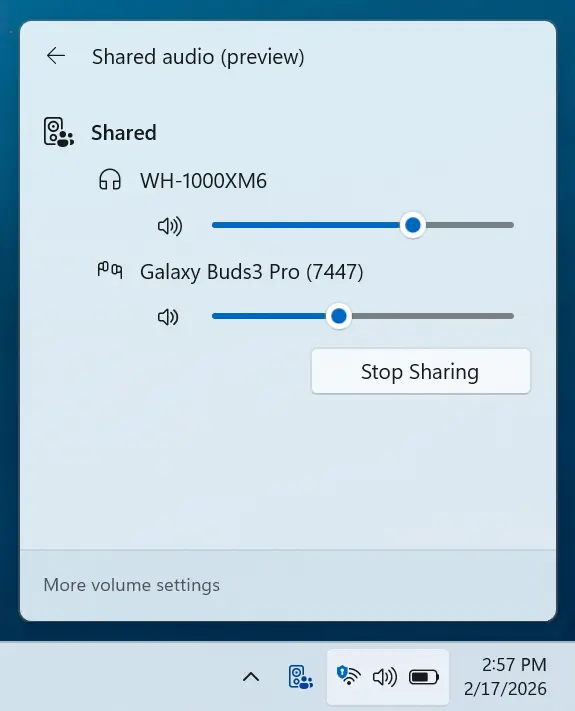
- Shared audio (preview) was first announced last fall, and allows 2 people to share audio between their two capable Bluetooth LE Audio headphones, speakers, earbuds, or hearing aids. With this update Windows now provides individual sliders for each listener which adjusts their volume without affecting the other. You can continue to adjust volume for both listeners at the same time through the main volume controls available through Quick Settings or on-device and keyboard controls.
- You’ll also see a new taskbar indicator while you’re sharing, giving a quick reminder that audio is still being shared. Clicking the indicator is a fast path to open sharing settings to change volume or stop sharing.
- The LE Audio accessory ecosystem also continues to grow. In addition to the accessories announced before, we’re excited to share that the Samsung Galaxy Buds 4 and Buds 4 Pro, Sony WF‑1000XM6, and Xbox Wireless Headset all have support for shared audio!
- Feedback: Share your thoughts in Feedback Hub (WIN + F)under Devices and Drivers > Bluetooth – Audio quality, glitches, choppiness and stuttering.
[Context Menu]
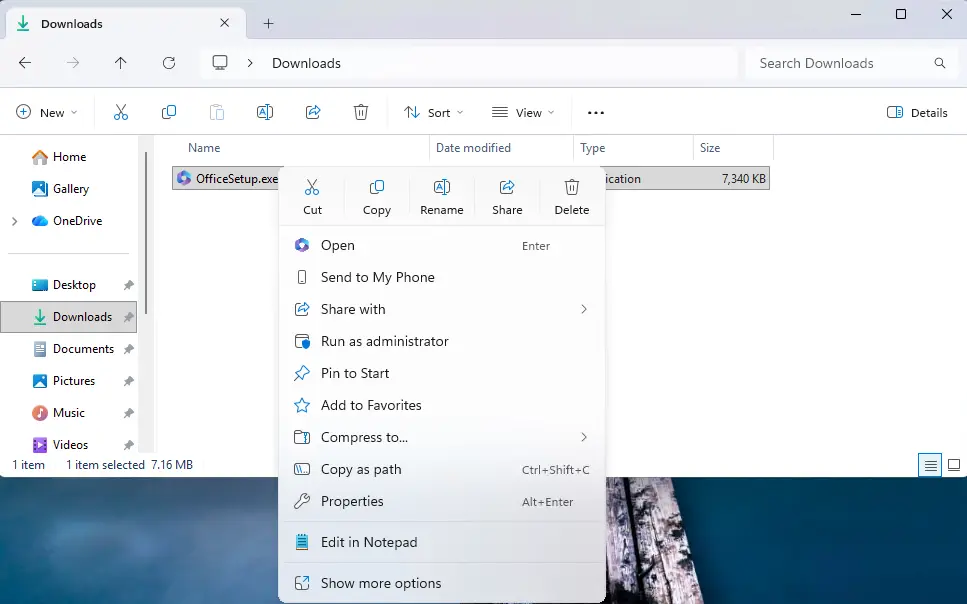
- When right clicking on a .exe, .bat, or .cmd file, the context menu’s “Open” verb will now match the icon associated with the file’s default app.
- Feedback: Share your thoughts in Feedback Hub (WIN + F) under File Folders and Online Storage > File Explorer.
[File Explorer]
- Improved reliability of unblocking files downloaded from the internet in order to preview them in File Explorer.
[Feedback Hub]
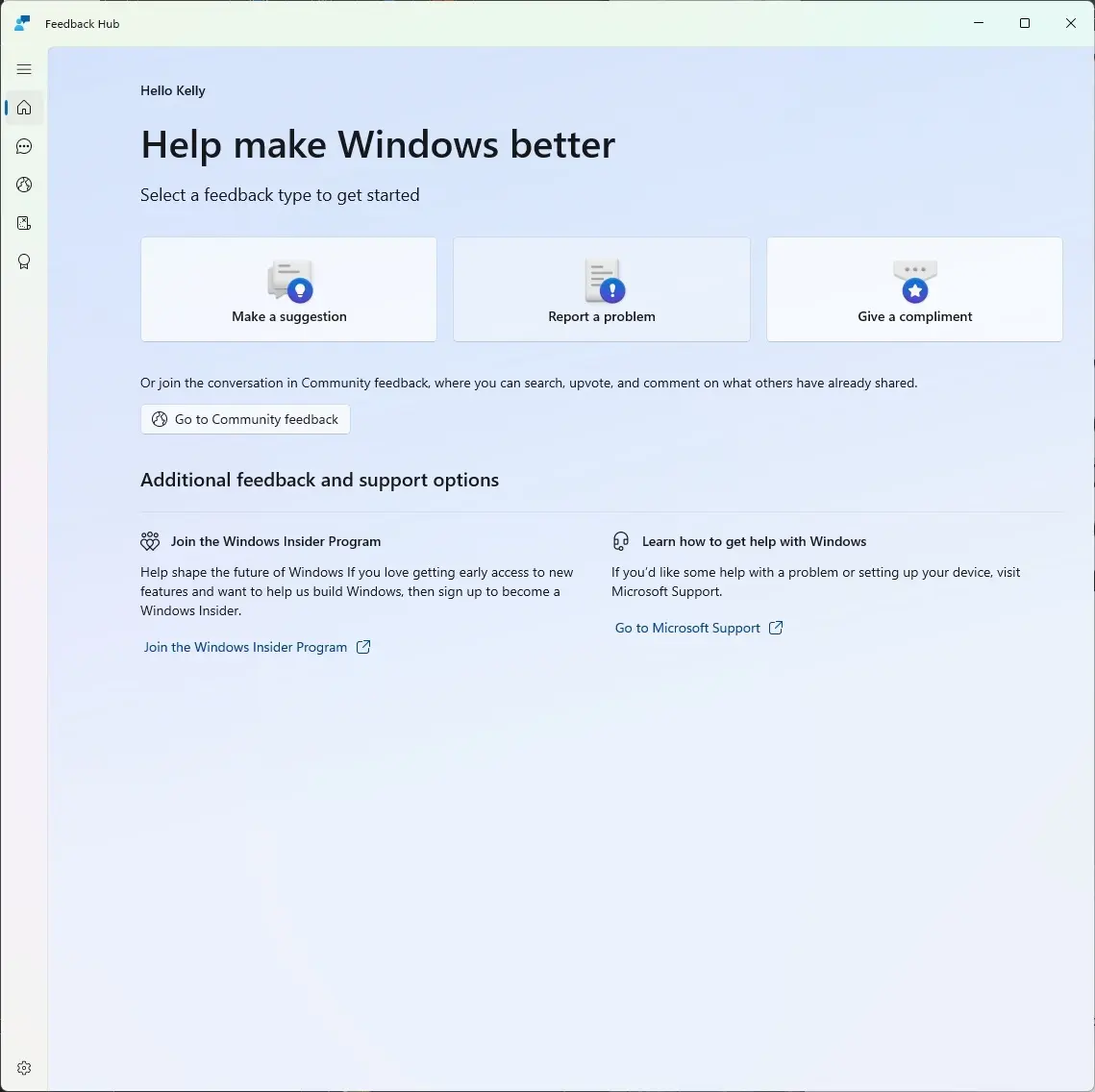
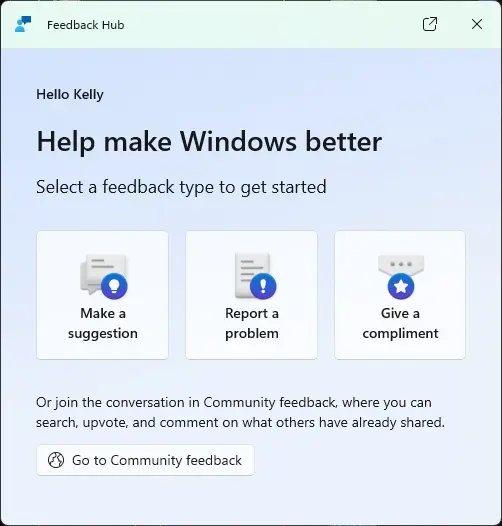
Introducing the new Feedback Hub, bringing a refreshed, modernized experience.
What’s new in Feedback Hub
- Simpler feedback submission flow: Feedback is now submitted using a single unified template, with the added ability to search categories. The feedback form itself has been modernized enabling for faster iteration and future improvements.
- Simpler navigation: My Feedback now lives directly in the navigation pane, and Community feedback (formerly All feedback) makes it easier to discover and engage with feedback from others. The Announcements page has been removed to focus more on giving and exploring feedback. You can still find announcements on the Windows Insider Blog.
- New compliment feedback type: Call out what’s working well.
- Private or public feedback: Choose whether your feedback is visible to the Insider community.
- New focused feedback experience: a new smaller Feedback Hub surface, making it easier to provide quick, in-the-moment feedback. You can expand to the full Feedback Hub experience by pressing the button in the upper right corner.
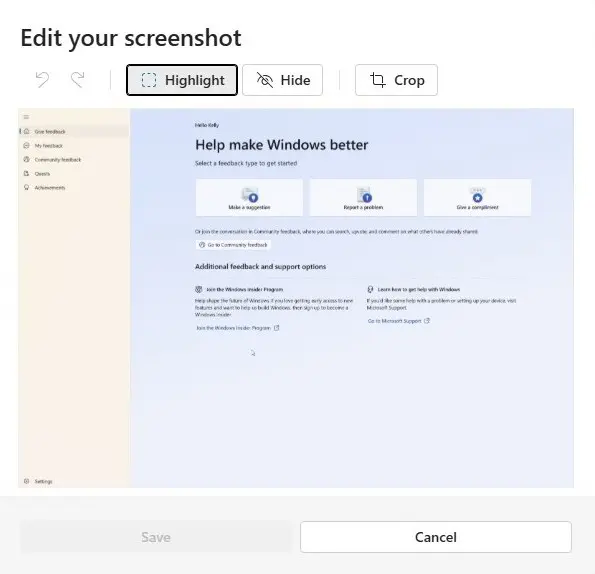
- Improved screenshot capture and review tooling: making it easier to capture and include visuals when sharing feedback.
Feedback: Your feedback helps shape what comes next, so try out the new experience and share your thoughts in Feedback Hub (WIN + F) under Apps > Feedback Hub.
You can find the official blog post here (link1, link2) on Microsoft's website.
Hope you enjoyed this news post. Feedback welcome.
Posted Saturday 21 March 2026 at 5:45 am AEST (my time).
News posts: 2023 5,800+ | 2024 5,700+ | 2025 5,700+ | 2026 (to end of February) 854
- jenyco2
-
 1
1
Recommended Comments
There are no comments to display.
Join the conversation
You can post now and register later. If you have an account, sign in now to post with your account.
Note: Your post will require moderator approval before it will be visible.