

3175x175(CURRENT).thumb.jpg.b05acc060982b36f5891ba728e6d953c.jpg)
The Windows Start menu is getting its first major redesign since 2021 and will be rolled out to everyone with the November 11 Patch Tuesday update.
The Start menu is now scrollable, so you can move through your apps in one place.
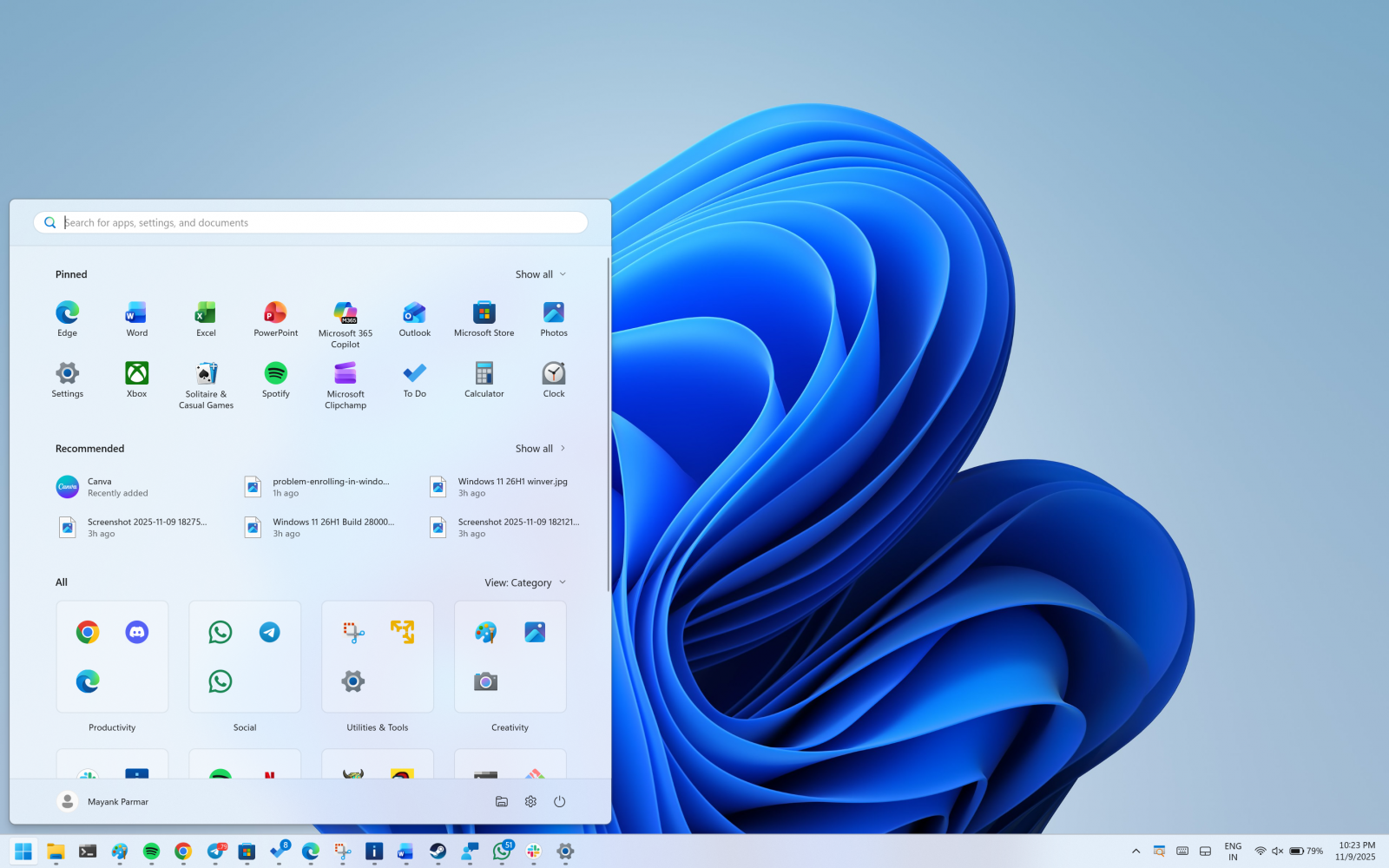
This means the “All” section sits on the main screen, and you do not need to jump to a separate page.
Right now, when you open Start, you need to click on All apps to find the list of installed apps.
Now, you've the “All" section on the homepage.
The Start menu has two UIs for the All apps list
By default, Microsoft has categorised view enabled by default, which groups by app type. It moves your most used ones to the top of each group.
The categories are created locally and maintained using a local JSON file.
A category is created when it has at least three apps. If a group is smaller, those apps stay in “Other.”

Finally, we have a grid view, which keeps the classic A to Z order, but it has a wider layout so you can scan more apps at once.
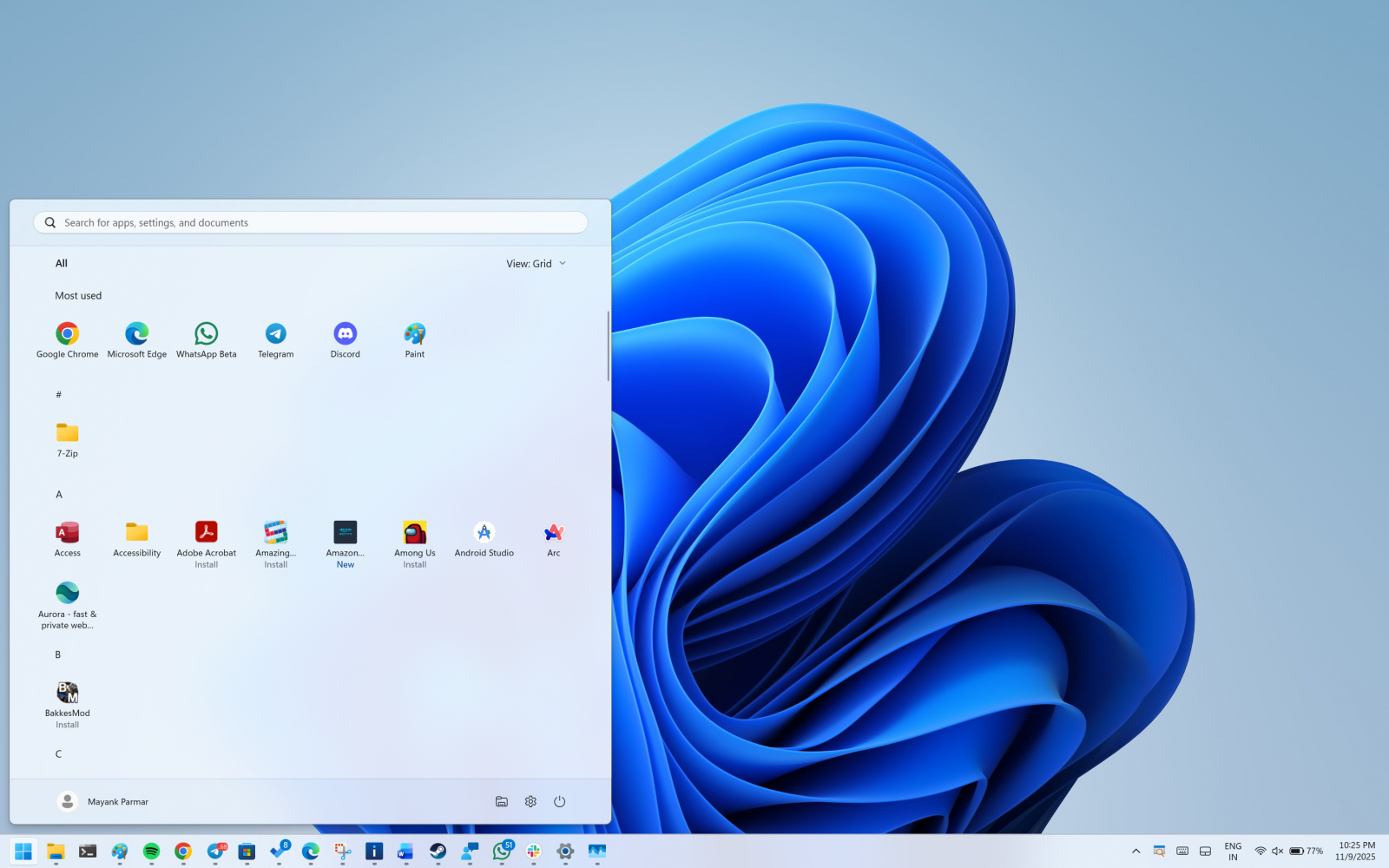
Windows remembers the view you last used, but after the update, it will default to the categories view unless you change it.
The new Start menu UI is adaptive
The menu also grows or shrinks to fit your screen. On bigger screens, you see a larger Start menu by default. That can show eight columns of pinned apps, six recommendations, and four columns in the “All” categories.
On smaller screens, you will see six columns of pinned apps, four recommendations, and three columns in the “All” categories.
If you only pin a few apps, the Pinned area collapses to one row, and other parts move up.
You can now remove the Recommended feed
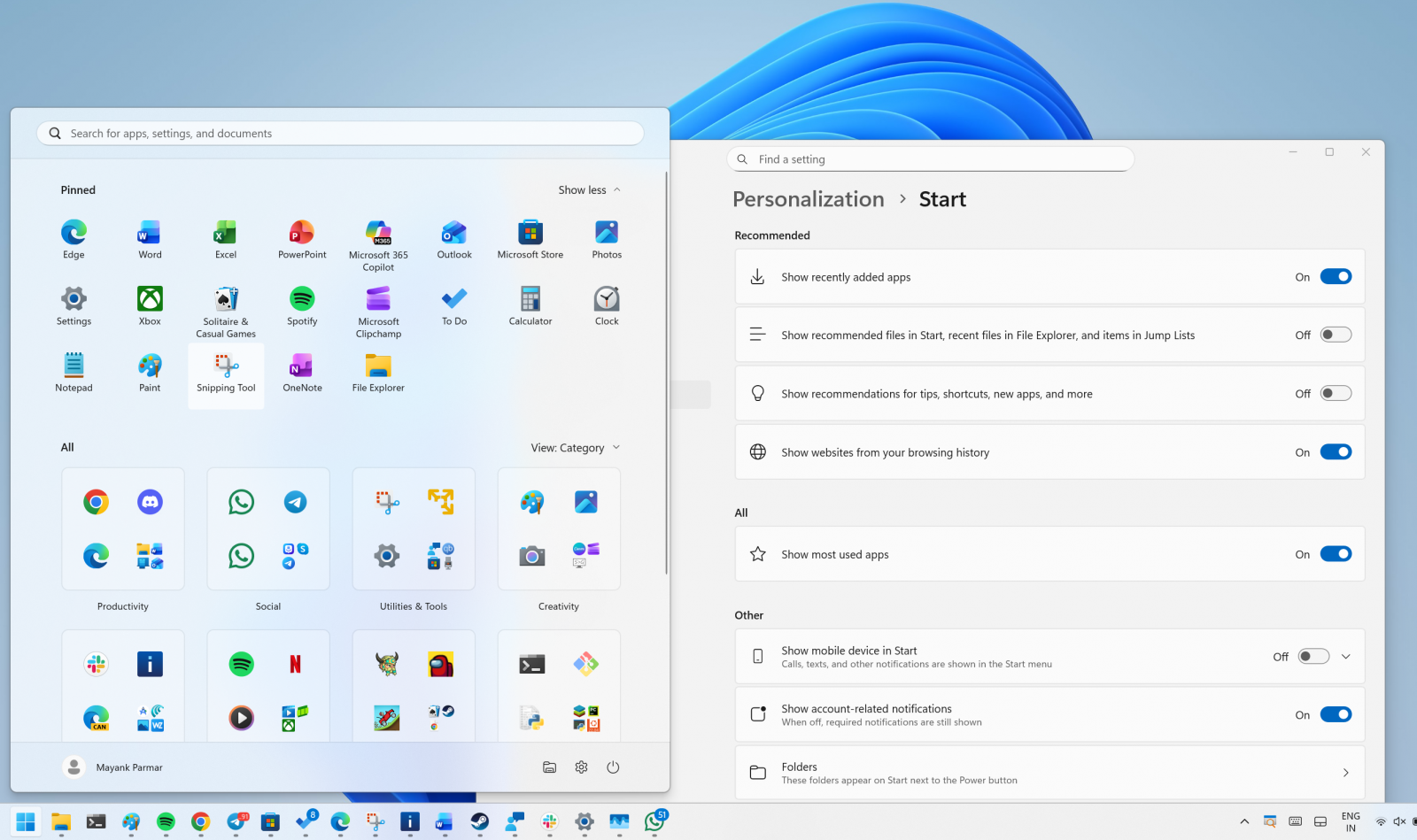
If you do not want recommendations, open Settings, then Personalization, then Start, and turn off the toggles for recently added apps, recommended files, websites from your history, and tips.
When there are no recommendations, that section hides itself, so you see more of your installed apps.
The new Start menu is better, but it needs these two fixes
The new Start menu is a much-needed upgrade, but at the same time, it covers almost 60-70% of the screen on PCs with low resolution.
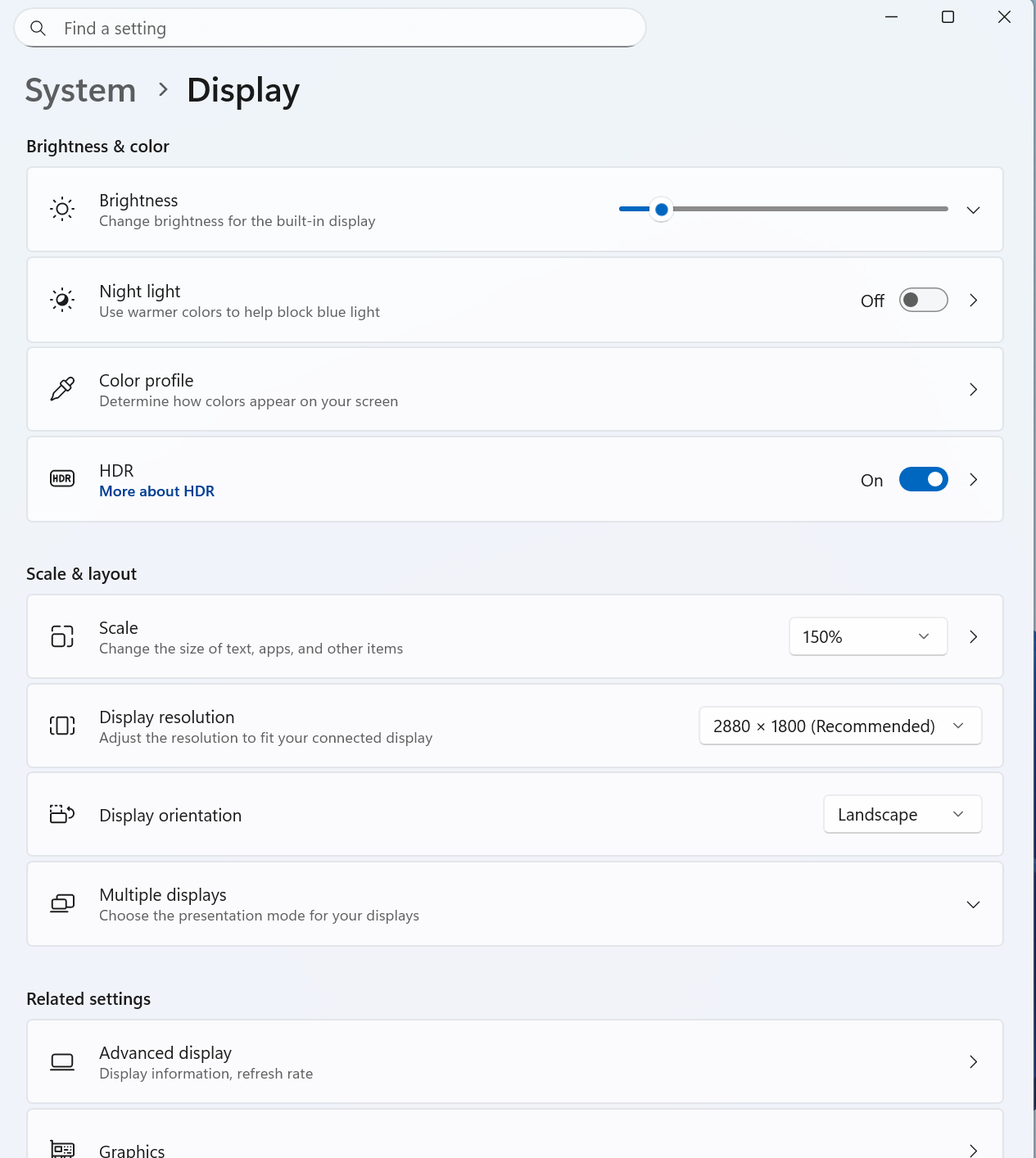
If you run into Start menu UI issues, I recommend lowering the scale settings from Settings > System > Display.
Second, Microsoft should allow you to create your own categories.
Most of my apps are grouped under the "Other" category because I do not have three similar apps that qualify Microsoft's criteria.
However, it's likely the customisation controls will eventually improve.
How to get the new Start menu
As mentioned at the outset, this new Start menu UI begins rolling out with the November 2025 Patch Tuesday, and the rollout is expected to be completed in a few years.
This new Start UI is included in Build 26200.7019 and 26100.7019 or newer, but it won't be turned on by default.
Hope you enjoyed this news post. Feedback welcome.
Posted Monday 10 November 2025 at 12:45 pm AEST (my time).
News posts... 2023: 5,800+ | 2024: 5,700+ | 2025 (till end of October): 5,009
- Tzcon and xkryptonx
-
 2
2
Recommended Comments
There are no comments to display.
Join the conversation
You can post now and register later. If you have an account, sign in now to post with your account.
Note: Your post will require moderator approval before it will be visible.