


3175x175(CURRENT).thumb.jpg.b05acc060982b36f5891ba728e6d953c.jpg)
Need your Windows 11 or 10 product key? Here's how to retrieve it using a single Command Prompt or PowerShell command in seconds.
If you've ever purchased a Windows laptop, you've probably never had to worry about the product key for your operating system. That is because if you buy from an authorized or reliable retailer, the operating system is probably activated as the product key is embedded in the firmware. However, there are some cases in which you might need to find out your product key.
This would be required if you're reinstalling Windows, or if you purchased a PC that did not Windows activated or installed on it altogether, or if you're transferring licenses between PC, or if you want to change your product keys. In scenarios like these, it is important to know how to locate your Windows 11/10 product key.
If you purchased Window 11 in a physical product box from a retailer, you'll probably find it inside the product packaging. Similarly, if you purchased it digitally through Microsoft or a third-party retailer, you'll likely have it in your transaction history with the vendor or in your emails.
However, there are also a couple of other convenient ways to grab the product key on most PCs. This is because the product key is embedded inside the firmware too. You can retrieve it via Command Prompt by running the program as an administrator and executing the following command:
wmic path softwarelicensingservice get OA3xOriginalProductKeyYou can also open PowerShell as an admin and execute the following cmdlet:
(Get-CimInstance -ClassName SoftwareLicensingService).OA3xOriginalProductKeyProvided that the product key is bundled with the firmware, you'll get it as a result by running either of the two commands above.
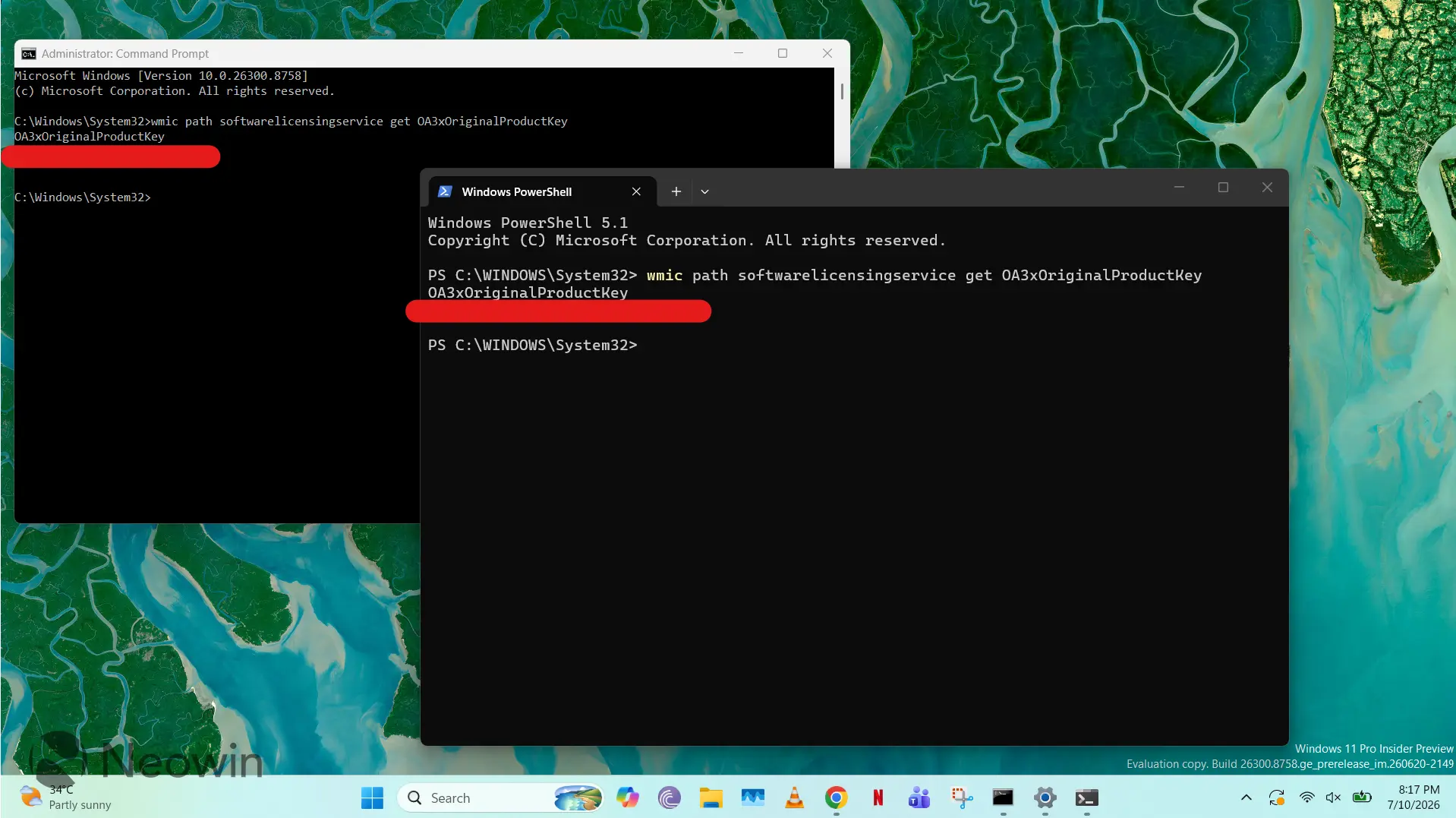
That's all there is to it. Just a single command should get you the product key in most cases. There are some cases in which you won't be able to access your product key. This might happen if you're on an IT-managed PC from your employer which doesn't allow you to locate your product key, or if you have a digital license activated via Microsoft's servers, or if your device vendor did not bundle the product key for some reason.
Have you ever had to retrieve your Windows product key? Let us know the details in the comments section!
Hope you enjoyed this news post. Feedback welcome.
Posted Monday 13 July 2026 at 7:58 am AEST (my time).
News posts: 2023 5,800+ | 2024 5,700+ | 2025 5,700+ | 2026 (to end of June) 2,475
Recommended Comments
There are no comments to display.
Join the conversation
You can post now and register later. If you have an account, sign in now to post with your account.
Note: Your post will require moderator approval before it will be visible.