


3175x175(CURRENT).thumb.jpg.b05acc060982b36f5891ba728e6d953c.jpg)
Windows 11 users can already replace the Copilot key with Right Ctrl using this lightweight third-party tool.
A few hours ago, we reported that Microsoft is backpedaling (somewhat) on its decision to have a dedicated physical Copilot key on Windows 11 PC keyboards. Basically, the company is planning an OS update that will give customers the option to revert the Copilot key's behavior to Right Ctrl or the context menu. However, instead of waiting for Microsoft to roll out this fix, customers frustrated with the Copilot key can try out another option instead.
As we noted several months ago, a third-party alternative exists in the form of NoCopilotKey. This is an extremely lightweight utility that restores the Right Ctrl functionality with minimal fuss. You can simply grab the software from the Releases page on the GitHub repository here, extract the file, and run NoCopilotKey Installer.exe.
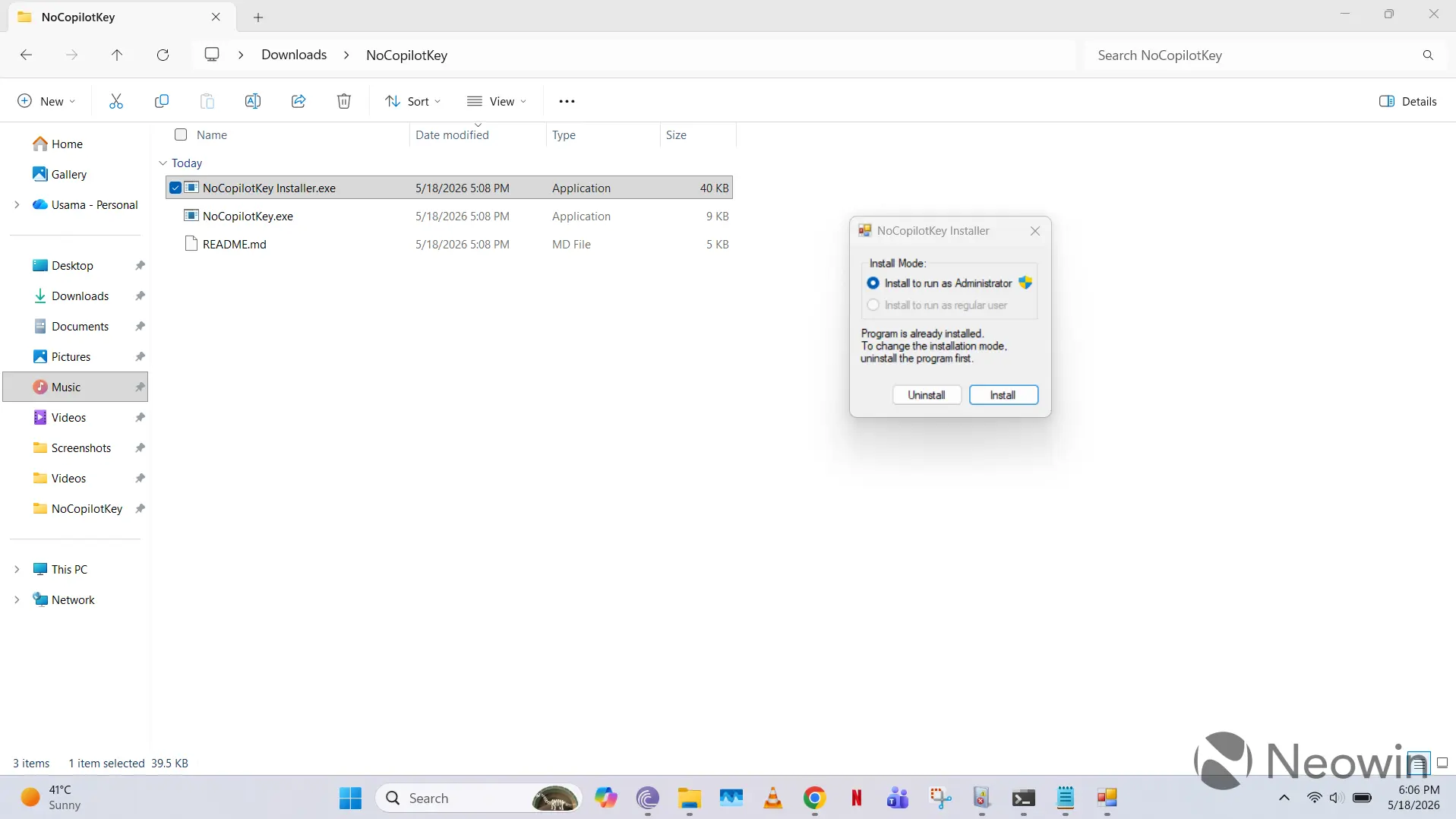
Once you give permissions, you'll be asked to install the program as an admin or a regular user. The former overrides the key Copilot for all scenarios, while the latter only does so for non-admin scenarios. This is the only GUI for NoCopilotKey as once you install it, it will run constantly as a background process on your OS. This might be problematic in other scenarios, but in our usage, it just utilizes less than 1MB of RAM, and is otherwise invisible.
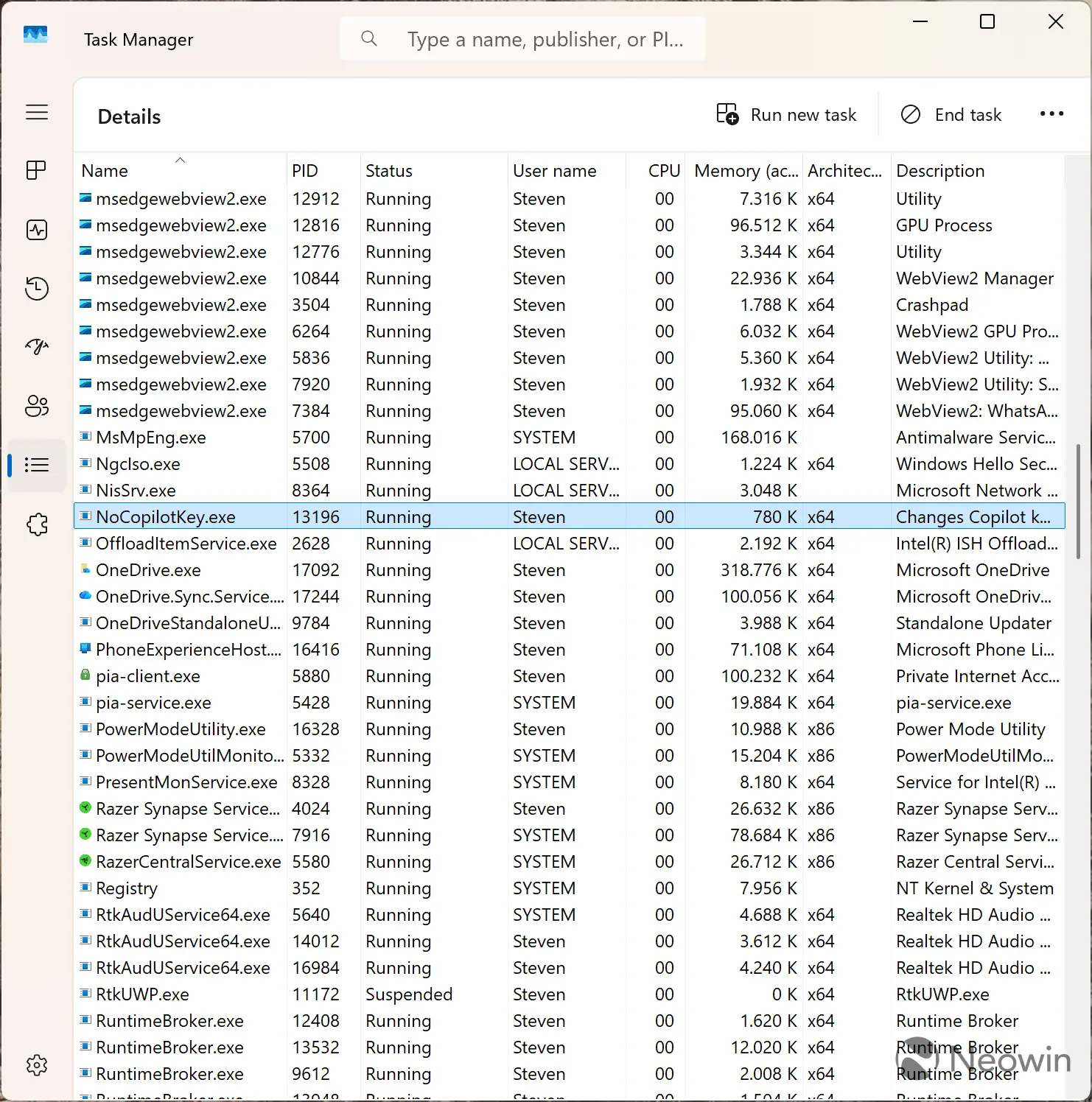
The background process persists across PC restarts, but customers do have the option to uninstall it using the Installer.exe file or get rid of it by manually ending the associated process in Task Manager.
NoCopilotKey is a useful utility because Microsoft says that it's upcoming update to restore Right Ctrl functionality might have a problem:
If you remap the Copilot key to Right Ctrl, some key combinations that utilize the physical Left Shift key together with the Right Control key might not work consistently on all Keyboards. If you run into issues, use the physical Right Shift key for those shortcuts.
In our testing on the GEEKOM X14 Pro, we did not run into this issue using the Right Ctrl + Left Shift + Tab combo to cycle between Chrome tabs, and NoCopilotKey continued to run as expected. The other benefit of the software is also that it's quite lightweight, doesn't seem to modify Windows Registry keys, and is invisible. The developer claims that they relied on a low-level keyboard hook and some coding wizardry to get the functionality working.
It'll be interesting to see how well Microsoft's Windows 11 update works, when it arrives, but until then, NoCopilotKey is a solid option for people annoyed by intrusive Copilot behavior.
Hope you enjoyed this news post. Feedback welcome.
Posted Tuesday 19 May 2026 at 7:49 am AEST (my time).
News posts: 2023 5,800+ | 2024 5,700+ | 2025 5,700+ | 2026 (to end of April) 1,700
- scarabou
-
 1
1
Recommended Comments
There are no comments to display.
Join the conversation
You can post now and register later. If you have an account, sign in now to post with your account.
Note: Your post will require moderator approval before it will be visible.