

3175x175(CURRENT).thumb.jpg.b05acc060982b36f5891ba728e6d953c.jpg)
Microsoft revamps Feedback Hub to finally make reporting bugs and tracking fixes easier on Windows 11, so let's find out what is new.
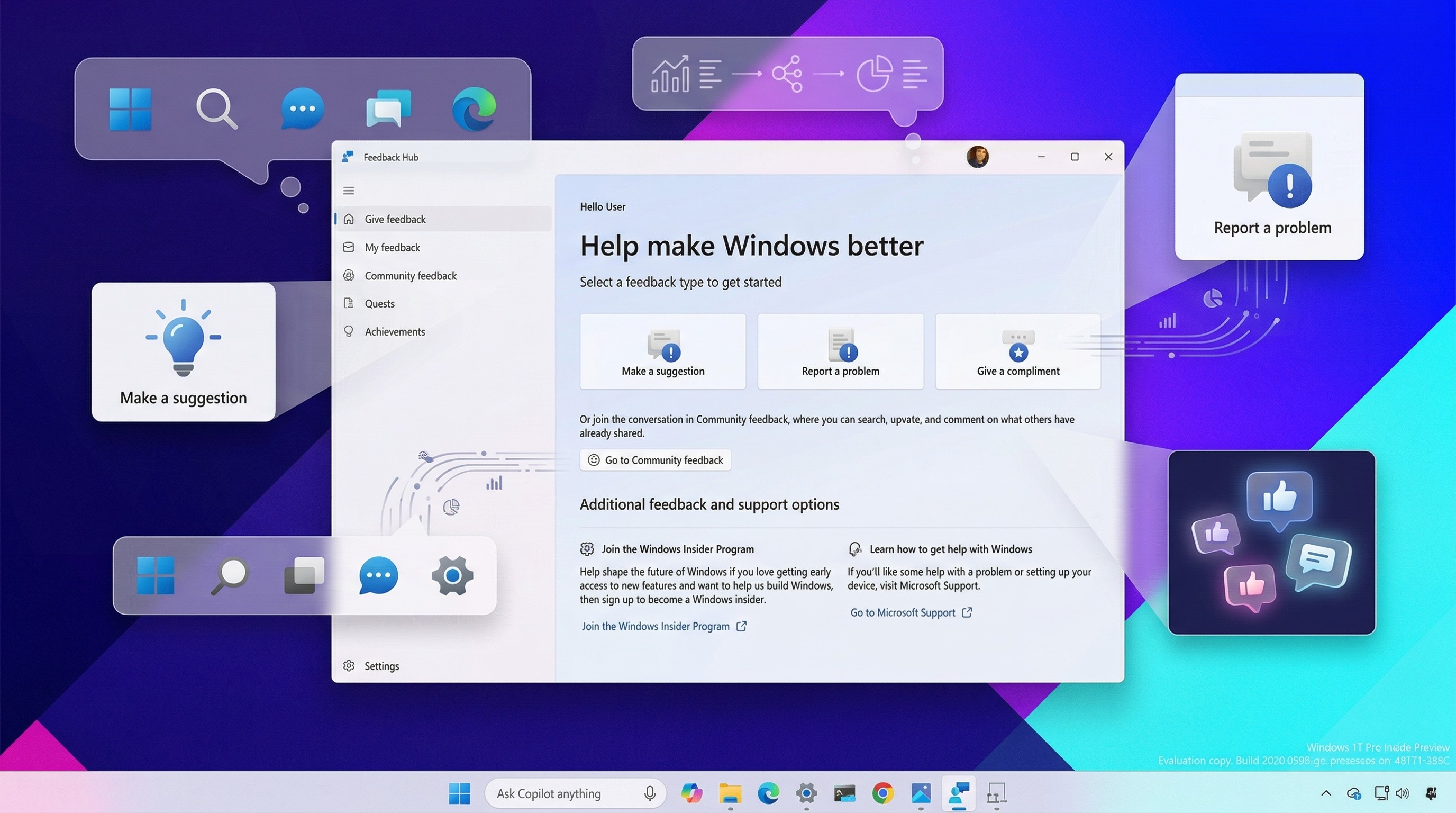
As part of a broader push to fix long-standing pain points on Windows 11, Microsoft is rolling out a redesigned Feedback Hub app alongside upcoming platform changes expected later this year.
The new experience is more than a visual refresh. It introduces meaningful usability improvements to make feedback easier to submit, track, and act on. Something users have been asking for since the early days of the operating system.
What's new in the Feedback Hub app
The updated Feedback Hub brings a modern interface aligned with Windows 11's design language, but the most important changes focus on simplifying user interaction with the platform.
One of the biggest updates is the new "Give Feedback" page, which replaces the traditional Home experience. Instead of navigating multiple sections, users now submit feedback through a unified template that works for bug reports, feature requests, and even positive feedback.

(Image credit: Mauro Huculak)
Microsoft is also introducing a compliments option that lets you tell the development team what's working well (if applicable). This small addition signals a shift toward more balanced feedback, not just problem reporting.
The feedback creation process itself has been streamlined. Searching for existing issues and selecting categories is now faster and more intuitive, reducing duplicate submissions and improving visibility for common problems.

(Image credit: Mauro Huculak)
Another notable improvement is the addition of a built-in capture tool. Users can now take and edit screenshots directly within the app, making it easier to provide visual context when reporting issues.
Core features remain intact, including the ability to record steps and attach files. However, users now have more control over privacy, with the option to choose whether feedback is shared publicly with the community or kept private.
Better visibility into feedback and community activity
The "My feedback" page continues to track your submissions and activity, while the "Community feedback" section aggregates reports from other users.

(Image credit: Mauro Huculak)
From there, you can vote, comment, and follow the progress of specific issues when updates are available. This transparency has historically been inconsistent, so improvements here could significantly boost trust in the platform.
The app still includes Quests and Achievements, maintaining the gamification layer that encourages participation, though its long-term relevance remains debatable.
A much-needed reset for the Windows Insider Program
Alongside the redesigned app, the company is also signaling a broader reset for the Windows Insider Program, which has struggled with consistency and engagement for a long time.
The company says it plans to simplify enrollment across channels, improve access to new features, and deliver more stable, higher-quality preview builds.
More importantly, Microsoft is promising greater transparency around how feedback is used to shape the future of Windows, along with more opportunities for users to engage directly with the engineering team.
On a side note, I'm particularly excited about the promised improvements to feature availability. Installing preview builds week after week without actually getting access to the advertised new features has been a constant frustration.
These changes echo the early days of Windows 10, when preview builds arrived frequently, and feedback felt more directly tied to visible improvements.
Whether Microsoft can recreate that momentum remains to be seen, but the redesigned Feedback Hub is a clear attempt to rebuild that feedback loop.
Hope you enjoyed this news post. Feedback welcome.
Posted Friday 27 March 2026 at 5:23 am AEST (my time).
News posts: 2023 5,800+ | 2024 5,700+ | 2025 5,700+ | 2026 (to end of February) 854
Recommended Comments
There are no comments to display.
Join the conversation
You can post now and register later. If you have an account, sign in now to post with your account.
Note: Your post will require moderator approval before it will be visible.