


3175x175(CURRENT).thumb.jpg.b05acc060982b36f5891ba728e6d953c.jpg)
Update 4.0.37 adds improves context menus, tabs, compression tools, scrolling, and various fixes across this popular file manager.
A new version of Files, a popular third-party file manager for Windows 11 and 10, is now available for everyone to download from the Microsoft Store. Version 4.0.37 brings additional optimizations to the app's package size (down by over 180 MB), new features for the context menus, tab improvements, better compression workflow, and more.
With updated context menus, you can right-click on the Home page and select which widgets you want to see there, such as Quick access, drives, network locations, tags, or recent files. For tabs, Files can now display path hints to help you identify similarly named folders from different locations.

Files' built-in compression tools now support 7z dictionary and word size for more control over archive sizes, plus you can apply compression attributes to multiple selected files.
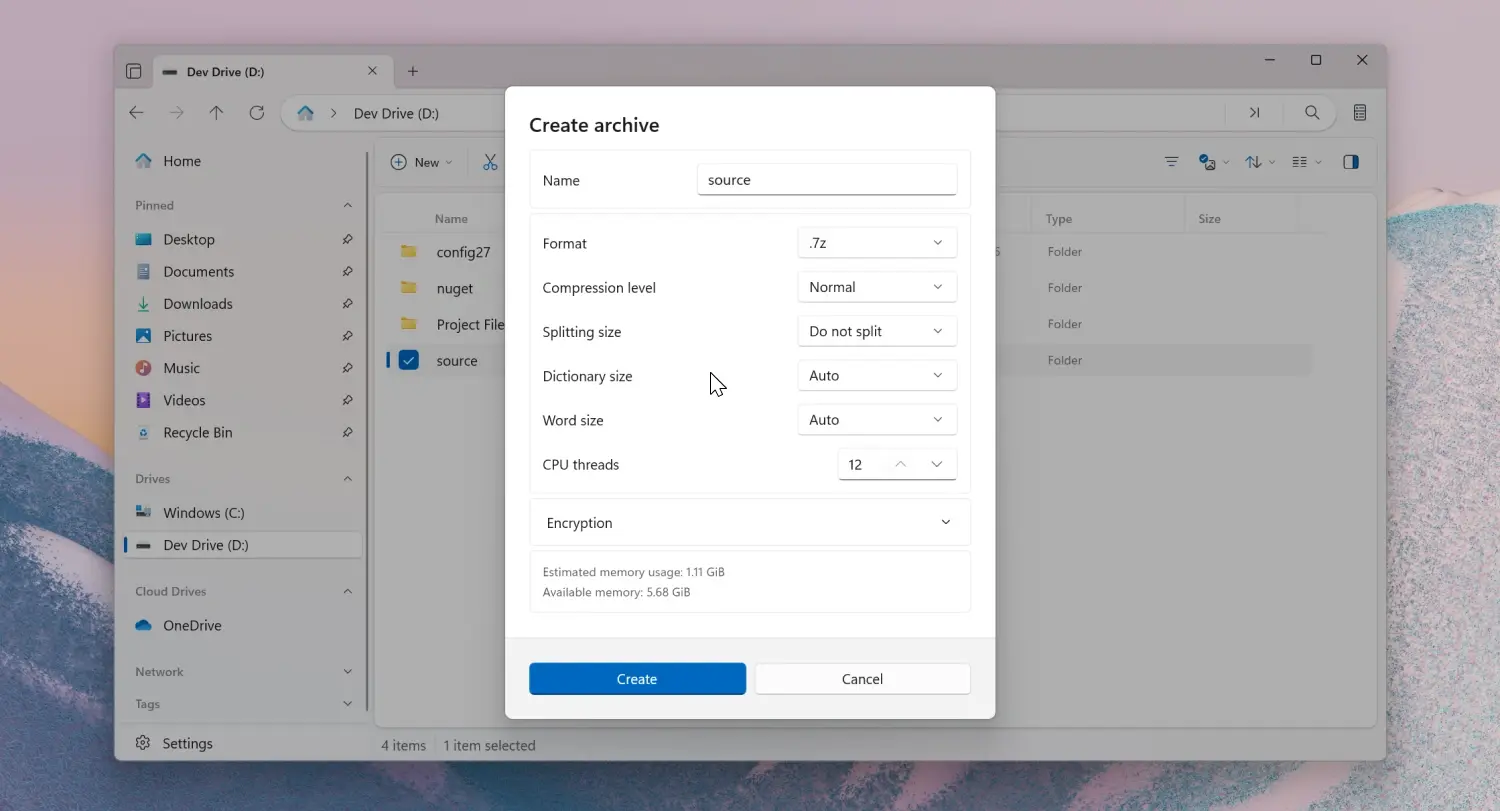
Other improvements include middle-click support for scrolling, a new sidebar toggle, the ability to drag sidebar items into other apps, and a storage overview for cloud drives in the details pane.
Additional fixes include the following:
- Fixed the wrong scroll position when switching out of semantic zoom.
- Fixed the issue with opening images in Microsoft Photos.
- Fixed an issue where git remotes pointing to a local bare repository were not displaying.
- Fixed an issue where thumbnails didn’t load for MTP devices.
- Fixed an issue where the Third Party Libraries section was cut off.
- Fixed the Status Center display when canceling the extraction.
- Fixed an issue with opening the Control Panel from the desktop.
- Fixed the size of the Settings dialog close button.
- Fixed an issue where the Run With PowerShell action wasn’t disabled in the Recycle Bin.
- Fixed tooltip labels on the Tags settings page
You can download Files for free from the official website. If you want to support the developer, you can purchase the app in the Microsoft Store using this link.
Hope you enjoyed this news post. Feedback welcome.
Posted Thursday 26 March 2026 at 5:11 am AEST (my time).
News posts: 2023 5,800+ | 2024 5,700+ | 2025 5,700+ | 2026 (to end of February) 854
Recommended Comments
There are no comments to display.
Join the conversation
You can post now and register later. If you have an account, sign in now to post with your account.
Note: Your post will require moderator approval before it will be visible.