


3175x175(CURRENT).thumb.jpg.b05acc060982b36f5891ba728e6d953c.jpg)
DuckDuckGo Browser has a new option on its homepage that allows you to set AI mode as the default option. This is customizable.
So, what does it do? It's a toggle that lets you switch between DuckDuckGo Search and Duck.AI.
It was announced low-key on reddit, and details are sparse. The new experience is currently live in the DuckDuckGo browser on Windows and macOS on DuckDuckGo.com. However, it does not seem to be available on Firefox, Chrome and other browsers on desktop. I also tested the DuckDuckGo mobile app, it's not available in it either. That's why the title says DuckDuckGo Browser, and not just DuckDuckGo (the search engine). The toggle is also available on the new tab page in the browser, which is set to DuckDuckGo.com in the browser.
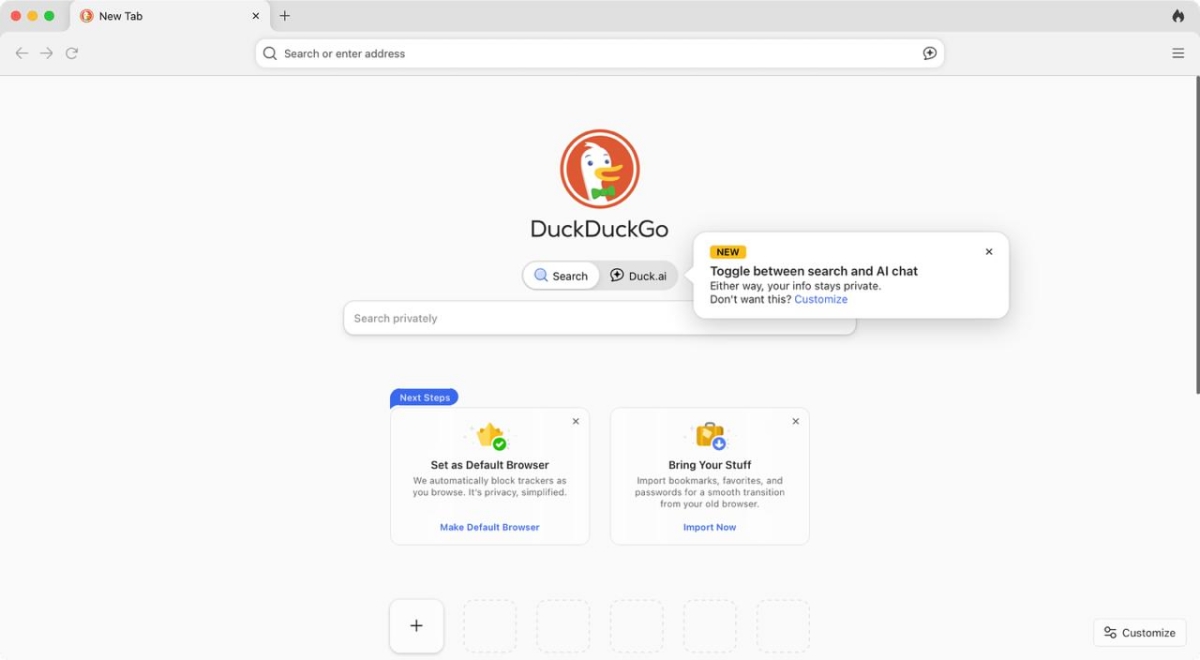
Is this an important feature? It could be, because normally when you have to use Duck AI, you have to run a search and then choose AI assist, or go to Duck.AI and then type your query. Now, you can switch between the two and use whatever you like, it does save a couple of seconds, which could add up. For people who have set DuckDuckGo as their home page, or new tab page, the new experience is a nice little quality of life update, just like the one that lets you hide AI generated images in the search results.
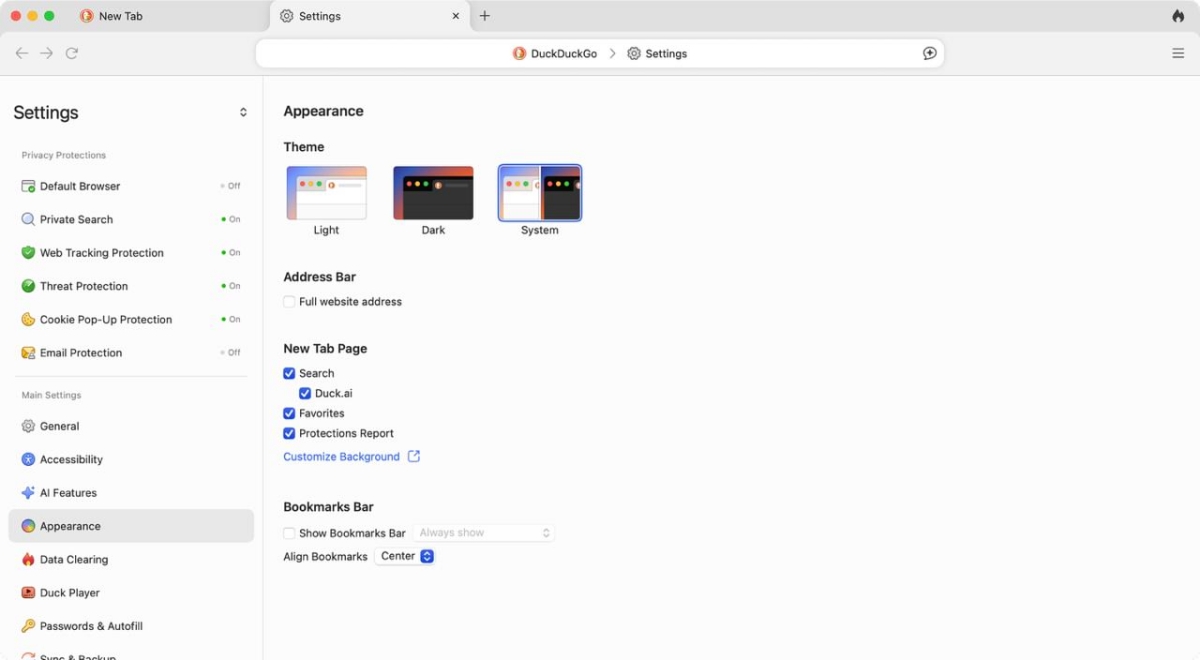
Now, if you don't like this change, and wish to disable it. Click on the menu button on the right side of the screen to open the sidebar, and toggle "Duck.AI" from the Sections. You can also manage this from the browser's Settings > Appearance > New Tab Page.
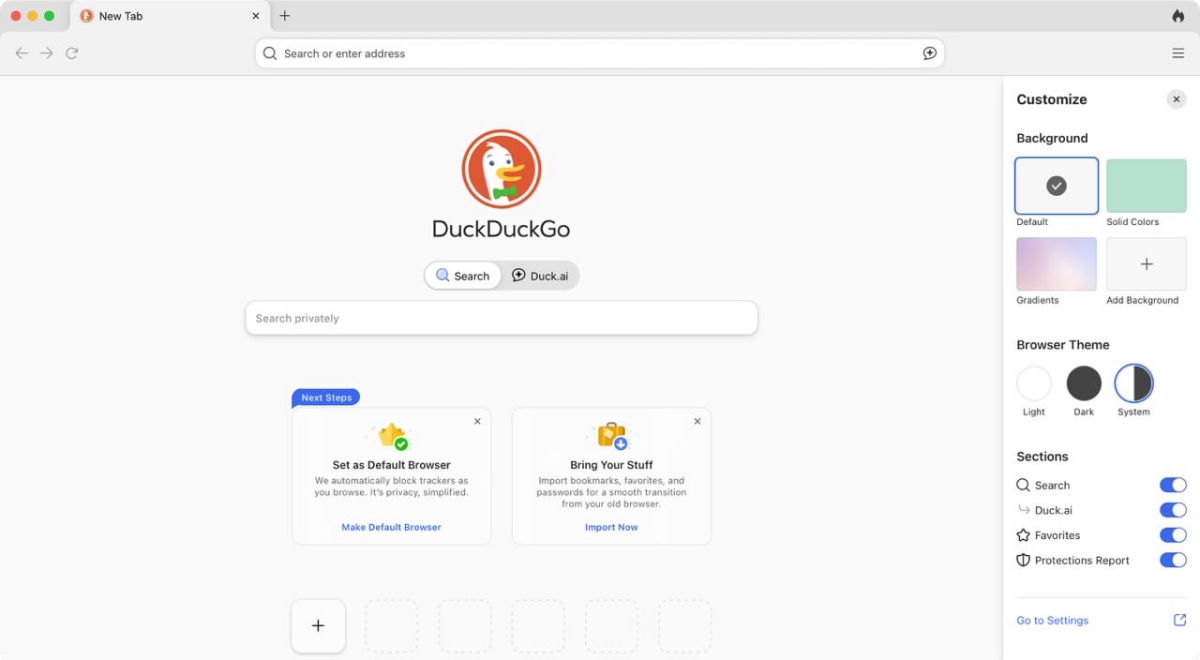
The option on the sidebar and settings page could be the reason why the option is possibly exclusive to DuckDuckGo's browser.
DuckDuckGo recently added an option to block sites from search results. To do this, perform a search, and click on the three-dot menu next to a result. Click on "block site from all results". This will hide the domain from your searches. If search results contain a blocked site, DuckDuckGo will say "You've blocked 1 site: 1 result hidden", you can click on Show Results to temporarily view the results. Click on Manage, to unblock a domain, or go to https://duckduckgo.com/settings#general-domainlist and click on the Unblock button next to a blocked domain.
While this is a cool option to have, there are a couple of limitations. You can only add 5 domains to the list, which is not great, because there are tons of spammy websites out there. Also, this site blocking is a temporary setting, so if you delete your browsing data, you'll need to do it all over. That's less than ideal.
Hope you enjoyed this news post. Feedback welcome.
Posted Friday 26 September 2025 at 6:02 am AEST (my time).
News posts... 2023: 5,800+ | 2024: 5,700+ | 2025 (till end of August): 4,048
Recommended Comments
There are no comments to display.
Join the conversation
You can post now and register later. If you have an account, sign in now to post with your account.
Note: Your post will require moderator approval before it will be visible.