


3175x175(CURRENT).thumb.jpg.b05acc060982b36f5891ba728e6d953c.jpg)
When the initial version of Copilot made its way to Windows 11, it was received with a lukewarm reaction, with many criticizing Microsoft for the underwhelming implementation, particularly for the poor integration with Windows. Now, a few years later, Copilot for Windows is a proper app with a bunch of useful features, and with the latest update for Windows Insiders, it can now access your PC's settings and explain how to use them.
Copilot version 1.25095.161 is now rolling out to Windows Insiders across all channels via the Microsoft Store (the rollout is gradual; it might take some time to reach your device). After updating the app, you can ask Copilot something about your PC and its settings. For example, tell him that the screen is too dim, and in return, Copilot will show you a direct link to display settings.
Here is what Microsoft says in the announcement post:
Direct Settings Access: Now, if Copilot on Windows users ask a question related to their PC settings, Copilot will provide a direct link to the relevant Windows Settings. Just ask ‘Make my screen easier to read’ or ‘Help me focus by reducing distractions,’ and Copilot will guide you to the Windows settings page.
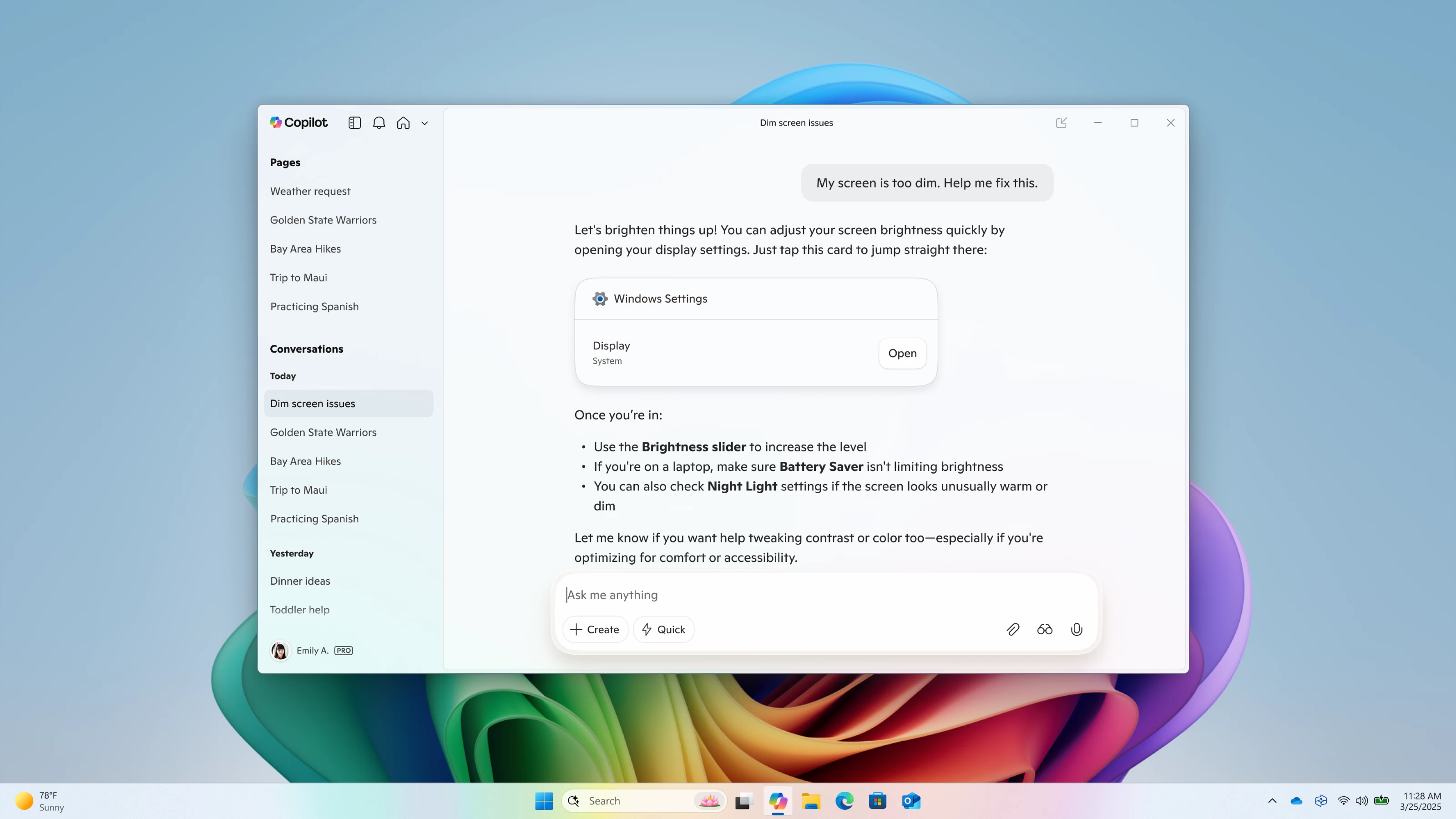
Note that Copilot cannot take action for you—it only shows where to start and what to do. However, on Copilot+ PCs, Windows 11 has the so-called settings agent, which can adjust settings on your behalf. But for this feature to work, you need an eligible device with a capable neural processing unit or NPU. Still, even without the ability to change settings for you, the latest Copilot update is a useful addition, especially for those who are discovering Windows 11 for the first time after switching from Windows 10, whose end of support is happening today.
Hope you enjoyed this news post. Feedback welcome.
Posted Wednesday 15 October 2025 at 4:37 am AEST (my time).
News posts... 2023: 5,800+ | 2024: 5,700+ | 2025 (till end of September): 4,533
Recommended Comments
There are no comments to display.
Join the conversation
You can post now and register later. If you have an account, sign in now to post with your account.
Note: Your post will require moderator approval before it will be visible.