

3175x175(CURRENT).thumb.jpg.b05acc060982b36f5891ba728e6d953c.jpg)
Microsoft is finally fixing Windows 11's unmovable taskbar, plus it lets you change its size. Here is a closer look at what is now available.
In 2022, when Windows 11 was in its infancy, the Feedback Hub was full of users complaining about the state of the Start menu and taskbar, particularly about changing where the taskbar appears. At some point, Microsoft openly said that moving the taskbar "was not important." Now, the company is busy fixing its operating system, trying to reassure everyone that it still cares what people think. As part of that effort, Microsoft is bringing some of the most-requested features, including the ability to move the taskbar around.
After years of asking, Windows 11 users can finally have a native movable taskbar. It is available as part of the latest preview build in the Experimental channel. Microsoft is not saying when we can expect the updated taskbar to arrive for all users, so before you enroll your device in the Insider program, here is our closer look at what Microsoft has prepared.
Movable taskbar
Windows 11's taskbar is no longer dead-bolted to the bottom edge of your screen. You can have it on the right, left, or at the top of the screen. However, selecting where the taskbar appears is a little less convenient than before. In Windows 10 and earlier, you could click and drag the taskbar to any edge of the screen. In Windows 11, the taskbar position is located in Settings > Personalization > Taskbar > Taskbar behaviors.
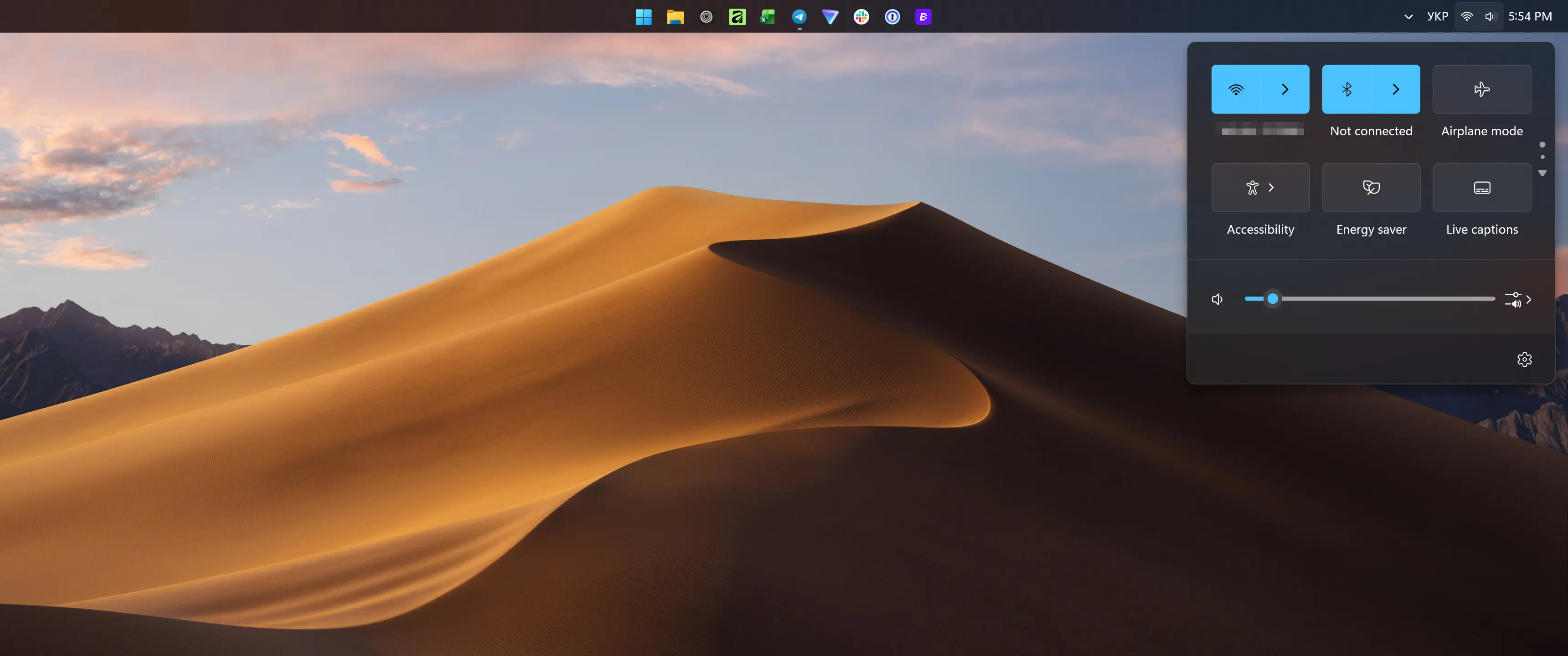
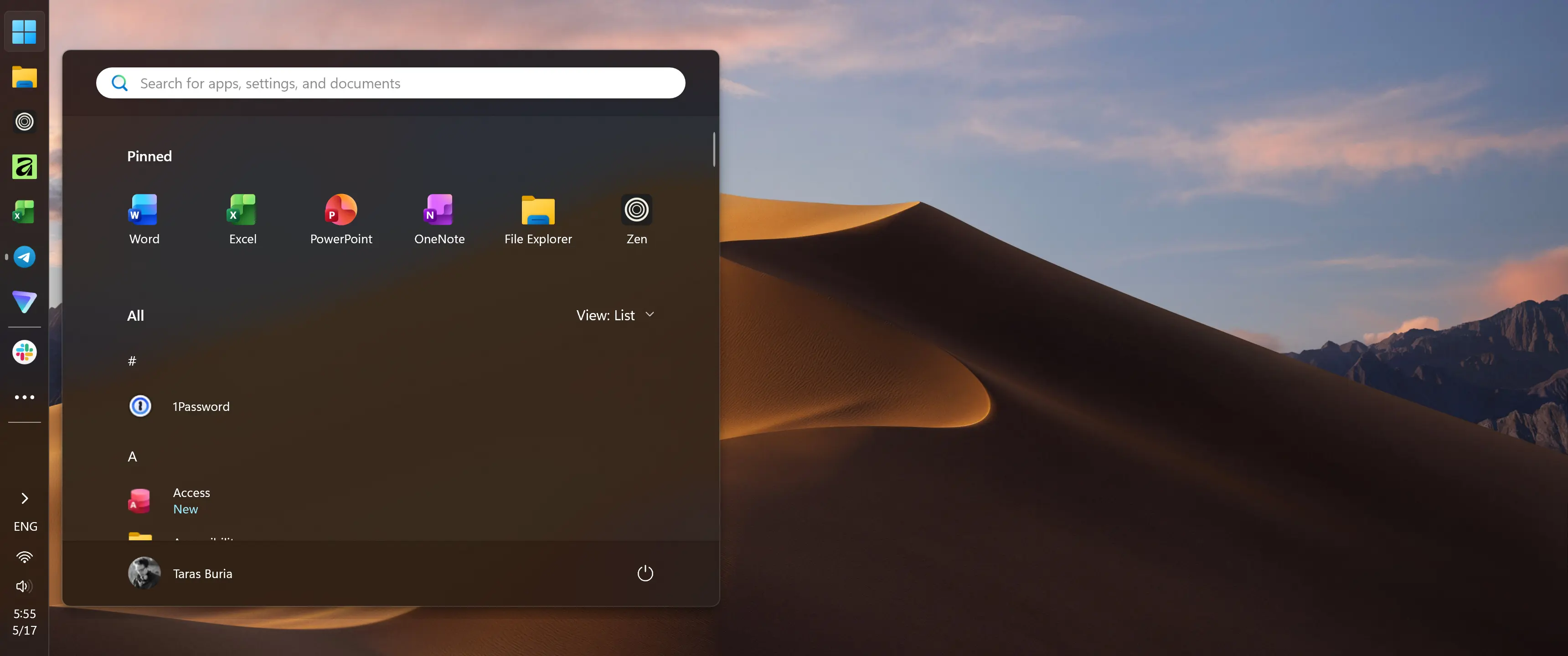
When you have the taskbar in a "non-traditional" location, all the flyouts and menus adapt accordingly. Quick Settings, language bar, overflow menu, and other elements appear where they should. However, the current implementation still needs some work, as the calendar flyout and notifications are still tied to the bottom-right corner of the screen. Microsoft says fixes are on the way, so expect improvements in future builds.
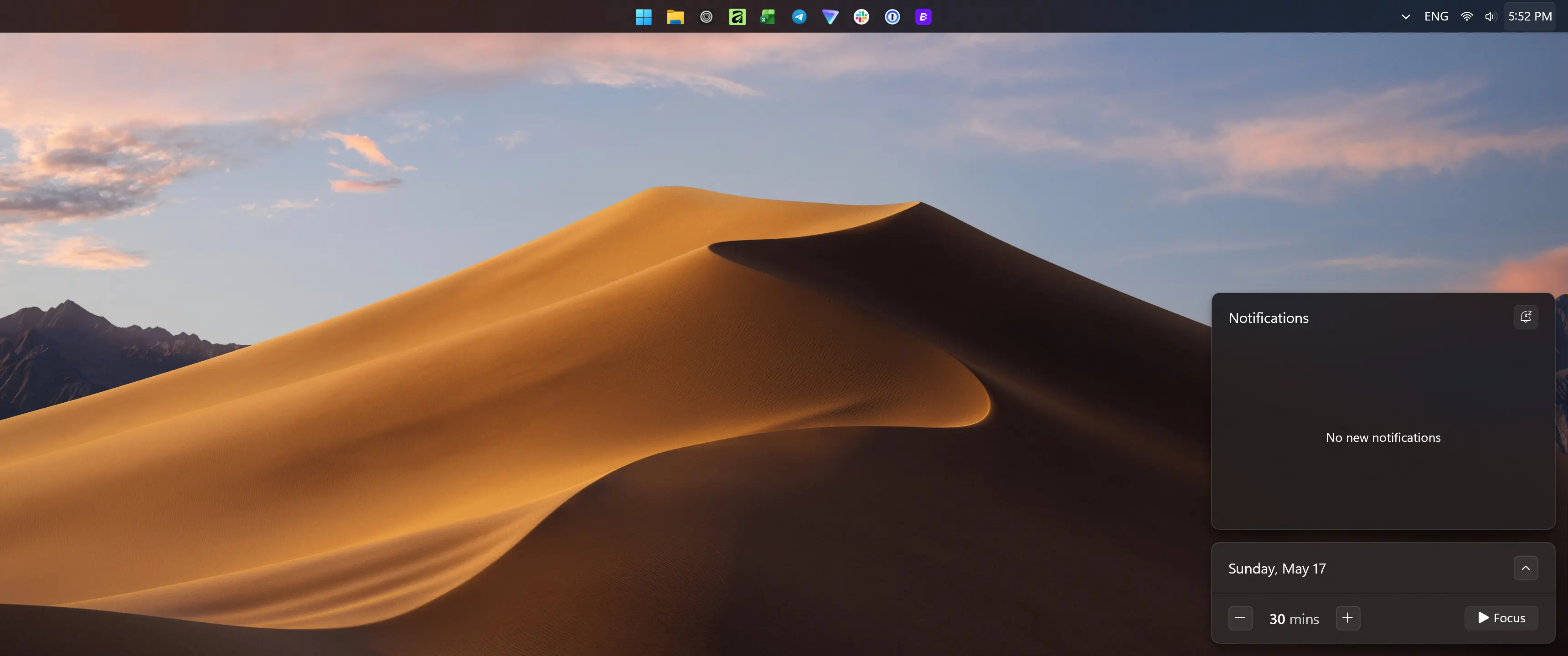
Some things are currently broken, such as the touch-optimized taskbar, gestures, and auto-hide animation. Again, Microsoft plans to fix that in the upcoming updates.
Compact taskbar
Personally, I never missed the movable taskbar, as I am perfectly fine with the default behavior. However, I totally missed the compact taskbar, so I was very excited to see Microsoft bringing it back. Now you can switch from the standard taskbar to a compact one, which takes less vertical space and has smaller app icons (the date is also hidden on the system clock). Alternatively, you can let Windows switch to compact taskbar when it becomes full of apps, which is handy on smaller screens.
Here is a quick comparison between two sizes:
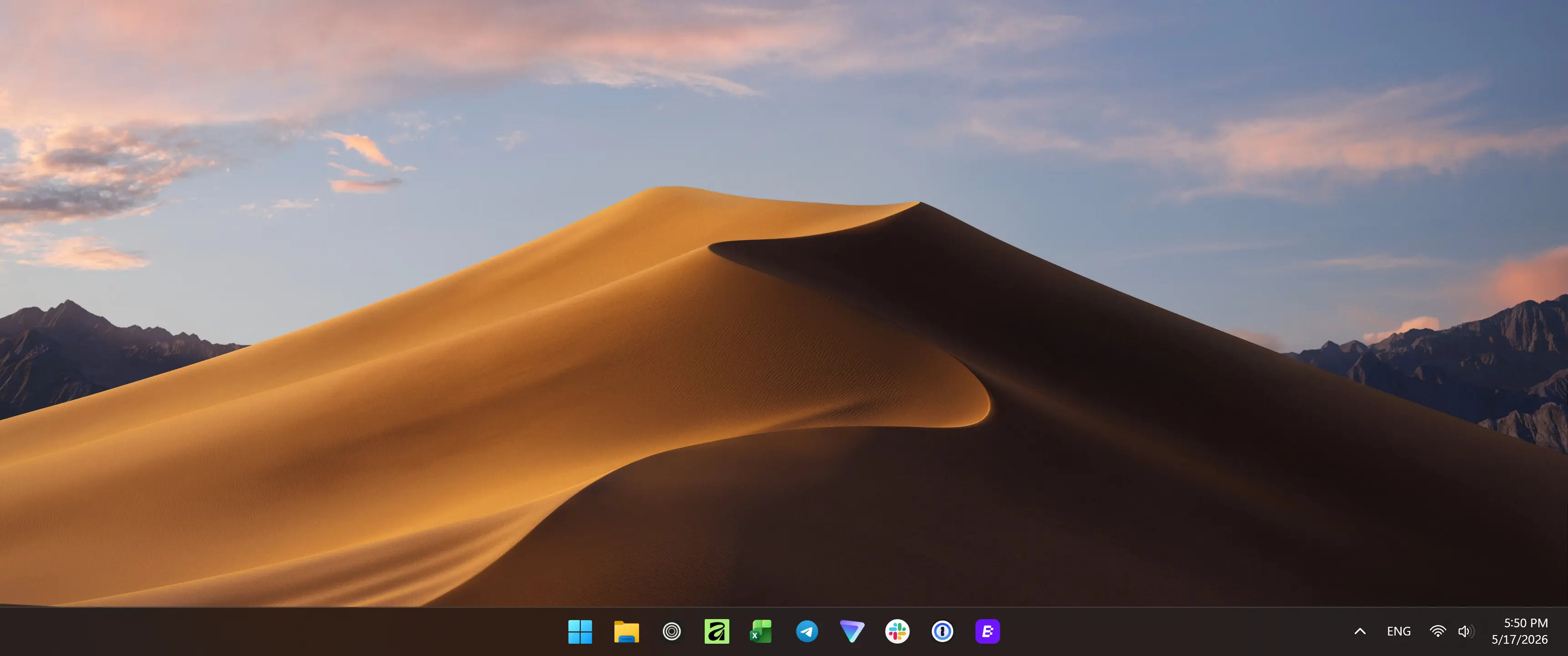
Before
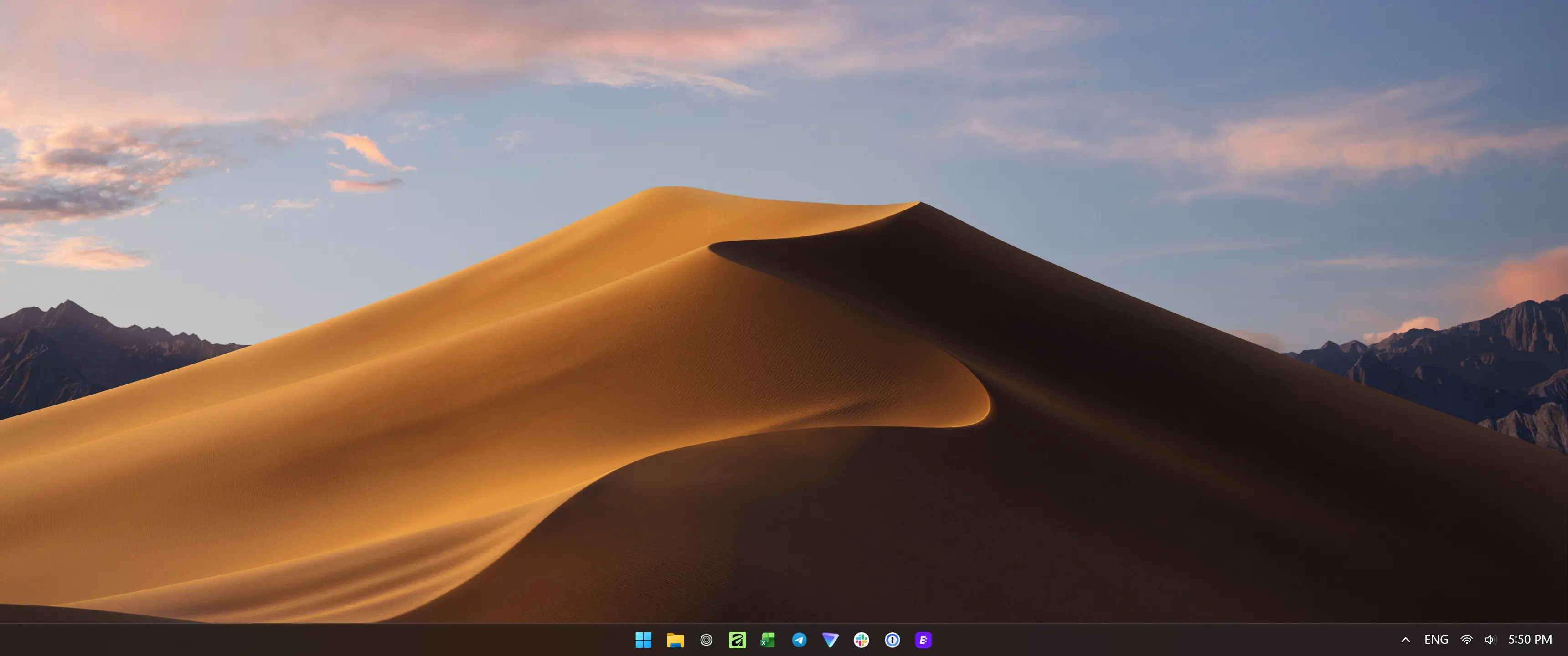
After
In the current build, the compact taskbar works as expected. However, the Win + X / Start menu right click is broken, which is a bummer, as I am very used to this menu for quick access to various areas of the operating system and the power menu. Hopefully, Microsoft will fix that in no time.
The compact taskbar also works when "side-mounted," and you can enable app labels if necessary (also works in alternative locations for both sizes). In this regard, the updated taskbar is nearly identical to Windows 10's. It is also worth adding that when you switch to the compact taskbar, app badges switch from counters to small dots indicating missed notifications.

Overall, I am glad that Microsoft finally gave in and let users customize their taskbars, even if very few people use it in the grand scheme of things. These two features do not magically solve Windows 11, and Microsoft still has a lot of things to do to regain consumer trust, but I believe they are a nice gesture of goodwill and a sign that the company can listen when it wants to.
Hope you enjoyed this news post. Feedback welcome.
Posted Monday 18 May 2026 at 7:48 am AEST (my time).
News posts: 2023 5,800+ | 2024 5,700+ | 2025 5,700+ | 2026 (to end of April) 1,700
- coopers and scarabou
-
 2
2
Recommended Comments
There are no comments to display.
Join the conversation
You can post now and register later. If you have an account, sign in now to post with your account.
Note: Your post will require moderator approval before it will be visible.