

3175x175(CURRENT).thumb.jpg.b05acc060982b36f5891ba728e6d953c.jpg)
Microsoft PowerToys is a very useful tool that we cover regularly here at Neowin. It's basically a collection of nifty utilities that you can leverage to customize your Windows experience. It regularly receives updates that enhance existing "toys" and add new ones from time to time. One of the selling points of PowerToys for many customers is also that it is maintained by Microsoft, but is open source under the MIT license.
With the software approaching version 1.0 slowly (currently on version 0.96.1), we thought it would be a good time to restart our dormant but popular Closer Look series to walk through PowerToys' collection of 25+ handy utilities. We'll be starting with Advanced Paste today.
About Advanced Paste
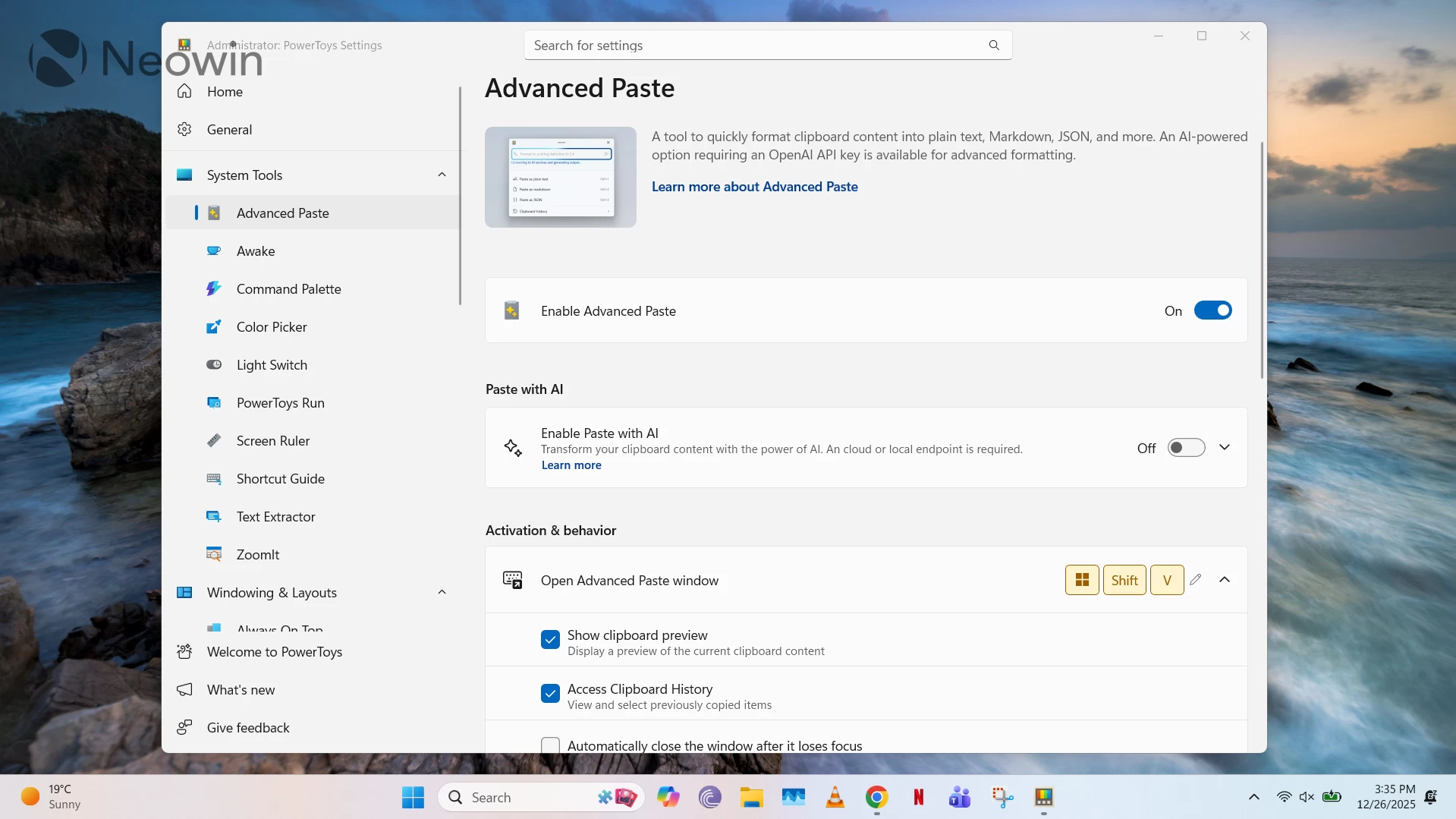
Although Windows 11 already offers a very useful Clipboard History feature by default, which is miles ahead of the implementations present in older versions of the operating system, Advanced Paste goes beyond that by adding more formatting options and integration with AI capabilities. It is clubbed under the System Tools category in PowerToys, along with a handful of other utilities. Advanced Paste is a powerful tool in the hands of those who need advanced clipboard management functionalities.
Advanced Paste Functionalities
Advanced Paste is toggled on by default when you install Microsoft PowerToys, but only with offline capabilities enabled - more on AI capabilities towards the end. You can trigger it through the Windows + Shift + V shortcut, which is configurable with some constraints.
In terms of general functionalities, you can toggle various configurations such as clipboard preview, clipboard history, preview of custom format (for AI outputs), and closing of the Advanced Paste window immediately as it loses focus.
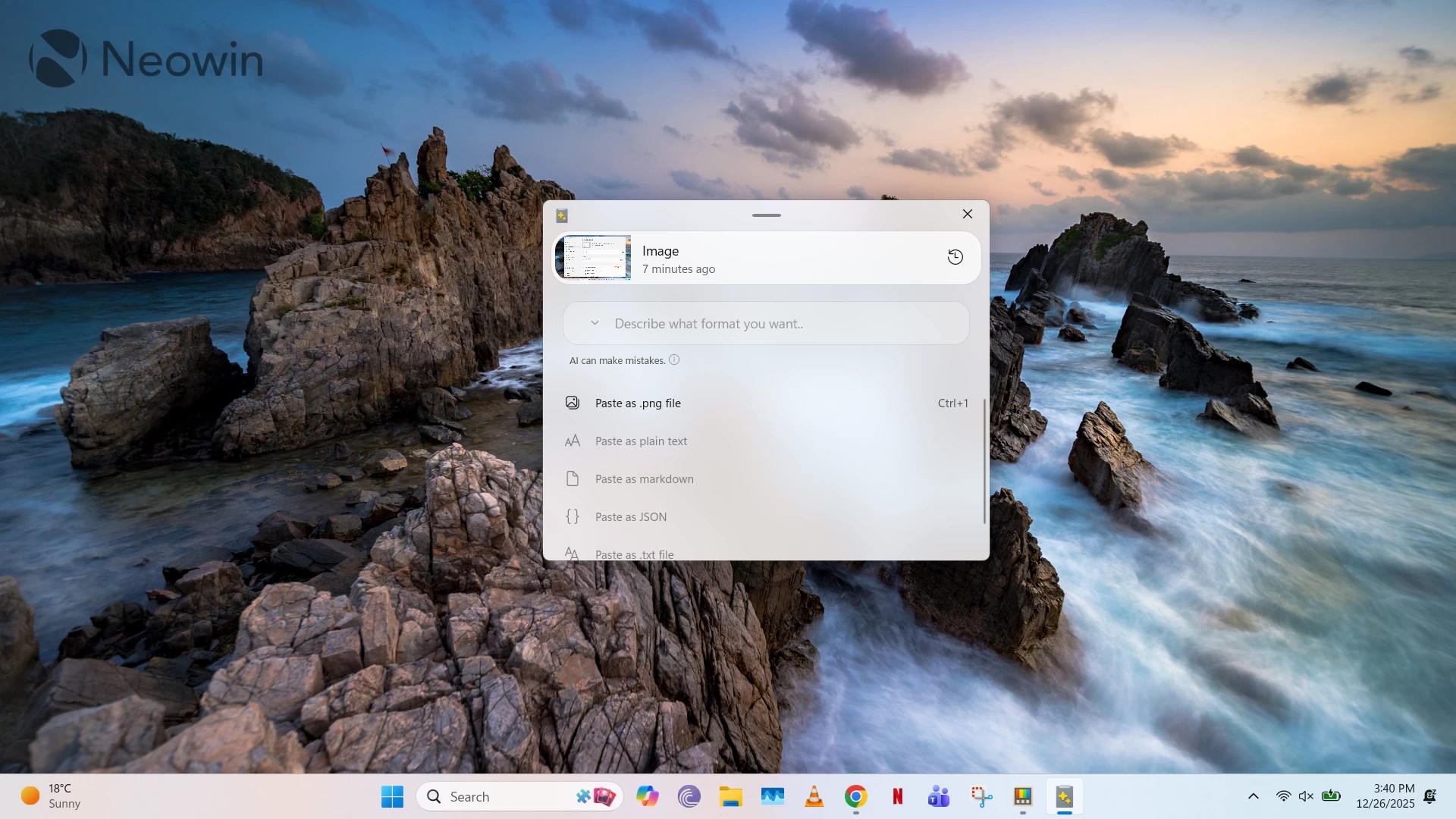
Advanced Paste capabilities can further be divided into three distinct categories, discussed below:
- Advanced Text Paste: There are three options available by default for text formatting, namely paste as plain text, markdown, or JSON. These can be very useful in many scenarios, including formatting from XML to JSON and HTML to markdown, which means that the module can be a great utility in the arsenal of programmers. All of these have shortcut keys (Ctrl + 1, 2, 3) in the Advanced Paste window, but you can set shortcut keys to directly trigger these commands without opening Advanced Paste. That's not all, you can paste text as files with auto-generated file names too. Right now, there is support for .txt and .html file formats. You can enable these formats within Advanced Paste's settings and assign them shortcuts, too.
- Advanced Image Paste: As the name suggests, this offers image pasting capabilities, but only a couple right now. You can assign shortcuts to extract text from images and paste it, or even save different file formats (such as .bmp) in PNG format.
- Transcoding to Audio or Video: This is a relatively niche feature set in Advanced Paste, but it has a couple of powerful, offline capabilities in tow. If you have a video file on your clipboard, you can utilize the transcode to .mp3 option to extract the audio from it and save it as an MP3 file, and you can even transcode the whole video to .mp4 (H.264/AAC) format. However, since these are relatively lengthy processes, you can view their progress and choose to cancel them mid-way.
It is worth noting that none of the features mentioned above require AI, and run completely locally, so if you're privacy-conscious, all of these should work out great for you.
AI Integration in Advanced Paste
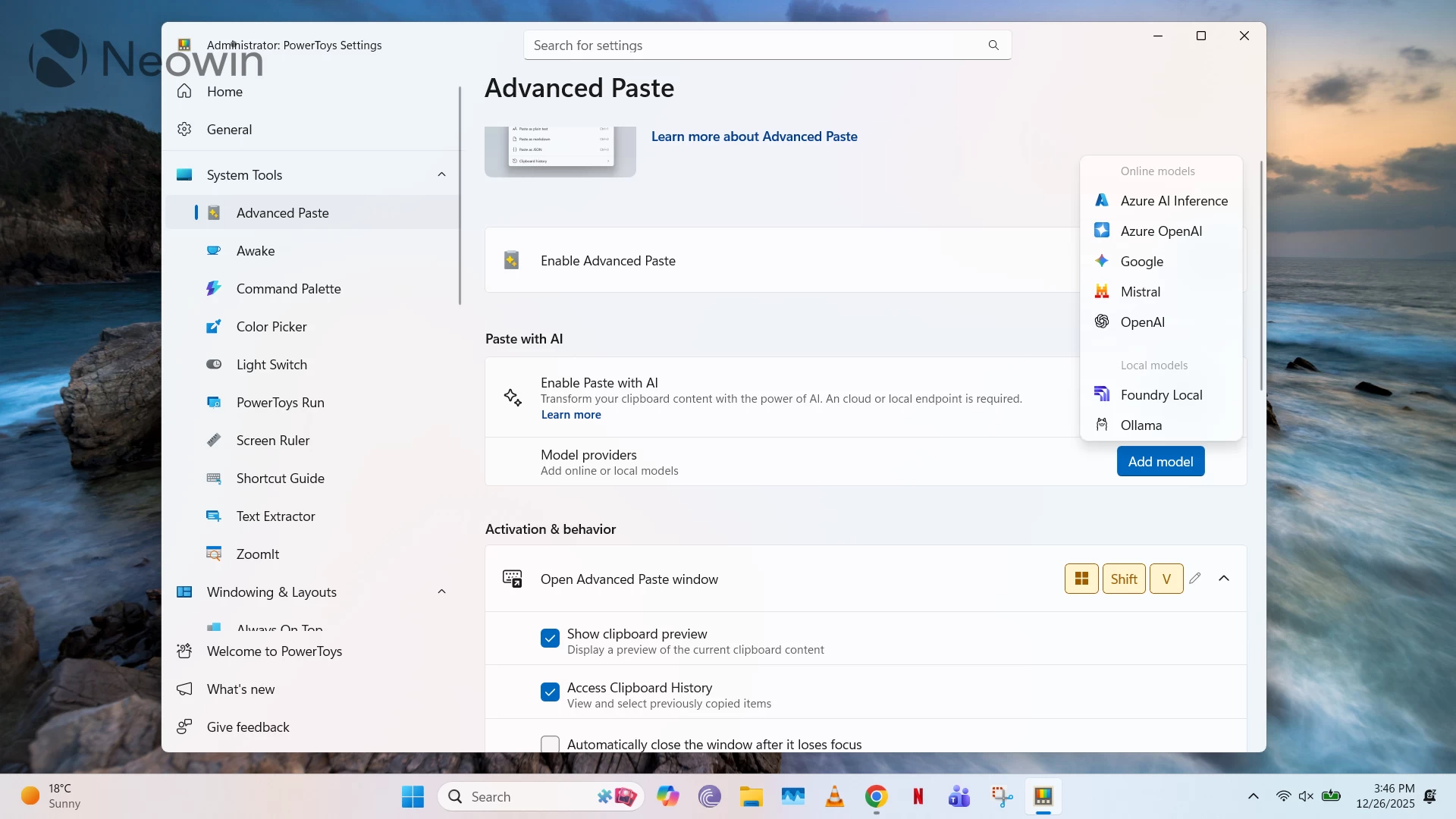
With the rise of generative AI, it was inevitable that some of that technology would be infused into Advanced Paste. However, the good thing to note here is that it is completely optional, and you do have the ability to choose between online models versus a local model hosted in Foundry Local or Ollama.
If you enable AI features from within Advanced Paste settings, you'll be prompted to add a model provider. Cloud-based options, which require an API key, include OpenAI, Azure OpenAI, Mistral, Google, and Azure AI Inference. You can read more about the integration process here.
Enabling this integration will unlock several new text-pasting options powered by AI. You can input natural language prompts such as "Format this text so each sentence is on a separate line and the writing style should match that from the 1800s, and watch as the magic unfolds. Other possible actions include summarization of text, generating code based on the description of a programming problem in the clipboard history, formatting, and translation, among many other things. If you opt for OpenAI as your model provider, you will also be able to leverage even more advanced Semantic Kernel capabilities, such as chaining of multiple actions, production of new file formats, and more options for image handling.
That said, it is very important to keep in mind that Microsoft does not guarantee the correctness of output in AI scenarios since they are highly dependent on the input format and the model being used. As such, use these only at your own risk and also remember that it can exhaust your API quota depending upon how heavily you lean on any of the aforementioned functionalities.
Conclusion: Advanced Paste is a Beast
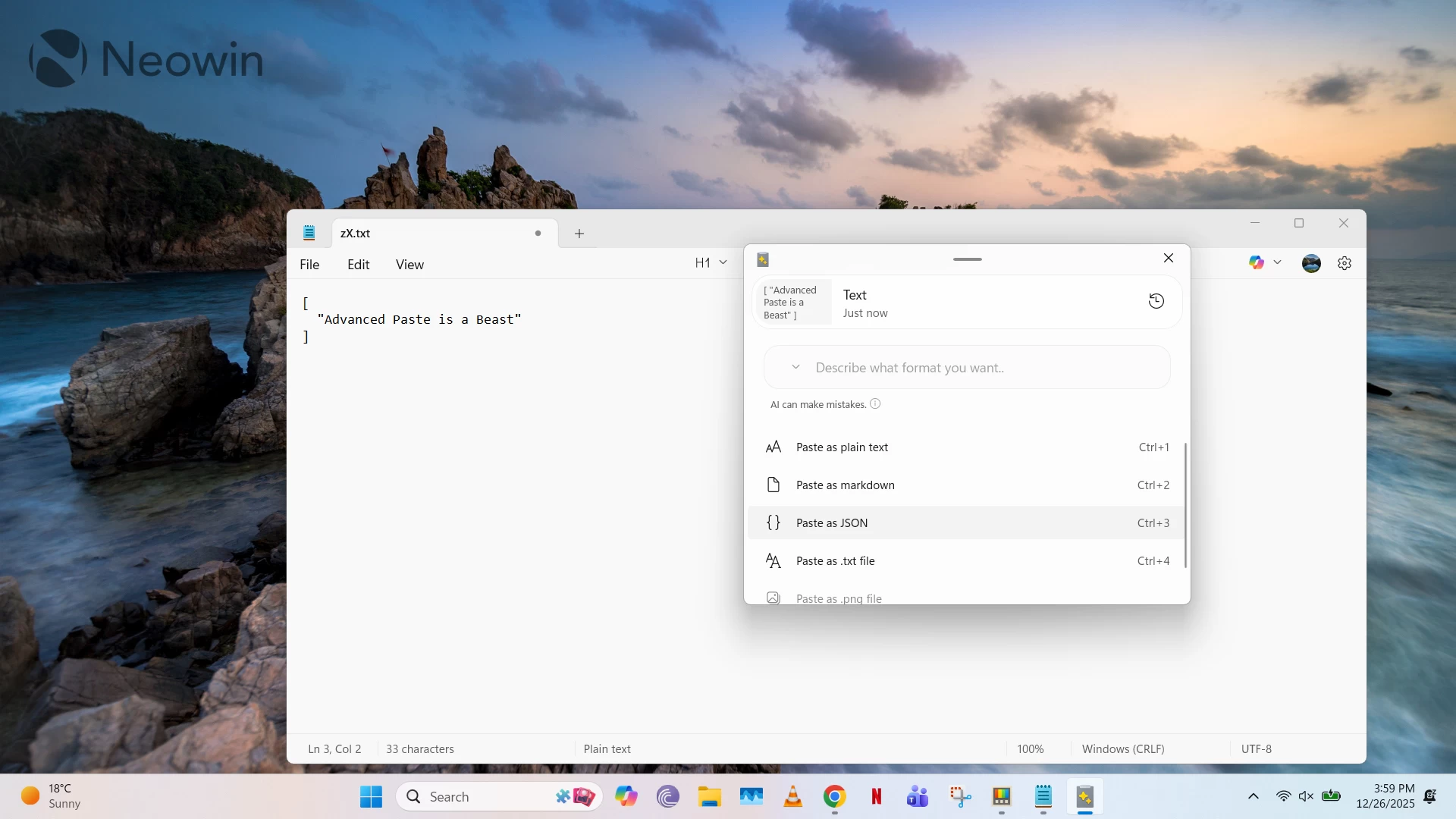
As can be summarized from the above, Advanced Paste is a beast that goes beyond a typical clipboard management tool. It can replace many other online and offline tools or workarounds that you utilize for content pasting in different formats, and it is a godsend for many customers, such as programmers. That said, some may also argue that it veers away from the clipboard management territory at times, especially when it comes to AI integration, which expands its feature set by quite a lot. However, it is good that all of that is completely optional, and Advanced Paste works just fine for many use cases within offline boundaries as well.
You can check out Advanced Paste by downloading PowerToys from the Microsoft Store here.
Hope you enjoyed this news post. Feedback welcome.
Posted Saturday 27 December 2025 at 4:15 am AEST (my time).
News posts... 2023: 5,800+ | 2024: 5,700+ | 2025 (till end of November): 5,412
- phen0men4
-
 1
1
Recommended Comments
There are no comments to display.
Join the conversation
You can post now and register later. If you have an account, sign in now to post with your account.
Note: Your post will require moderator approval before it will be visible.