


3175x175(CURRENT).thumb.jpg.b05acc060982b36f5891ba728e6d953c.jpg)
Microsoft announced a new feature for its cloud-based video editor, Clipchamp. Now, users can trim and cut unwanted parts of videos by simply deleting portions of the transcript that were generated by Clipchamp's built-in AI-powered transcribe tool.
In the announcement post, the company says this tool is quicker and easier to edit than the timeline for videos with a lot of spoken content or dialogue. These include meeting recordings (cut those off-topic discussions or "your mic is off" exclamations or other technical issues), webinars and presentations (remove filler words, trim lengthy Q&A sessions, etc.), and podcasts (good for deleting mistakes or other unwanted content).
You can try the new feature by opening a video in Clipchamp and selecting the Transcript tab on the right side of the editor. Click "Generate transcript," and once the app has generated it, select portions of text you want to delete.
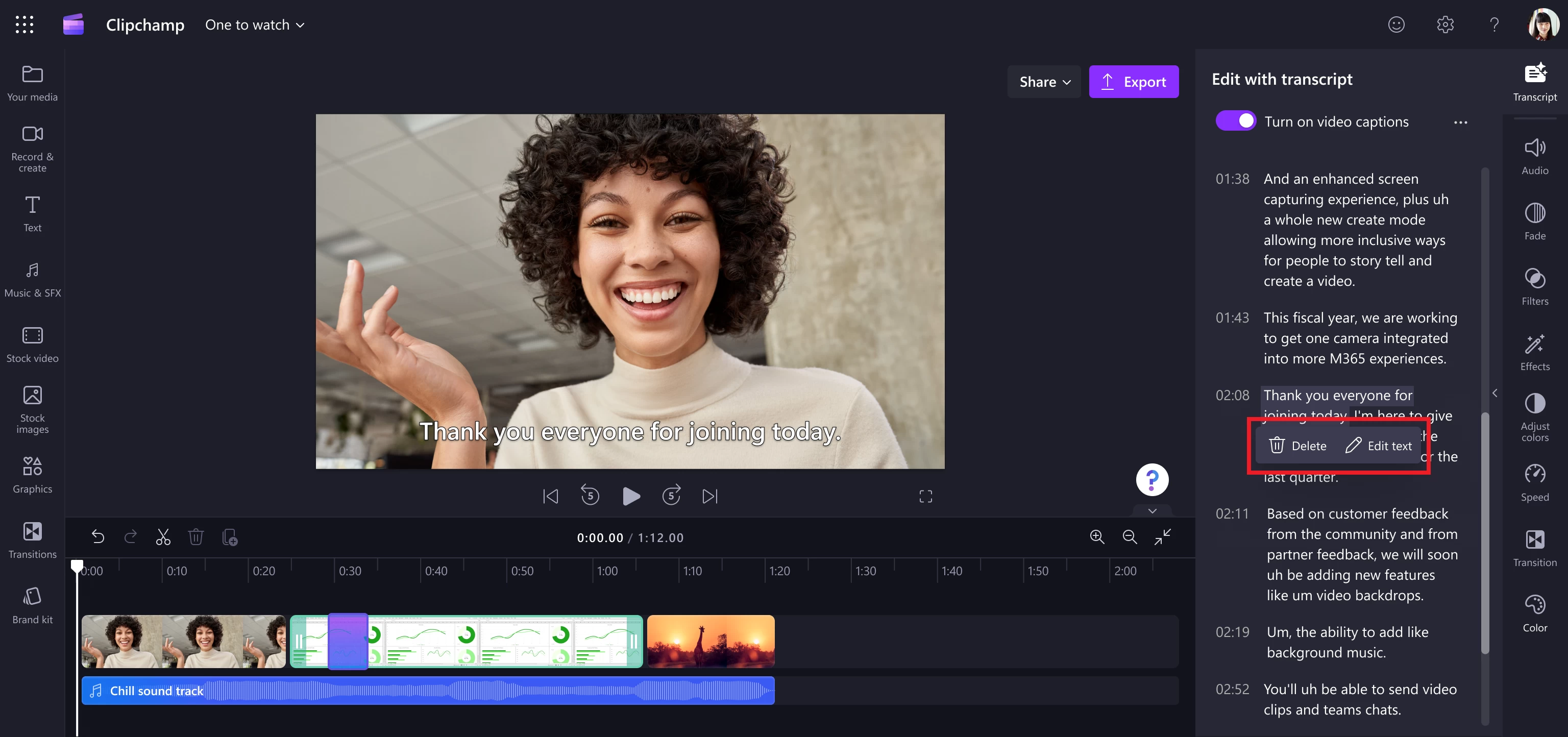
Microsoft adds that the Transcript tab will replace the Captions tab in the Property panel. However, the app still allows you to edit and download captions by clicking the CC button.
The new transcript editing tool will be available to Clipchamp users with work accounts this month. Later, Microsoft will release the feature to users with personal accounts as well. You can read more about the transcript-based video editing in Clipchamp in the announcement post on the official Tech Community website.
In case you missed it, at the beginning of this year, Microsoft announced a series of new features that are coming soon to Clipchamp. They include dark and light mode, improved asset grouping, a cleaner video editor, precise editing with timestamps, and more. Some of those features are already available to users with personal and work accounts.
Hope you enjoyed this news post.
Thank you for appreciating my time and effort posting news every day for many years.
News posts... 2023: 5,800+ | 2024: 5,700+ | 2025 (till end of May): 2,377
RIP Matrix | Farewell my friend
- Miroglu.80
-
 1
1
Recommended Comments
There are no comments to display.
Join the conversation
You can post now and register later. If you have an account, sign in now to post with your account.
Note: Your post will require moderator approval before it will be visible.