

3175x175(CURRENT).thumb.jpg.b05acc060982b36f5891ba728e6d953c.jpg)
On September 9, 2025, Microsoft will refresh Windows 11 with its latest Patch Tuesday update. Check out the significant features and changes coming in the latest cumulative update of Windows 11 (version 24H2).
On September 9, 2025, Microsoft is scheduled to begin deploying the Patch Tuesday update for the ninth month of the year for Windows 11, which introduces expected security fixes and improvements, as well as a few new features.
In this particular release, the company is introducing a new homepage for the Recall app, and Click to Do gets a new interactive tutorial for Copilot+ PCs.
In addition, the September 2025 Security Update introduces a new option to display the clock with seconds in the Notification Center. Windows Search receives a grid view for photo results, while Windows Hello undergoes a massive design overhaul across the operating system, and the Settings app gains several new features.
These changes were discovered in the latest patch available in the Release Preview Channel for version 24H2. However, Microsoft can always delay or discard any feature or improvement at any time. Furthermore, Windows Recall (along with related AI features like "Click to Do" and the Settings AI agent) is exclusive to Copilot+ PCs. They require an NPU (Neural Processing Unit) capable of 40+ TOPS, found on Qualcomm Snapdragon (such as the X Plus and X Elite series), as well as specific Intel and AMD processors. You also need to enable BitLocker (or Device Encryption) and Windows Hello to activate the AI feature.
Windows 11 new features coming in September 2025
Microsoft takes a gradual approach to rolling out new enhancements, meaning it may take some time before you see these features.
In addition, some improvements require specific hardware, while others may only be available in certain markets.
1. Redesigned homepage for the Recall app
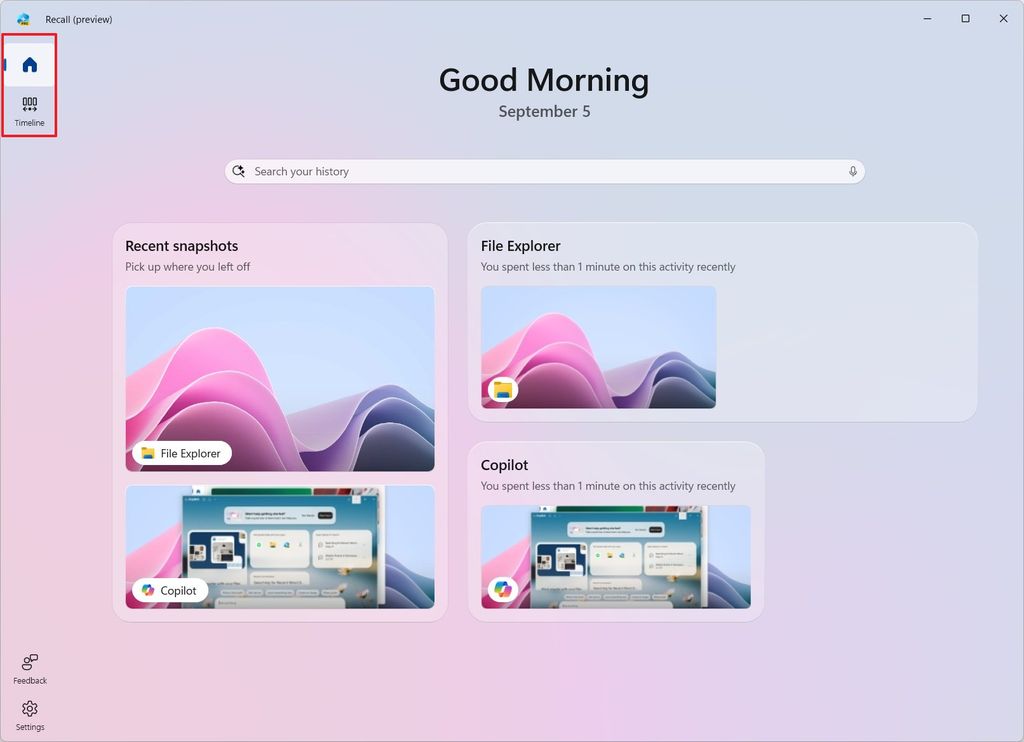
The Recall app has been updated, introducing a home page that provides easy access to search functionality and your recent activities and top content.
(Image credit: Mauro Huculak)
Additionally, a new navigation page, similar to the Microsoft Store app, is available to access the timeline page, where you can interact with your snapshots and use the Click to Do feature.
2. Interactive tutorial for Click to Do
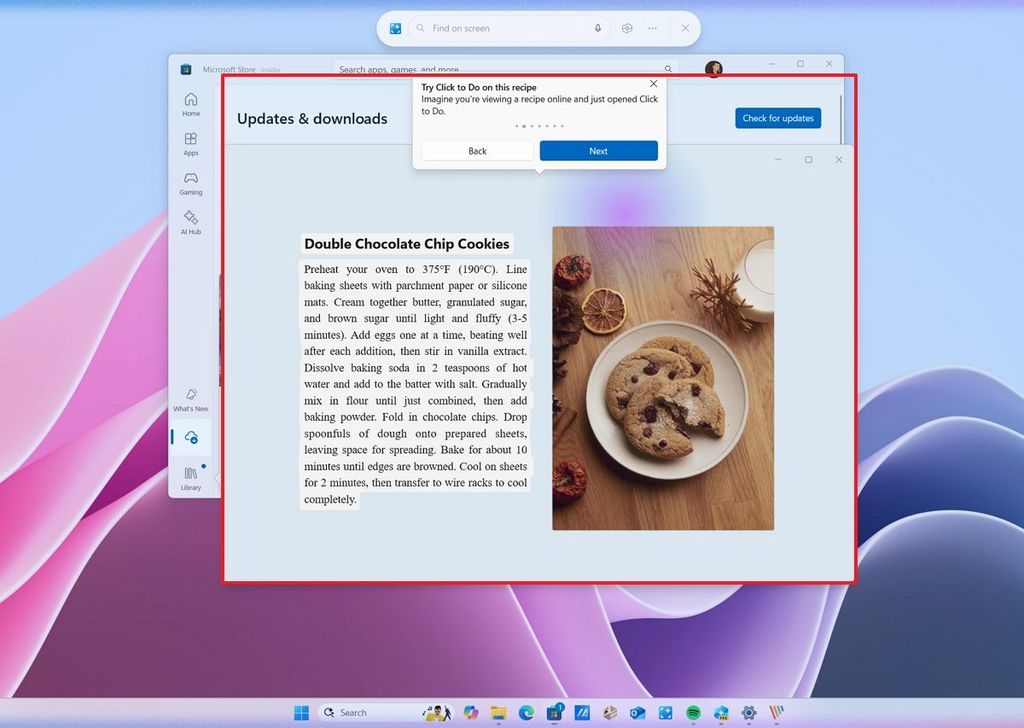
In this cumulative update, Click to Do is gaining a new interactive tutorial with text and images to help you get started with the application.
(Image credit: Mauro Huculak)
The tutorial should appear automatically when you launch the feature for the first time, but you can also find it in the Click to Do menu.
3. Clock in Notification Center
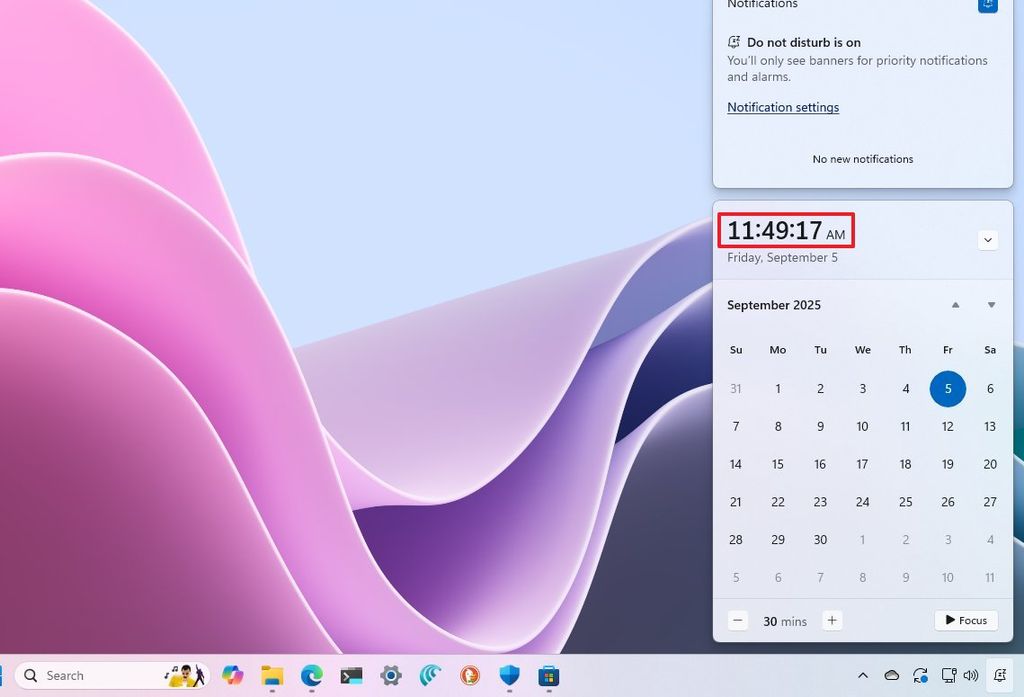
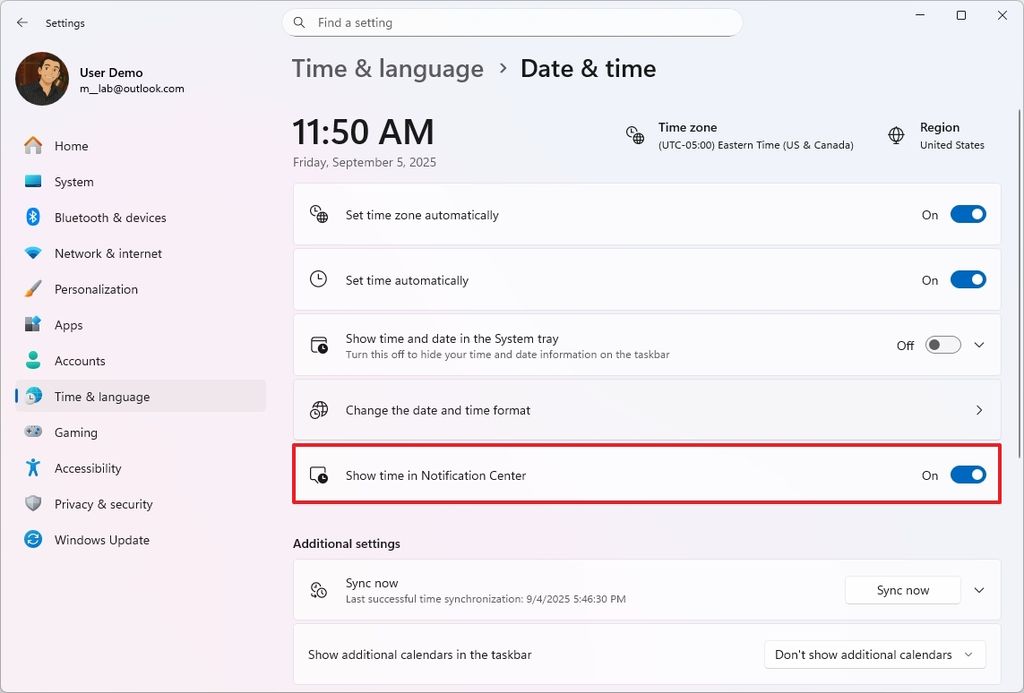
Similar to Windows 10, the Notification Center on Windows 11 now displays a clock with seconds.
(Image credit: Mauro Huculak)
The feature isn't enabled by default, but you can always turn on the "Show time in Notification Center" option in Settings > Time & language > Date & time. You may also see a notification toast letting you know about this feature.
(Image credit: Mauro Huculak)
3. Grid view for photos on Windows Search
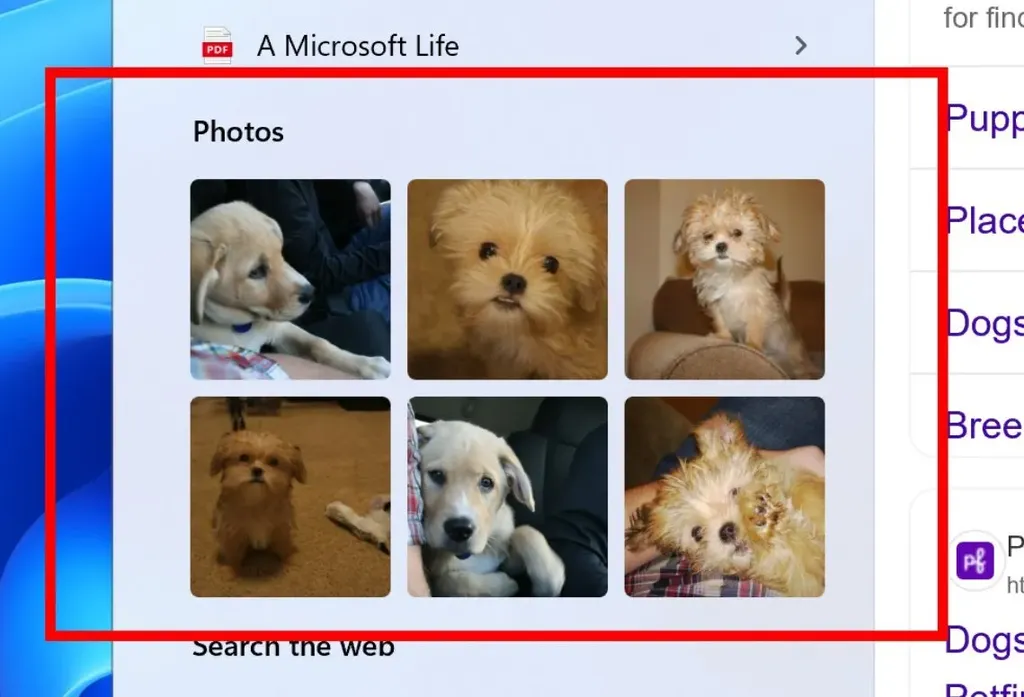
Microsoft has also noted that the Windows Search experience is changing to show results for photos in a grid view.
(Image credit: Microsoft)
Also, when searching for files and the system is still indexing content, you'll receive a notification that the search results may be limited until the indexing process is complete.
4. Redesigned Widgets board and Lock screen changes
In September, you'll also notice a new Widgets board design with a left pane that also flies out from the left and includes new controls to navigate through the different boards.
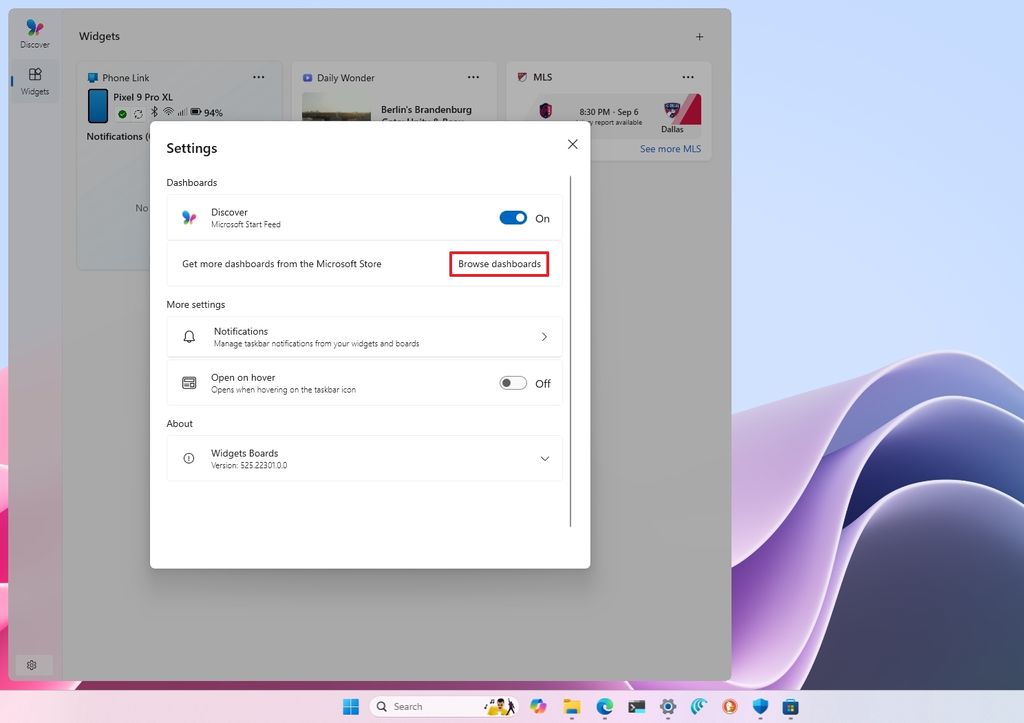
Perhaps, even more interesting, you can now add multiple dashboards through the Microsoft Store, but this feature is still limited to users in Europe.
You can find more dashboards by going to the Widgets settings and clicking the "Browse dashboards" button to open the Microsoft Store.
(Image credit: Mauro Huculak)
Microsoft also notes that the "Discover" feed in the Widgets board now includes Copilot-curated stories, which you can personalize from the "Personalization" settings.
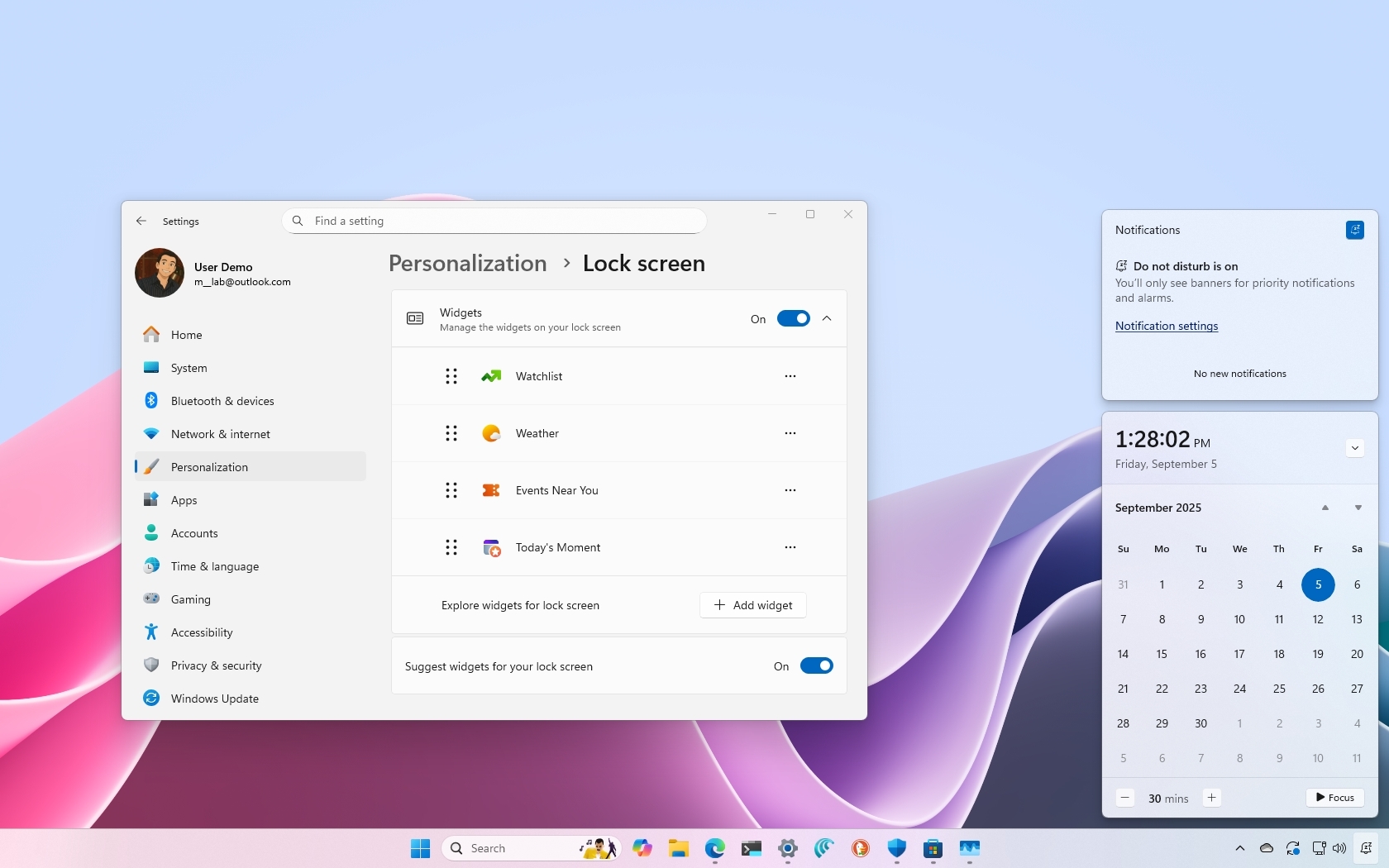
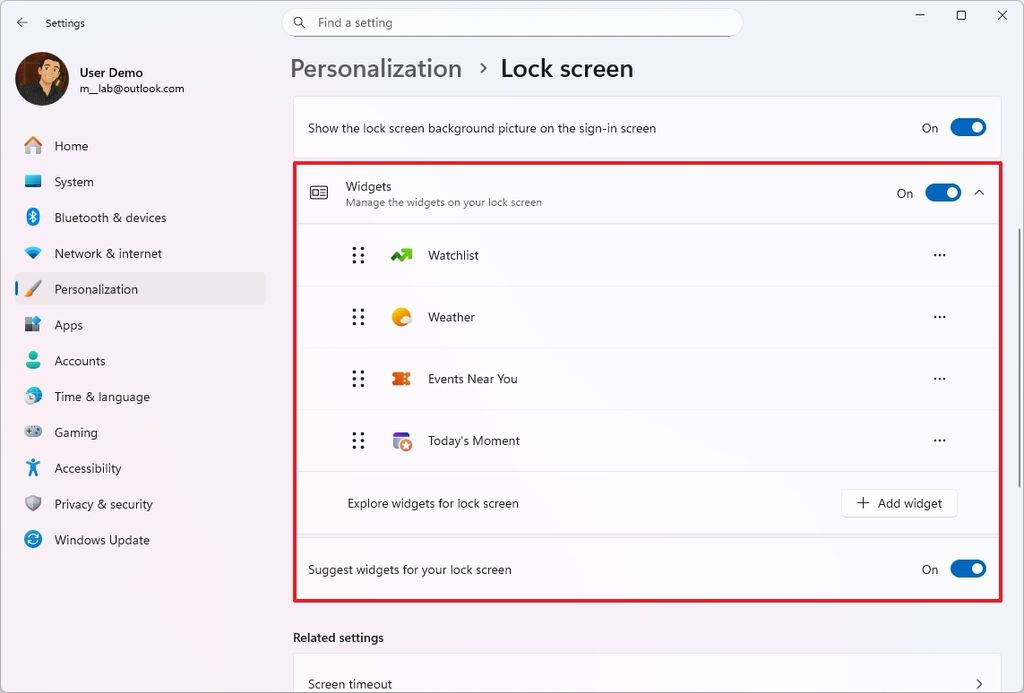
Furthermore, this update also extends the new controls to manage Widgets in the Lock Screen to everyone. In the past, the feature was only available for users in Europe.
To control the widgets that appear on the Lock screen, open Settings > Personalization > Lock Screen, and then, under the "Widgets" settings, toggle the feature on or off.
(Image credit: Mauro Huculak)
In addition, you can add or remove and customize widgets. If you enable the "Suggest widgets for your lock screen" option, the system will automatically select four random widgets for you.
5. Redesigned Windows Hello surfaces
The September 2025 Security Update is also introducing a massive redesign of the Windows Hello components.
In short, the company is modernizing the visual when you need to interact with Windows Hello. For example, in the Sign-in screen, you'll notice new elements and animations letting you know the type of authentication you have to use to access your account.
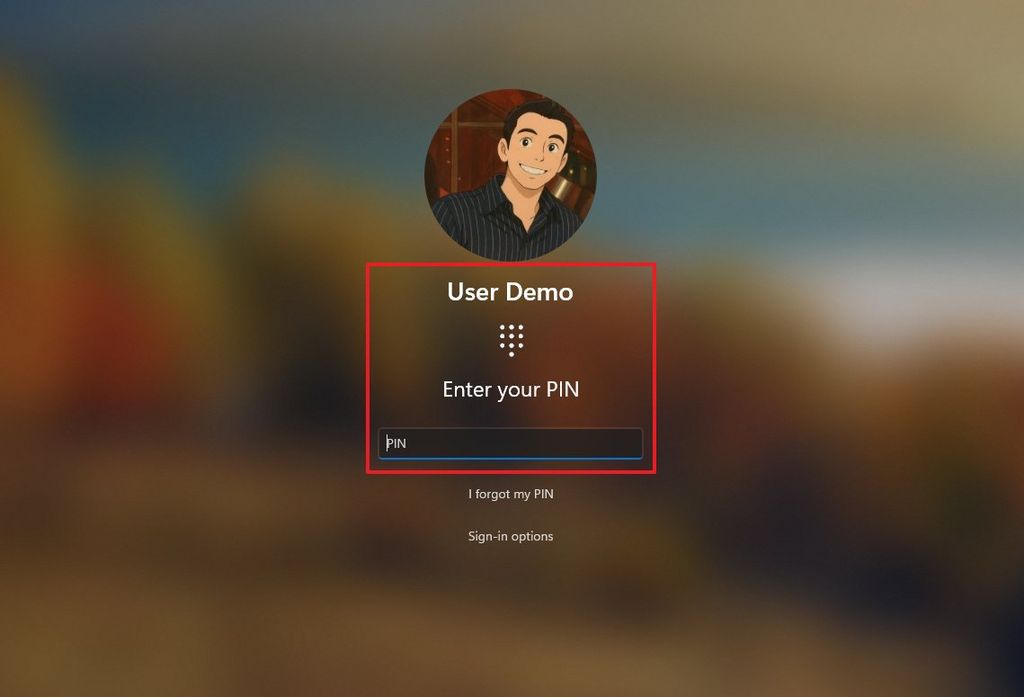
(Image credit: Mauro Huculak)
You will also notice new visuals for when you have used a passkey, Windows Recall, Microsoft Store, and more.
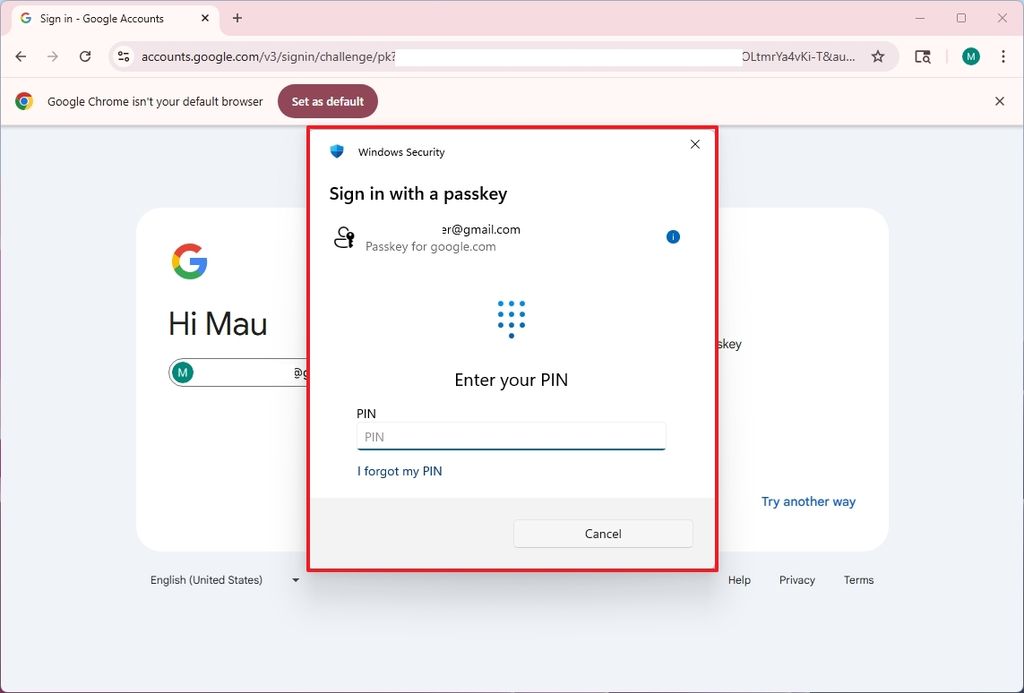
(Image credit: Mauro Huculak)
6. Settings app changes
As part of the Settings app improvements, Microsoft is adding a few changes.
AI agent for Settings expands to more users
For example, the app is now introducing a new AI agent to help you quickly find and modify system settings using AI. This feature has been available before, but it was limited to Copilot+ PCs using the Snapdragon processor. In this release, the feature is expanding to Copilot+ PCs using AMD and Intel AI processors.
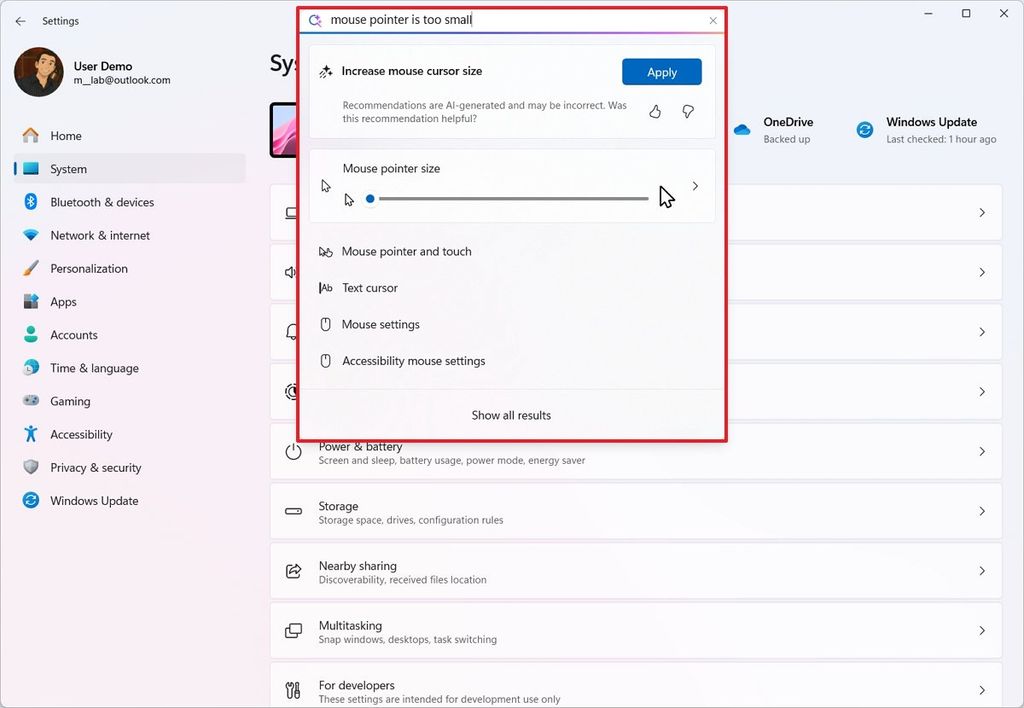
(Image credit: Mauro Huculak)
The idea behind this feature is to describe the problem in natural language, rather than having to remember the name of the feature.
When using this feature, you'll be able to find the settings quickly, but the AI agent will also offer the option to configure the feature automatically with your permission.
Recent AI activities by third-party apps
Microsoft is also adding a "Recent activity" option to log recent requests to use text and image generation with AI from third-party applications.
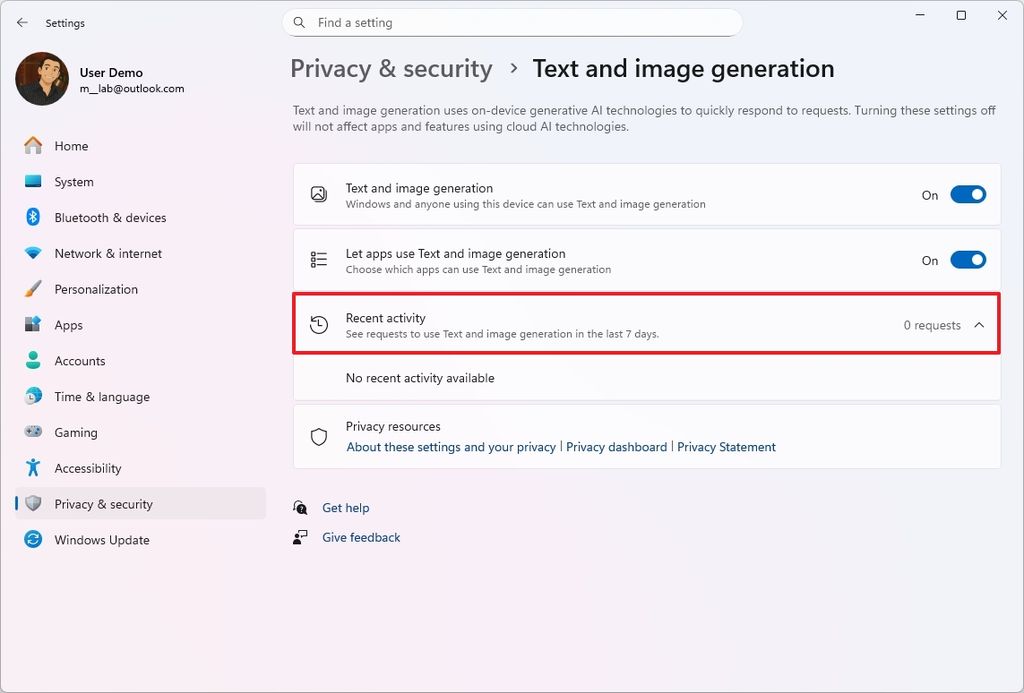
(Image credit: Mauro Huculak)
The new option can be found on Settings > Privacy & security > Text and image generation.
Update dialogs
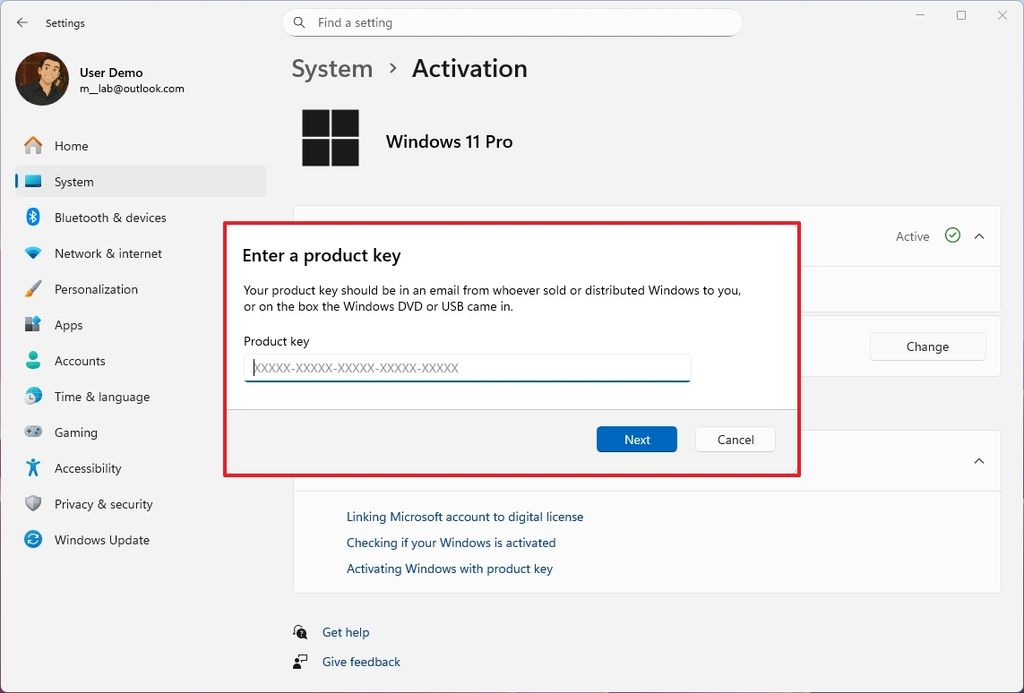
On Settings > System > Activation, this update introduces new visuals for the activation and expiration dialogs to match the design of Windows 11.
(Image credit: Mauro Huculak)
Additionally, the company is updating the dialog for app requests to access location, camera, microphone, or other hardware. Furthermore, to make sure the importance of privacy when accessing these components, the screen will dim as the dialog appears, similar to when an application requires elevation.
7. Task Manager with better CPU metrics
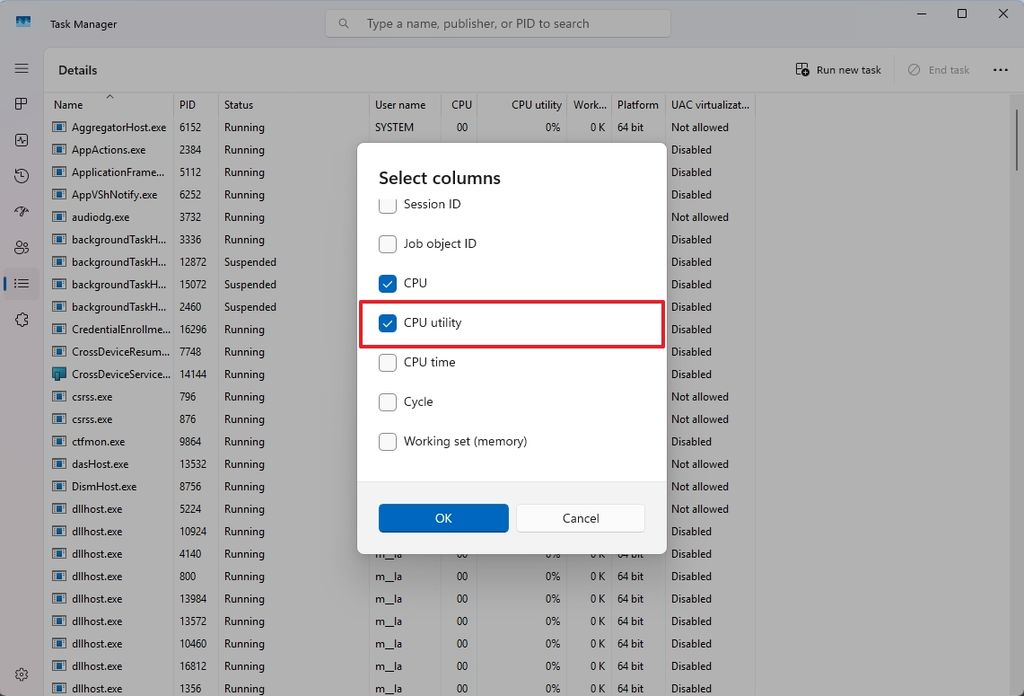
After installing this update, you'll also find a newer Task Manager app that shows more consistent processor usage using industry-standard metrics.
(Image credit: Mauro Huculak)
To view the legacy metric, open the "Details" tab and select the "CPU Utility" option from the "Select column" context menu.
8. Windows Backup for Organizations
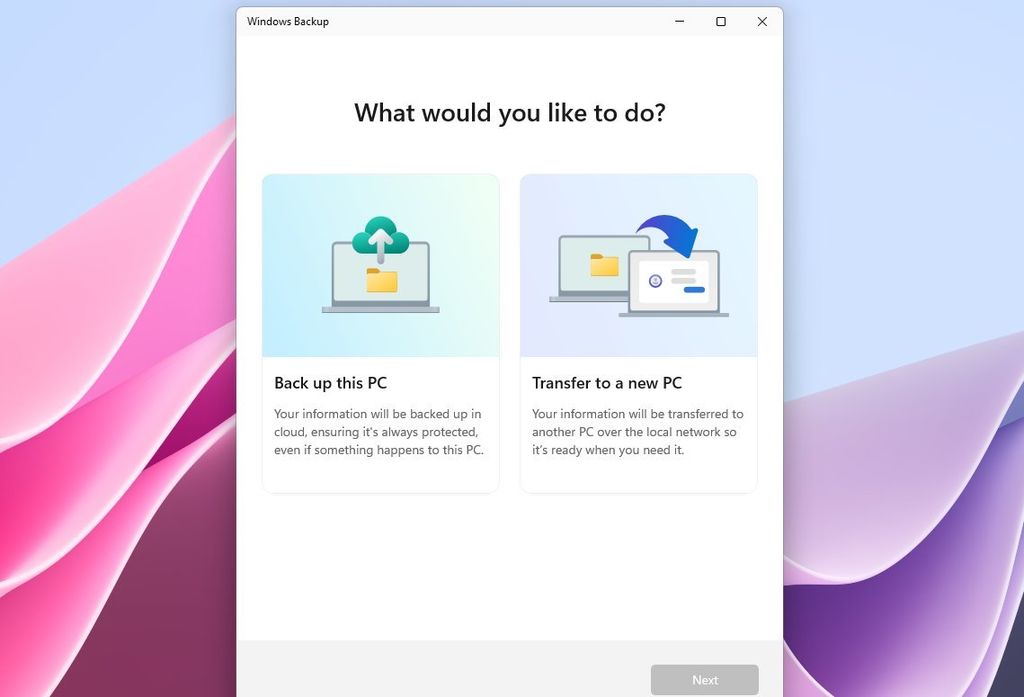
Microsoft is also making the Windows Backup for Organizations generally available for commercial customers.
(Image credit: Mauro Huculak)
This is the same Windows Backup app available to consumers, but it's designed for organizations to provide enterprise-grade backup and restore to support seamless device transitions.
9. File Explorer tweaks
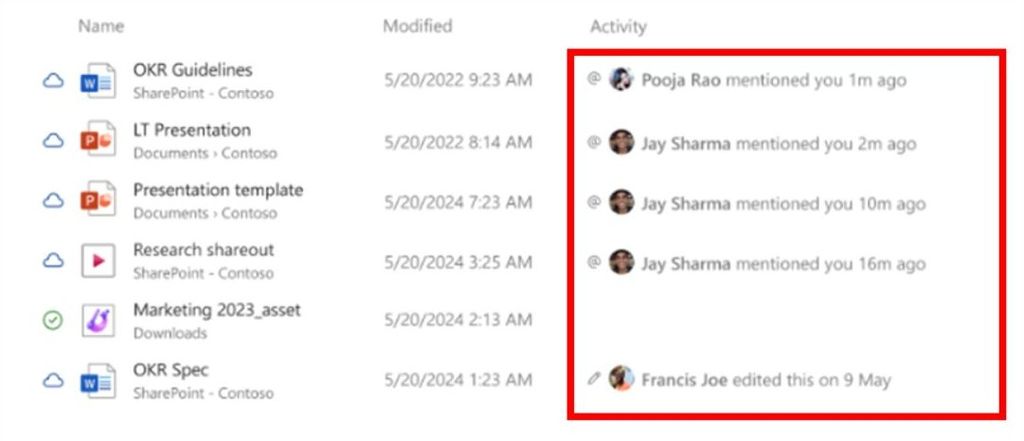
In this cumulative update, the context menu in File Explorer shows dividers to separate top-level icons.
(Image credit: Microsoft)
On the Home page, the file manager will display the people icon in the "Activity" column and the "Recommended" section. When you hover over these icons, the app will show the Live Personal Card for users signed in with a work or school account.
These are the biggest changes that you'll find after installing this Patch Tuesday update on your computer. However, it's worth noting that Microsoft was planning to roll out even more changes, including a new "Your Device Info" card that displays the key technical specifications of your computer on the Settings Home page, but this was delayed.
In addition, the company was planning to port even more legacy features from the Control Panel to the Settings app, including the ability to show additional clocks, change time servers, and manage date and time formats.
Other changes include more regional formats, Unicode UTF-8 for worldwide language support, and the ability to copy the current user's settings, but according to the company, these features will arrive in a future cumulative update.
However, these changes are currently still available in the preview of the September update in the Release Preview Channel.
Hope you enjoyed this news post. Feedback welcome.
Posted Monday 8 September 2025 at 4:07 am AEST (my time).
News posts... 2023: 5,800+ | 2024: 5,700+ | 2025 (till end of August): 4,048
- Tzcon
-
 1
1
Recommended Comments
There are no comments to display.
Join the conversation
You can post now and register later. If you have an account, sign in now to post with your account.
Note: Your post will require moderator approval before it will be visible.