

3175x175(CURRENT).thumb.jpg.b05acc060982b36f5891ba728e6d953c.jpg)
Check out the improvements Microsoft has been working on for Insiders during the first half of August.
As we approach the first half of August 2025, it's time again to look at the most significant changes that Microsoft has been working on for Windows 11 in the channels of the Windows Insider Program.
Thus far, the company has made available five previews, some of which were part of the version 24H2, 25H2, and some others were not part of any specific development.
In the Canary Channel, we've seen:
- 27919
In the Dev Channel:
- 26200.5733
- 26200.5742
In the Beta Channel:
- 26120.5733
- 26120.5742
At the time, builds from the Dev and Beta Channels are still virtually identical, meaning that the changes in versions are mostly the same. Microsoft has also released another preview in the Canary Channel, but it only includes bug fixes and minor improvements.
In this guide, I'll outline the new visual changes and features that were released during the first half of August 2025.
Biggest changes from the Windows Insider Program in August 2025
These are the changes that Microsoft has been working on since my last roundup of improvements for Insiders.
1. Start menu mobile companion redesign
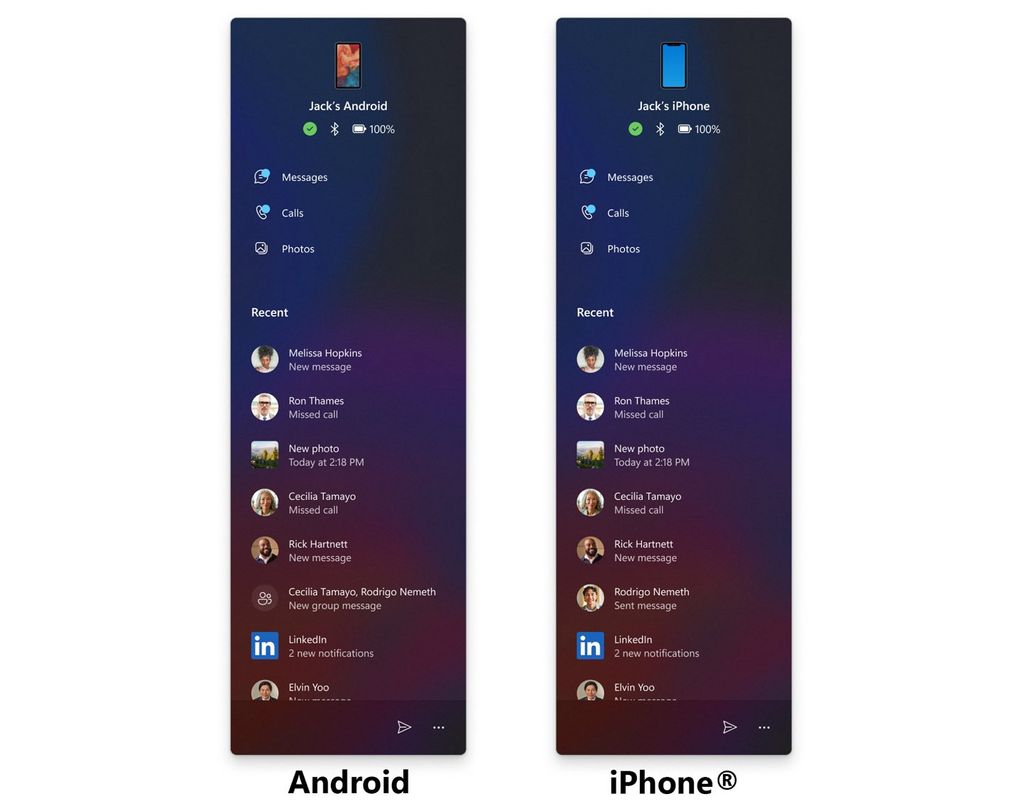
Starting with build 26200.5742, the Start menu introduces a redesigned mobile companion sidebar that retains the main elements of the previous version. However, now, it includes the ability to scroll through more content from your recent activities.
(Image credit: Microsoft)
The company also notes that you will continue to be able to access messages, calls, photos, app updates, and more from your Android or iPhone device.
2. Control Panel to Settings new features
Although we'll probably be stuck with the Control Panel for a lot longer than expected, since build 26200.5742 and 26120.5742, Microsoft has been transferring more features to the Settings app.
Date & time
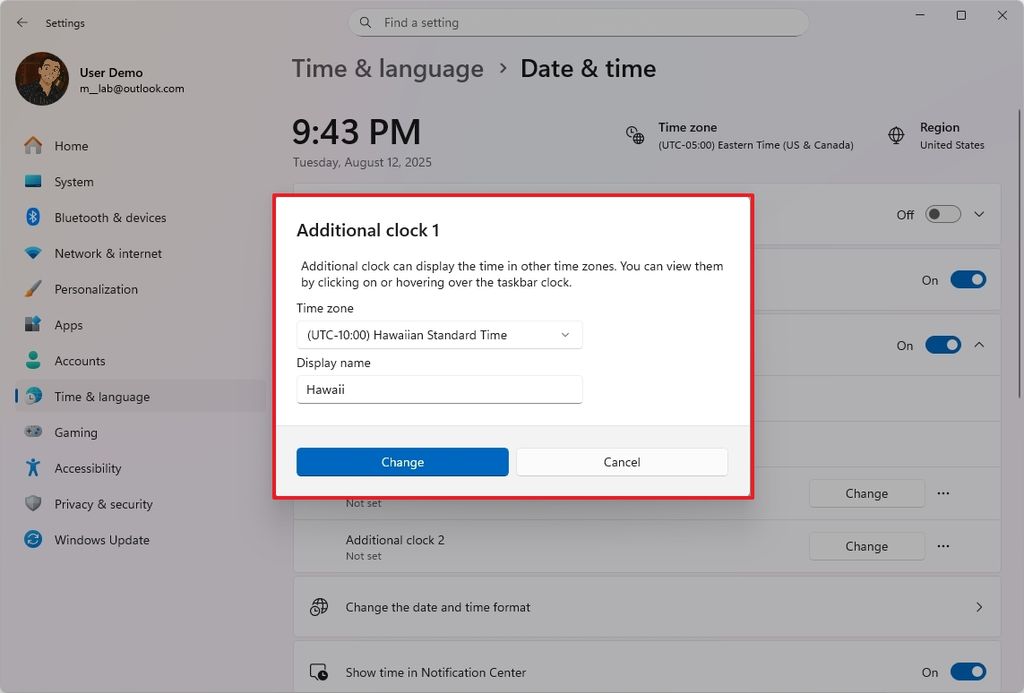
For example, in the "Date & time" section, the "Show time and date in the system tray" setting now allows you to add multiple clocks.
You can add up to two more clocks with the option to change the time zone and nickname for each clock. These clocks will be visible while hovering over the time and date area and in the calendar view.
(Image credit: Mauro Huculak)
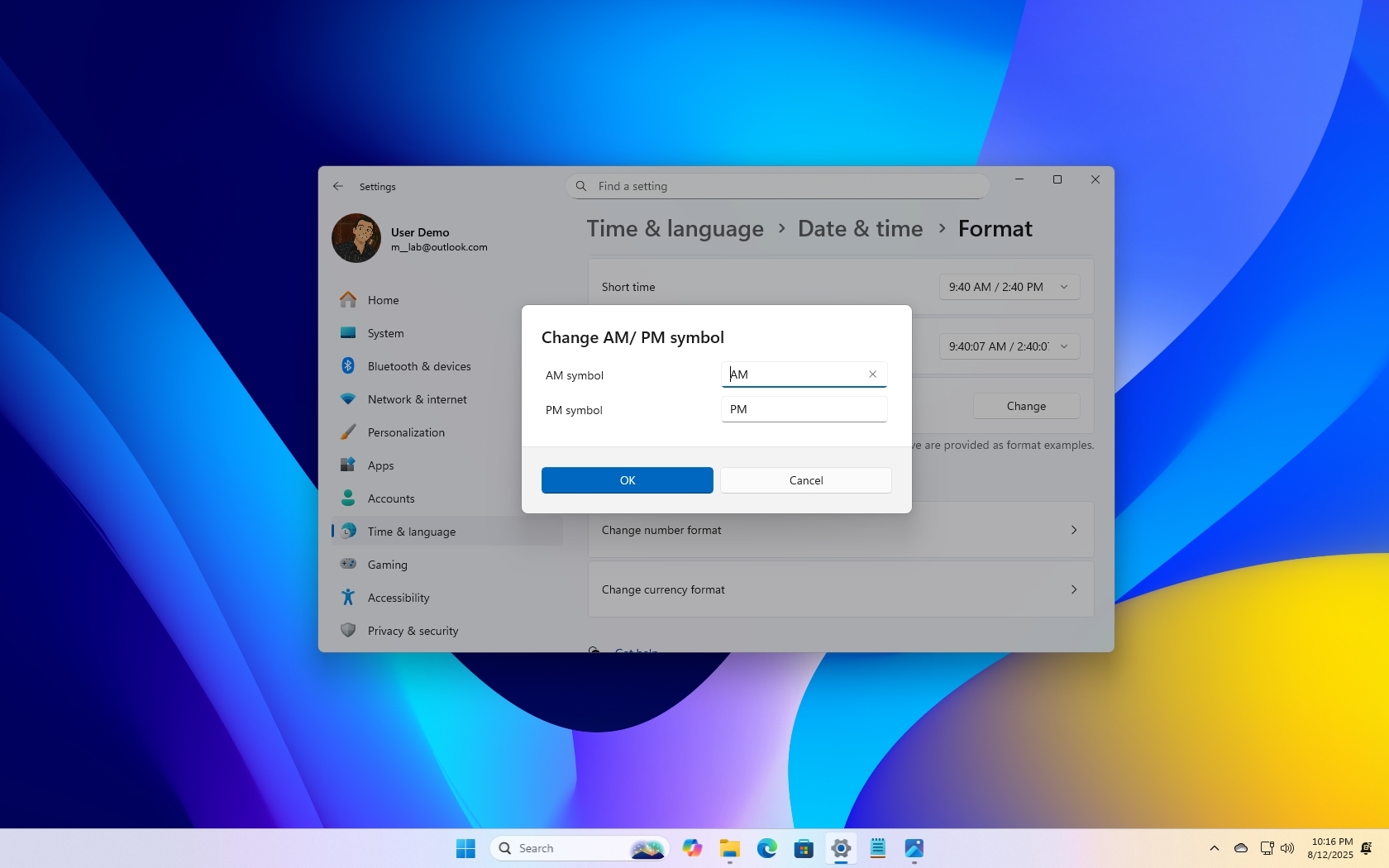
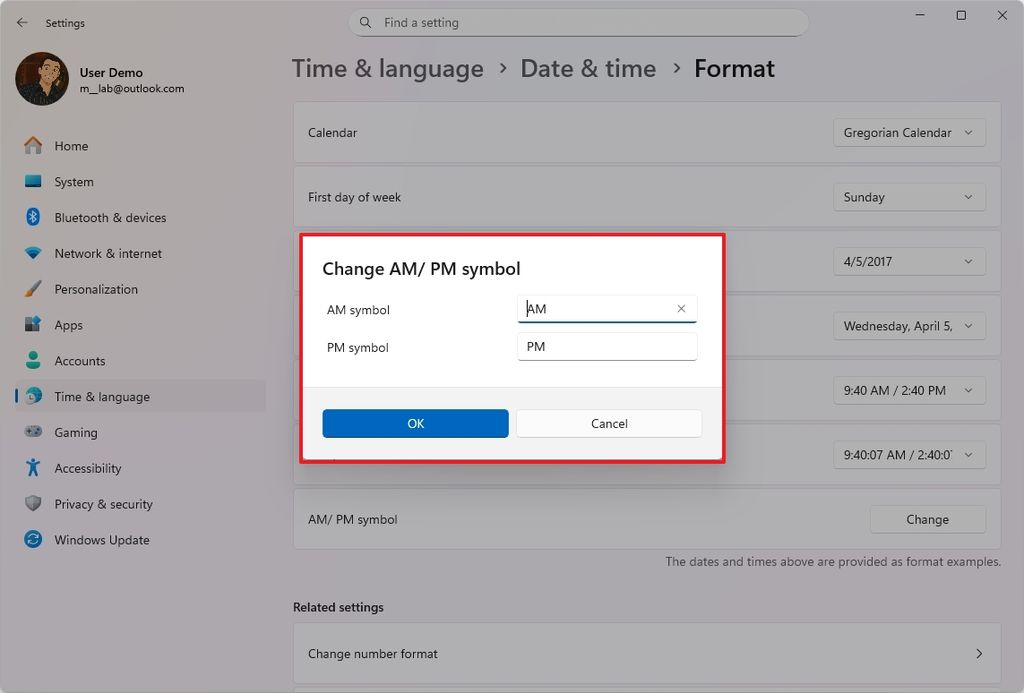
The Settings app is also bringing the "Format" page to the "Date & time" section to change the date and time format. You can even change the "AM" and "PM" symbols. Previously, these settings were available from the "Language & region" section.
(Image credit: Mauro Huculak)
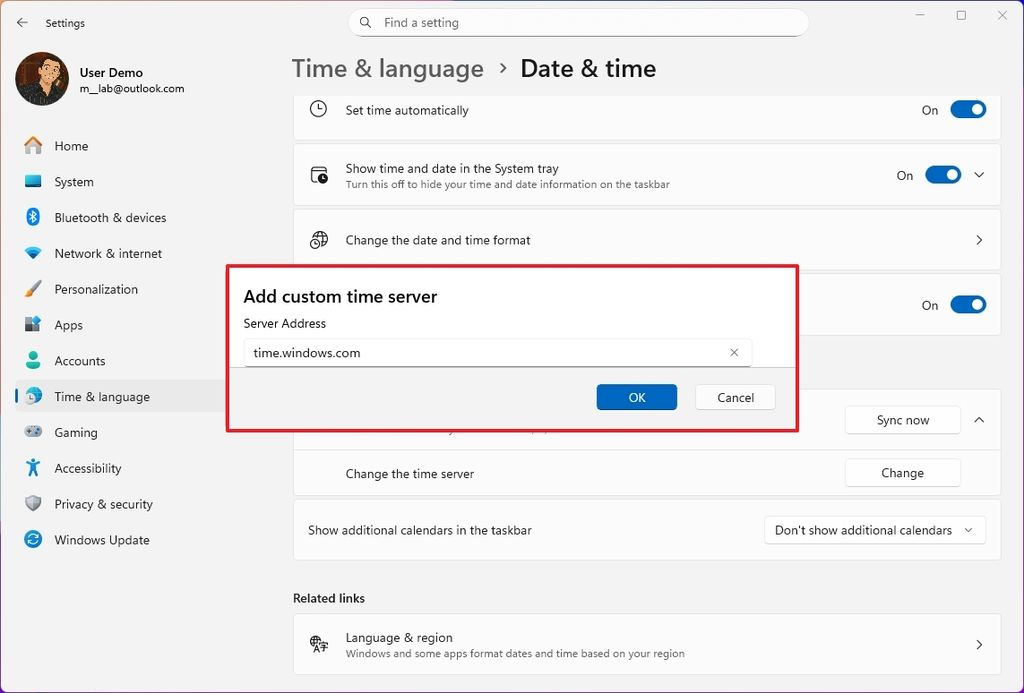
Also, under the "Additional settings" section on the "Date & time" page, under the "Sync now" setting, you'll now find the settings to change the time server.
(Image credit: Mauro Huculak)
Language & region
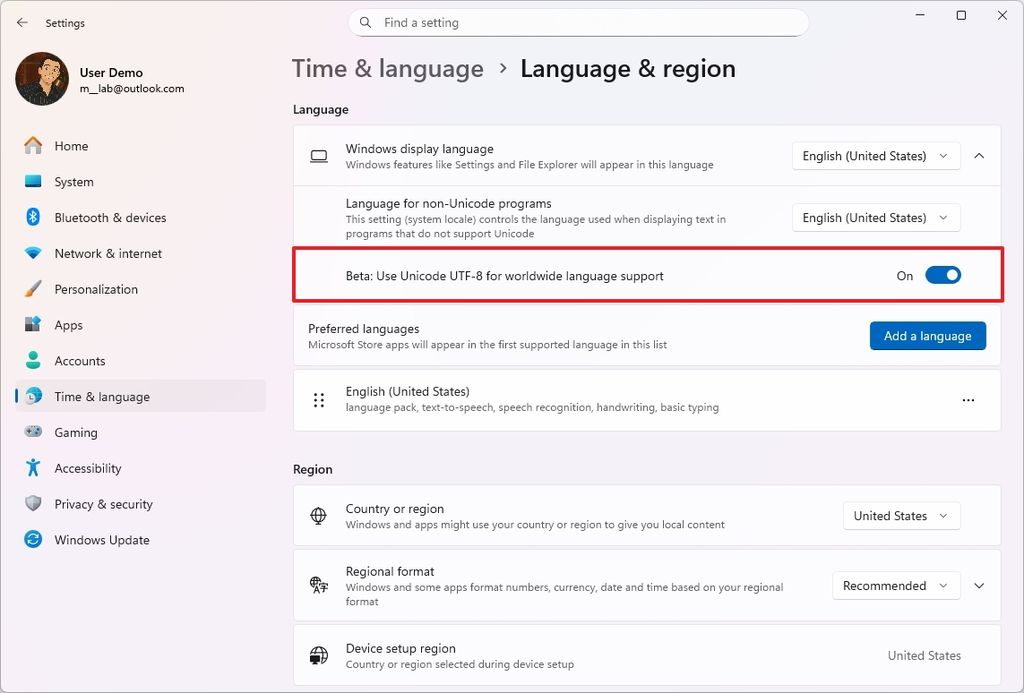
In the "Language & region" section, under the "Windows display language" setting, you can now enable the "Unicode UTF-8 for worldwide language support" feature.
(Image credit: Mauro Huculak)
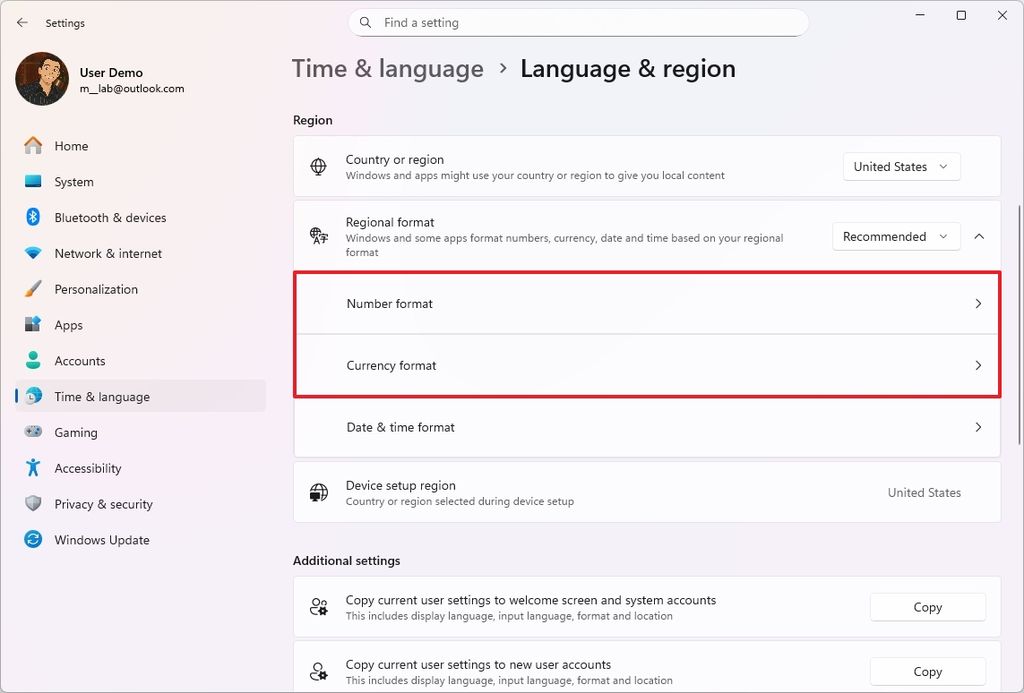
Under the "Regional format" section, you will now find the options for the number and currency formats. The "Date & time format" settings have been available in the past.
(Image credit: Mauro Huculak)
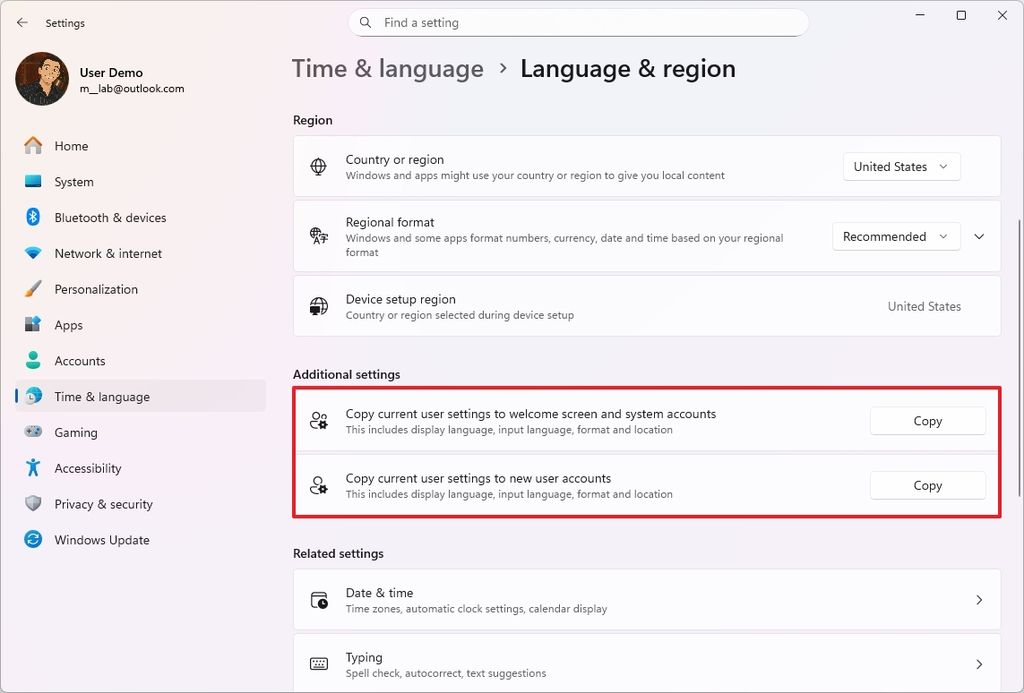
Finally, under the "Additional settings" section, the Settings app now gives you the ability to copy the current user settings to the welcome screen and screen account, and the settings to new user accounts.
(Image credit: Mauro Huculak)
Keyboard
On the "Keyboard" page, the operating system now includes an option to change the delay and rate for character repeat.
Text cursor
On the "Text cursor" page, you can now control the cursor blink rate.
3. Windows Share with pin option
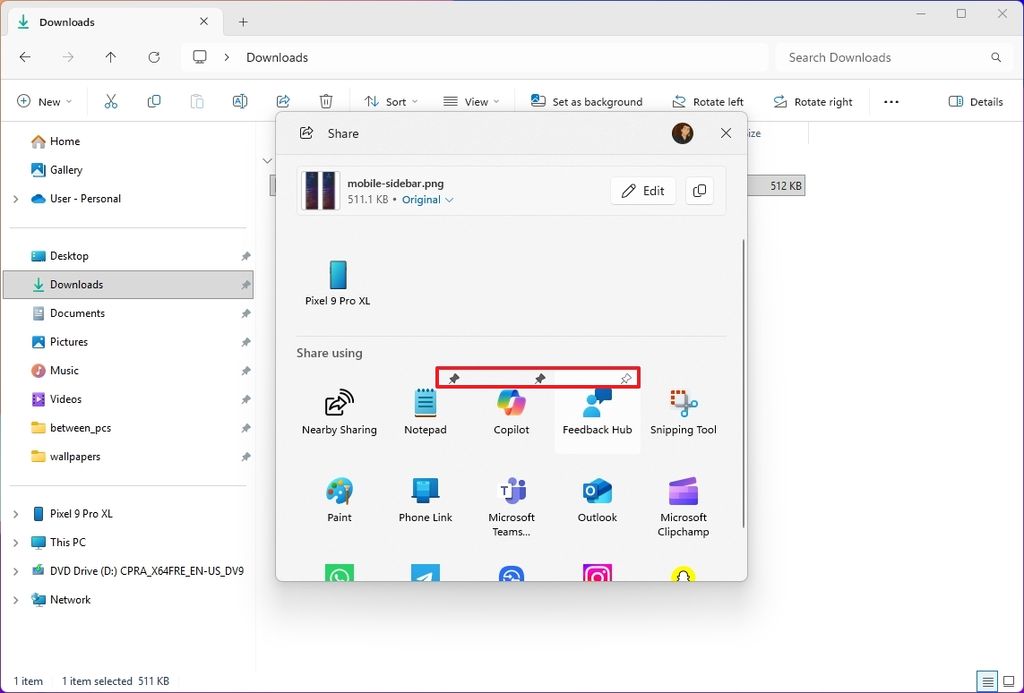
Although Microsoft didn't mention it, on build 26200.5742 and 26120.5742, the Windows Share interface has been updated to include the ability to pin your favorite apps for sharing content.
(Image credit: Mauro Huculak)
This feature should be enabled by default (via @PhantomOfEarth), and you can access it by hovering over the app and clicking the "pin" button.
4. File Explorer Home improvements
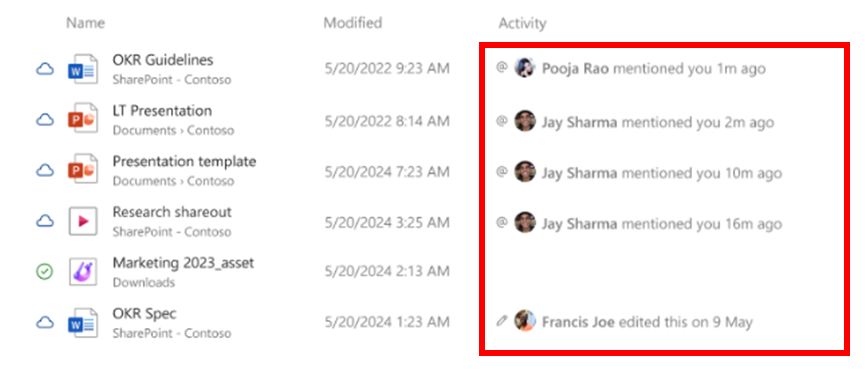
On Windows 11 build 26200.5733 and 26120.5733, the company made available a change to the Home page of File Explorer that will show the profile picture in the form of an icon under the "Activity" column in the "Recommended" section.
(Image credit: Microsoft)
The only caveat is that this improvement is only available for users using a work or school account.
Hope you enjoyed this news post. Feedback welcome.
Posted Friday 15 August 2025 at 4:58 am AEST (my time).
News posts... 2023: 5,800+ | 2024: 5,700+ | 2025 (till end of July): 3,458
Recommended Comments
There are no comments to display.
Join the conversation
You can post now and register later. If you have an account, sign in now to post with your account.
Note: Your post will require moderator approval before it will be visible.