


3175x175(CURRENT).thumb.jpg.b05acc060982b36f5891ba728e6d953c.jpg)
Here's everything you need to know about Global Device Identifier (GDID), a special identifier Microsoft uses to track every Windows device.
Many people are generally skeptical about their online safety and privacy of their data. No matter what measures you take, be it using a VPN, leaving minimal online footprint, or using anonymous accounts, it never feels like you’re completely safe. And since you can’t prove that you’re being watched, it’s easy to think of yourself as paranoid. Until a case like Microsoft’s GDID surfaces.
General public recently became aware that Microsoft has been quietly tracking Windows PCs through a special key that most users have never heard of. Microsoft never publicly detailed it, and it took a federal court filing for the company to fully confirm its existence.
The identifier is called GDID, short for Global Device Identifier, and it recently helped the FBI catch an alleged hacker, who as part of a hacking group, breached security of a jewelry store. The suspect was using VPNs, proxies, and multiple aliases to stay hidden, but GDID still helped the authorities identify him.
And while GDID helped FBI catch the threat actor, the case also exposed something a lot of ordinary Windows users are uneasy about. It shed light on a tracking mechanism that’s baked into the operating system that runs on around 1.6 billion PCs worldwide.
What GDID actually is
A GDID is a persistent key, or an identifier if you will, that's tied to a specific Windows installation. It’s generated externally, on Microsoft’s servers, and then stored locally in the registry. Every Windows installation gets assigned one, whether that's a physical PC or a virtual machine.
Microsoft's own description, given by a company representative in the unsealed complaint in United States v. Peter Stokes (N.D. Illinois), calls it "a persistent, device-level identifier designed to uniquely identify an installation of a Windows operating system on a device."
The value is a 64-bit number, formatted as g: followed by a long string of digits. When Windows sets up a device against a Microsoft Account, the Passport identity service contacts Microsoft's servers and gets the identifier back in the response.
GDID survives Windows updates and stays consistent after most system changes. But if you reinstall Windows, it gets a new GDID. Still, the old identifier, and everything Microsoft logged against it, stays right where it is on the company's servers.
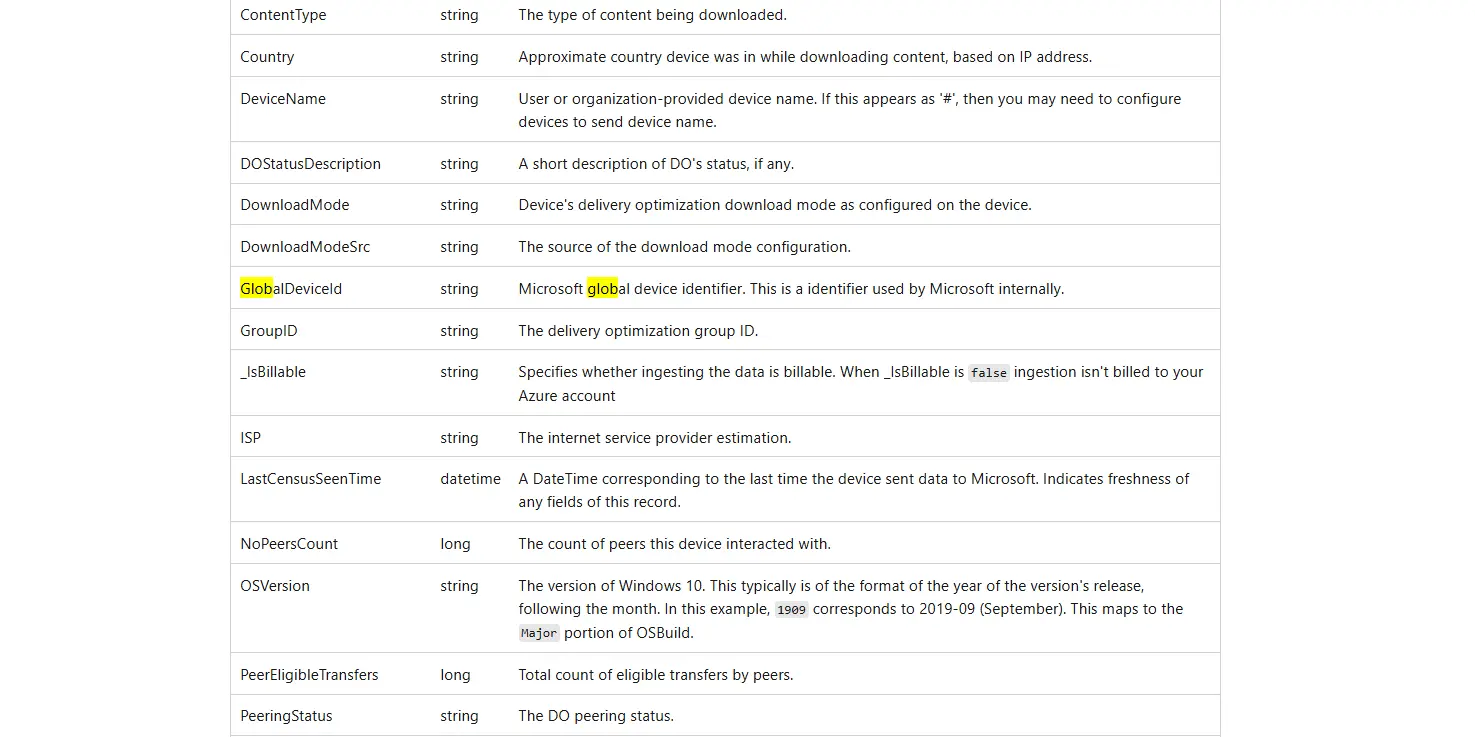
What particularly adds to the mystery of this key is the lack of official documentation. Microsoft's only public documentation of GDID is a single line in an Azure Monitor reference table, describing a GlobalDeviceId column as "Microsoft global device identifier. This is an identifier used by Microsoft internally."
There’s no dedicated support page, and Microsoft only explained it in more detail in the above-mentioned federal court filing.
Where does GDID show up
Independent researchers who reverse-engineered the mechanism gave us more insight into how GIDID works. A service called The Passport Service receives the server-generated identifier and writes it locally to the registry. From there, Windows' Connected Devices Platform picks it up and registers it into Microsoft's cross-device identity system, the Device Directory Service.
The identifier is embedded into a wide range of Windows features. That includes Windows activation, Microsoft Store purchases and app licensing, Phone Link, clipboard syncing between your devices, and more.
Regular Windows diagnostic data carries the identifier too. If Microsoft Edge's enhanced diagnostics is switched on, your browsing history gets tied to it as well. That's actually the exact detail that helped investigators build their case against Stokes.
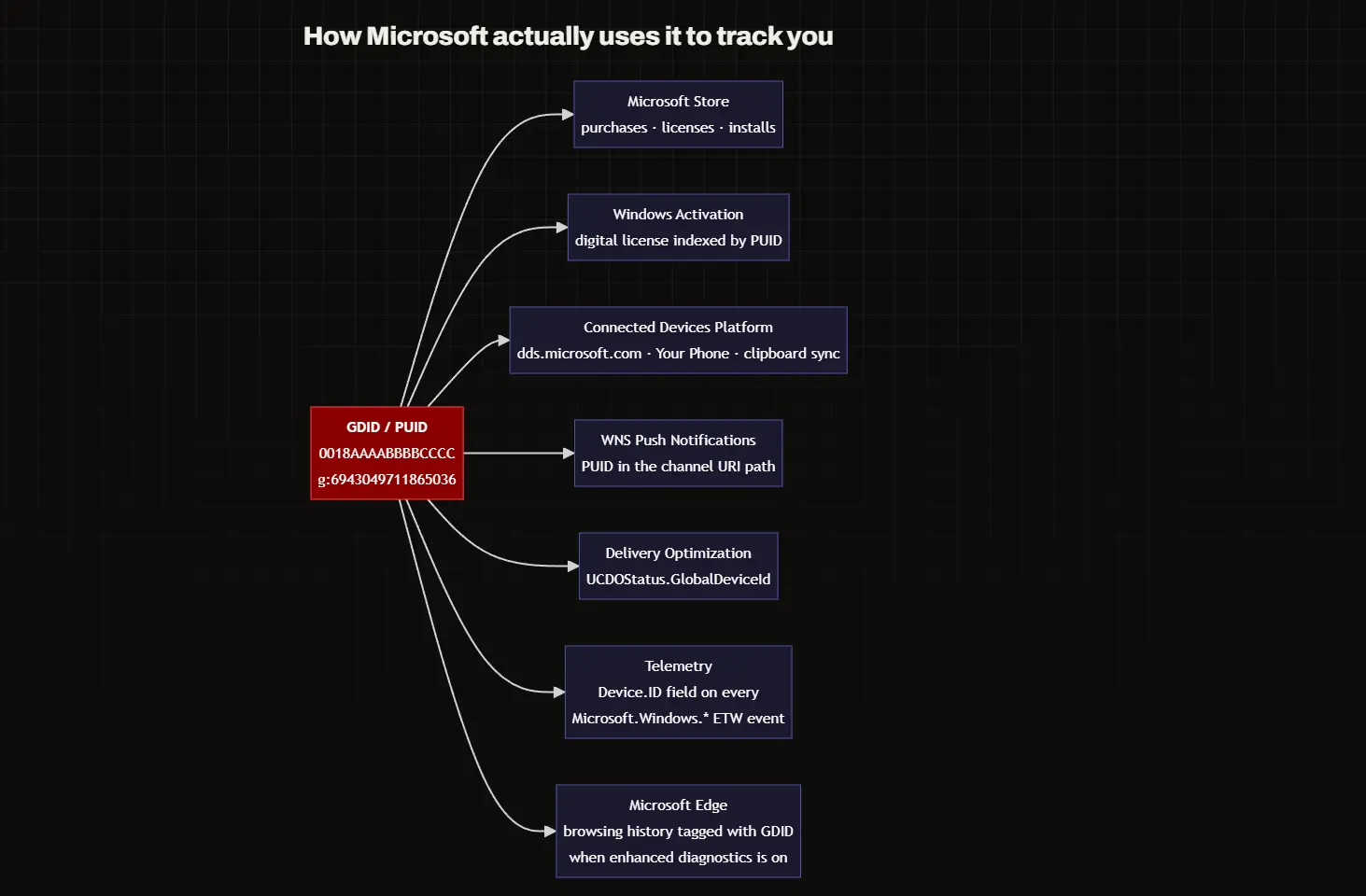
Feel free to check out the entire experiment ran by Zerotrace Lab, who tried to replace the existing GDID on a Windows device with its own key. The experiment will give you a better understanding of the process of creating the identifier.
The case that exposed GDID to the broader public
Let’s quickly go over the story that launched this entire chain of events. Peter Stokes, a 19-year-old dual U.S.-Estonian citizen, was arrested in April at Helsinki Airport on an Interpol Red Notice, reportedly trying to board a flight to Japan. He was extradited and made his first U.S. court appearance in Chicago at the end of June, which is when the complaint was unsealed.
Stokes was allegedly part of the hacking group Scattered Spider, and is charged with conspiracy, computer intrusion, and fraud. This comes from a May 2025 breach of a luxury jewelry retailer.
According to the DOJ, attackers posed as employees, called the company's help desk, and talked their way into resetting credentials and multi-factor authentication in order to gain access to the jeweler’s internal systems. They then pulled at least 77 gigabytes of data and demanded roughly $8 million in cryptocurrency as ransom.
FBI was able to trace the attack back to Stokes by obtaining the suspect’s GDID from Microsoft. Microsoft's records showed the same GDID connecting to an ngrok signup page at the exact time the attacker's ngrok account was created, then reaching the victim's site a few hours later through the same VPN proxy.
That same GDID also turned up on IP addresses in Tallinn, New York, and Thailand, months apart, corroborated by travel records and the suspect's own social media photos. Stokes is presumed innocent while the case proceeds.
What can you do about GDID on your PC
Essentially, there’s not much you can do, as there’s no way to prevent your Windows from generating a GDID. You can turn down diagnostic data and activity history, which reduces how much extra information gets attached to the identifier going forward, but none of that removes the identifier Microsoft already has on file.
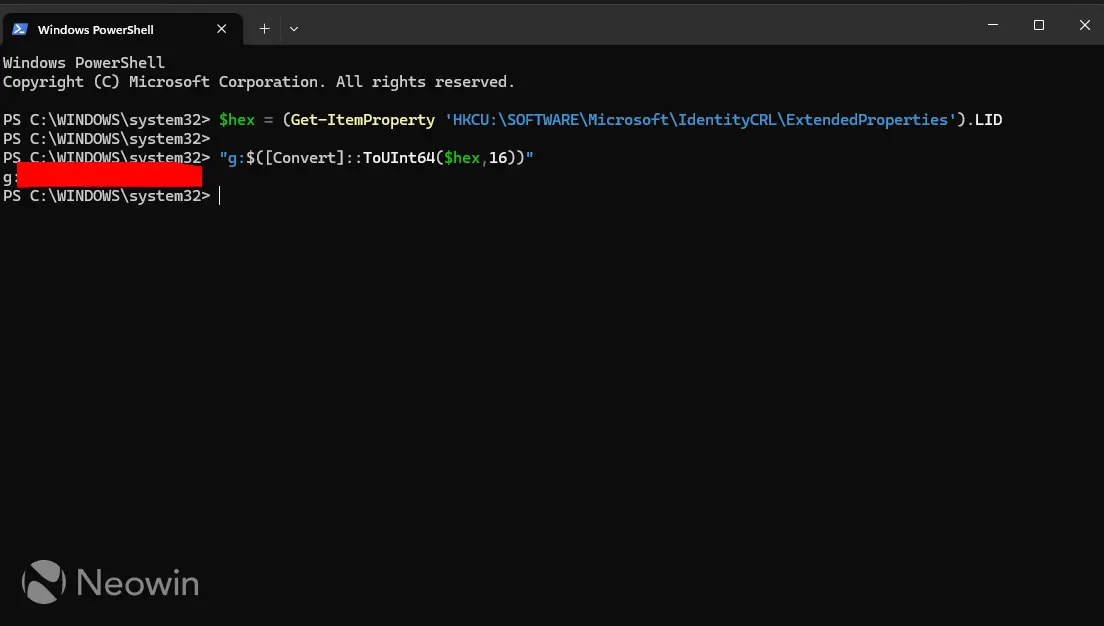
As GDID is actually stored locally, in the registry, everyone can see their own, and the process doesn’t require any special credentials. All you need to do is run a simple PowerShell command, and you’ll see your own GDID.
Here’s the command:
$hex = (Get-ItemProperty 'HKCU:\SOFTWARE\Microsoft\IdentityCRL\ExtendedProperties').LID

"g:$([Convert]::ToUInt64($hex,16))"
According to Microsoft's own documentation, GIDID is for internal use by the company only. There's no evidence that that it shares the identifier with third parties like advertisers. Law enforcement is the obvious exception to that, as official institutions can require the the key through standard legal channels like subpoenas or court orders.
To be fair, most of the data tied to GDID is collected by Microsoft anyway, one way or another. It's the way Microsoft chooses.
The biggest problem both security experts and users have with GDID is the lack of transparency. Most operating systems have their own tracking mechanisms, most either notify the user or show a prompt for accepting the terms, except for Windows.
Microsoft not only fails to clearly disclose the existence of GDID to users, it took a movie-worthy legal operation to get the company to acknowledge it beyond that one sentence in the Azure documentation.
Hope you enjoyed this news post. Feedback welcome.
Posted Friday 24 July 2026 at 7:42 am AEST (my time).
News posts: 2023 5,800+ | 2024 5,700+ | 2025 5,700+ | 2026 (to end of June) 2,475



Recommended Comments
Join the conversation
You can post now and register later. If you have an account, sign in now to post with your account.
Note: Your post will require moderator approval before it will be visible.