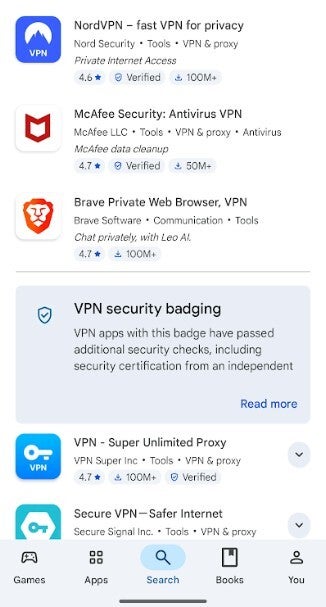
Partial list of VPNs listed in the Google PlayStore.
Image credit-PhoneArena
Once these apps are installed, they deliver dangerous payloads containing malware that steals personal data, remote access trojans and banking trojans that collect private messages, browsing history, credentials for your financial apps, and information related to your cryptocurrency wallet.
DHS agency CISA recommends staying away from free VPNs
According to Google, Android and Google Play detect potentially harmful apps by using Google's machine learning algorithms. The company suggests that users turn on Google Play Protect to keep their data private and apps safe. Google Play Protect has an enhanced fraud protection pilot that helps block users from installing apps that request permissions that are often abused in situations involving financial fraud. These apps won't install if you try to sideload them from a web browser, file manager, or messaging app.
Inside the Department of Homeland Security (DHS) is a standalone organization known as the Cybersecurity and Infrastructure Security Agency (CISA). As its name suggests, CISA is supposed to help Americans reduce their cyber-risk every day.
CISA has also issued a warning about the use of VPNs. The agency said, "Do not use a personal VPN. Personal VPNs simply shift residual risks from the internet service provider (ISP) to the VPN provider, often increasing the attack surface."
Stick to VPNs listed in the Play Store or App Store
CISA also repeated Google's warning by stating that "many free and commercial VPN providers have questionable security and privacy policies." Be careful from where you source your VPN. Do not install VPNs from Chinese developers. Some of these are free which is a trick used to entice victims. It is recommended that you stick to VPNs developed by western companies which means that you might have to pay for it.
As a result, you might want to install VPNs listed in the Google Play Store or Apple App Store for Android and iOS users respectively. If you are an Android user browsing the Play Store for a VPN, make sure that you have Play Protect enabled. Do not disable or pause Play Protect to install a VPN that has been red flagged by the feature. It is also recommended that you refrain from using free VPNs. Instead, stick to a paid VPN with a clear subscription plan.



3175x175(CURRENT).thumb.jpg.b05acc060982b36f5891ba728e6d953c.jpg)
Recommended Comments
There are no comments to display.
Join the conversation
You can post now and register later. If you have an account, sign in now to post with your account.
Note: Your post will require moderator approval before it will be visible.