

3175x175(CURRENT).thumb.jpg.b05acc060982b36f5891ba728e6d953c.jpg)
Once you reserve your WhatsApp username, anyone who knows or guesses it can message you; unless you lock it down with a key.
WhatsApp shook up the community when it began rolling out usernames yesterday. Username reservations started this week, and full messaging support is coming later in 2026. Once active, you'll be able to give someone your username instead of your number, and they'll be able to message you using that handle alone.
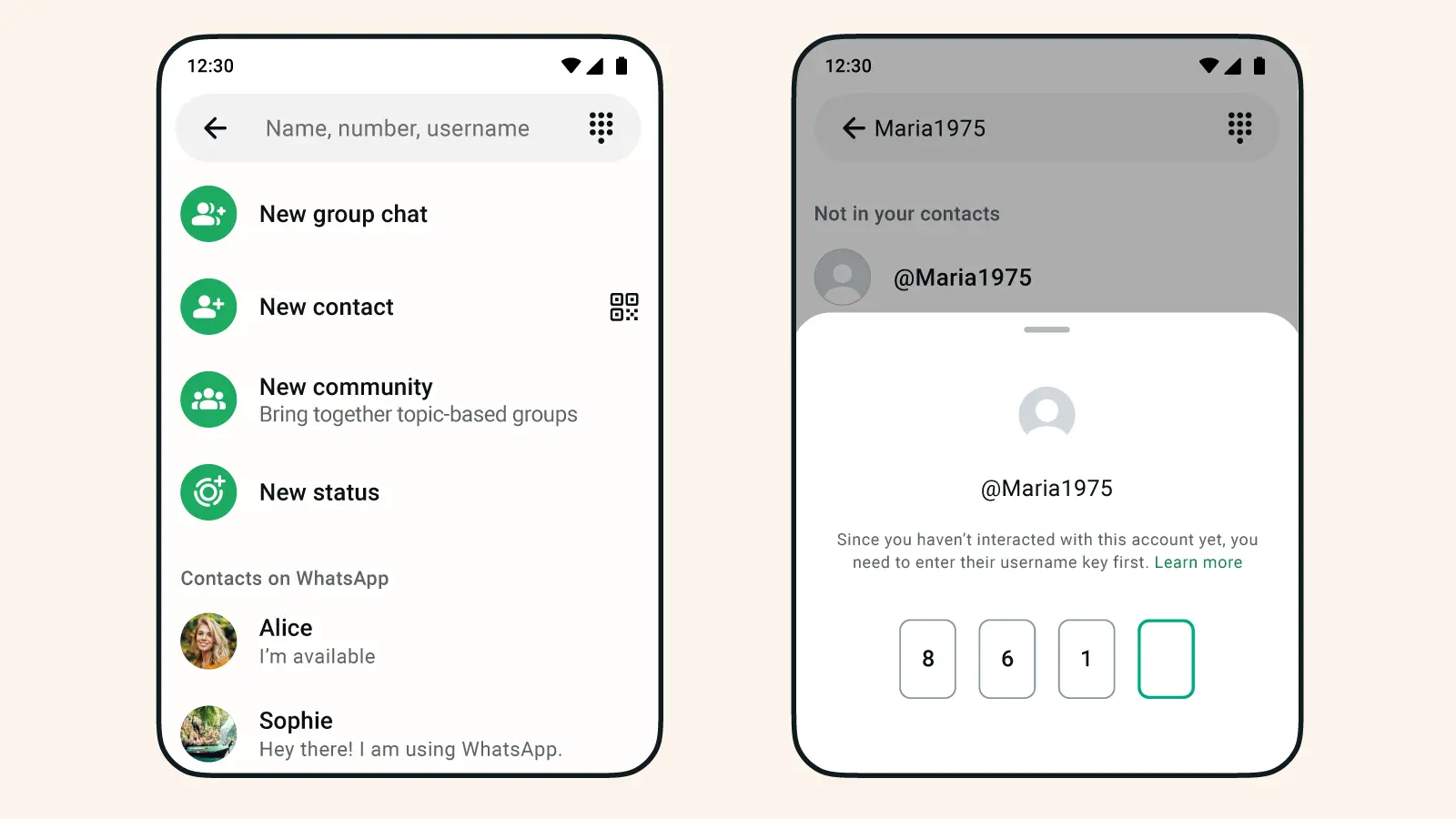
WhatsApp cites privacy as one of the main reasons for introducing usernames. And on paper, it makes sense. People may be more comfortable with sharing usernames instead of their actual phone numbers. But at the same time, guessing a username is often easier than guessing a full phone number, which raises the question of how reliable usernames are as a security measure.
Apparently, that’s the exact thought that a lot of people have been sitting with over the past 24 hours. If usernames replace phone numbers as the way strangers reach you, can anybody who knows your username just message you out of nowhere?
Can anyone message you on WhatsApp if they know your username?
To put it simply, yes. If someone has your exact username, they can message you with it, the same way anyone with your phone number can message you today. This is especially risky if you’re reusing the same handle across multiple social media platforms. If your username is similar across your entire digital footprint, it might not be too hard for anyone who might be interested to guess your WhatsApp username.
WhatsApp has acknowledged this directly, and the company is advising people to avoid using their real name or any handle they already use elsewhere. On top of that, there's no public directory and no search suggestions, so people can't browse for your username the way they can on Instagram or X.
WhatsApp has also implemented one additional security measure to prevent spammers or any other unwanted senders from messaging you. So, once you pick your WhatsApp username, it’s highly recommended you enable this option too, just for peace of mind.
How to lock your WhatsApp username down with a key
WhatsApp's answer to messages from unwanted senders is an optional username key. This is essentially a secret code attached to your username. Anyone messaging you for the first time through your username will need to enter that key correctly, on top of knowing the username itself. Without it, the conversation won't go through.
To enable the username key, head to Settings > Account > Username, the same place you set up your username in the first place. From there, you can create, change, or disable the key whenever you want.
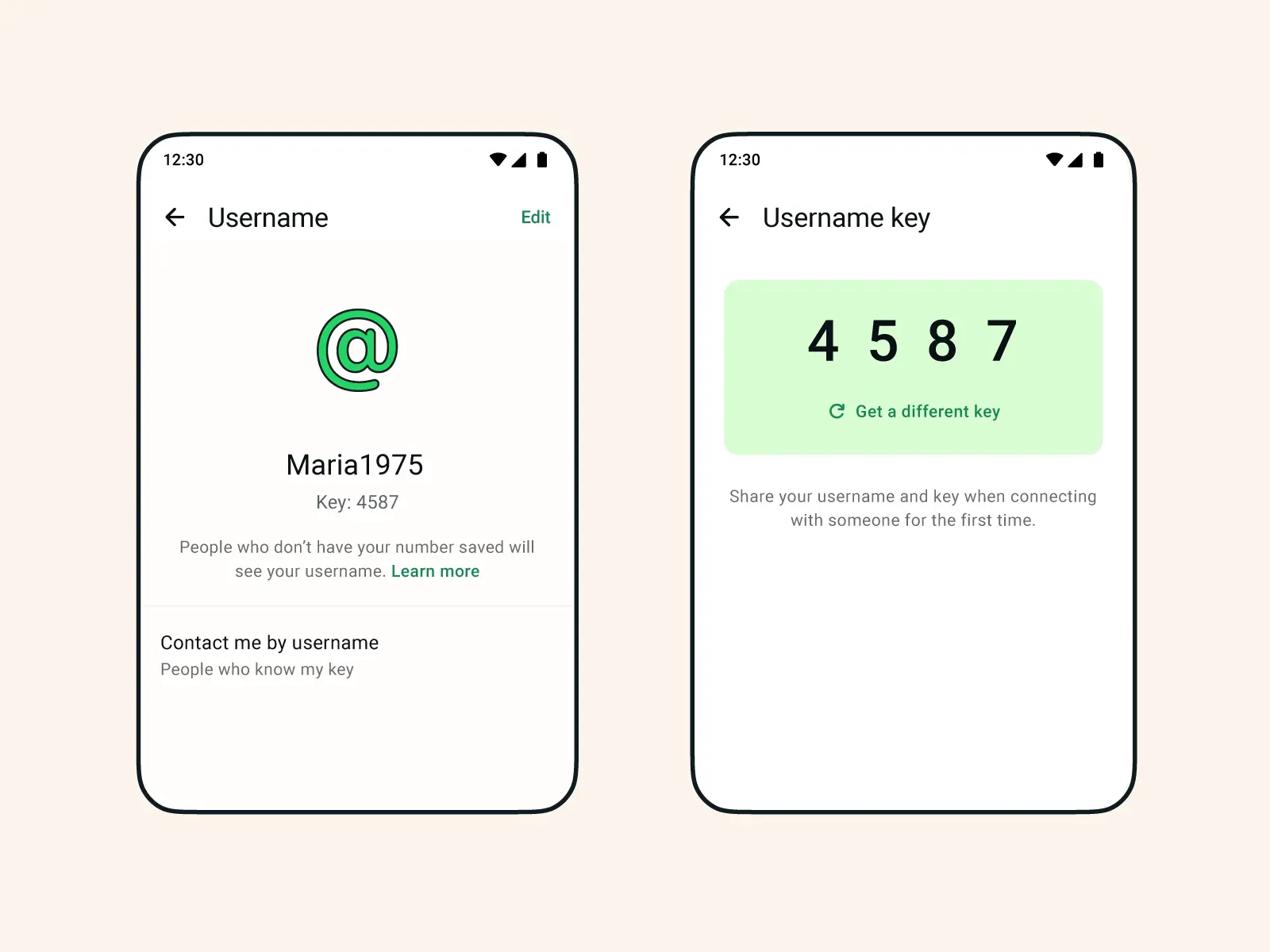
Even though an additional security measure is definitely good, this still doesn’t feel like the cleanest solution. Because someone who’s messaging you for the first time should remember both your username and the key, which might feel overwhelming.
On the other hand, if you'd rather avoid the whole issue, usernames are entirely optional. You can keep using WhatsApp exactly as you do now and skip setting one up altogether.
Hope you enjoyed this news post. Feedback welcome.
Posted Wednesday 1 July 2026 at 8:08 am AEST (my time).
News posts: 2023 5,800+ | 2024 5,700+ | 2025 5,700+ | 2026 (to end of June) 2,475
Recommended Comments
There are no comments to display.
Join the conversation
You can post now and register later. If you have an account, sign in now to post with your account.
Note: Your post will require moderator approval before it will be visible.