

3175x175(CURRENT).thumb.jpg.b05acc060982b36f5891ba728e6d953c.jpg)
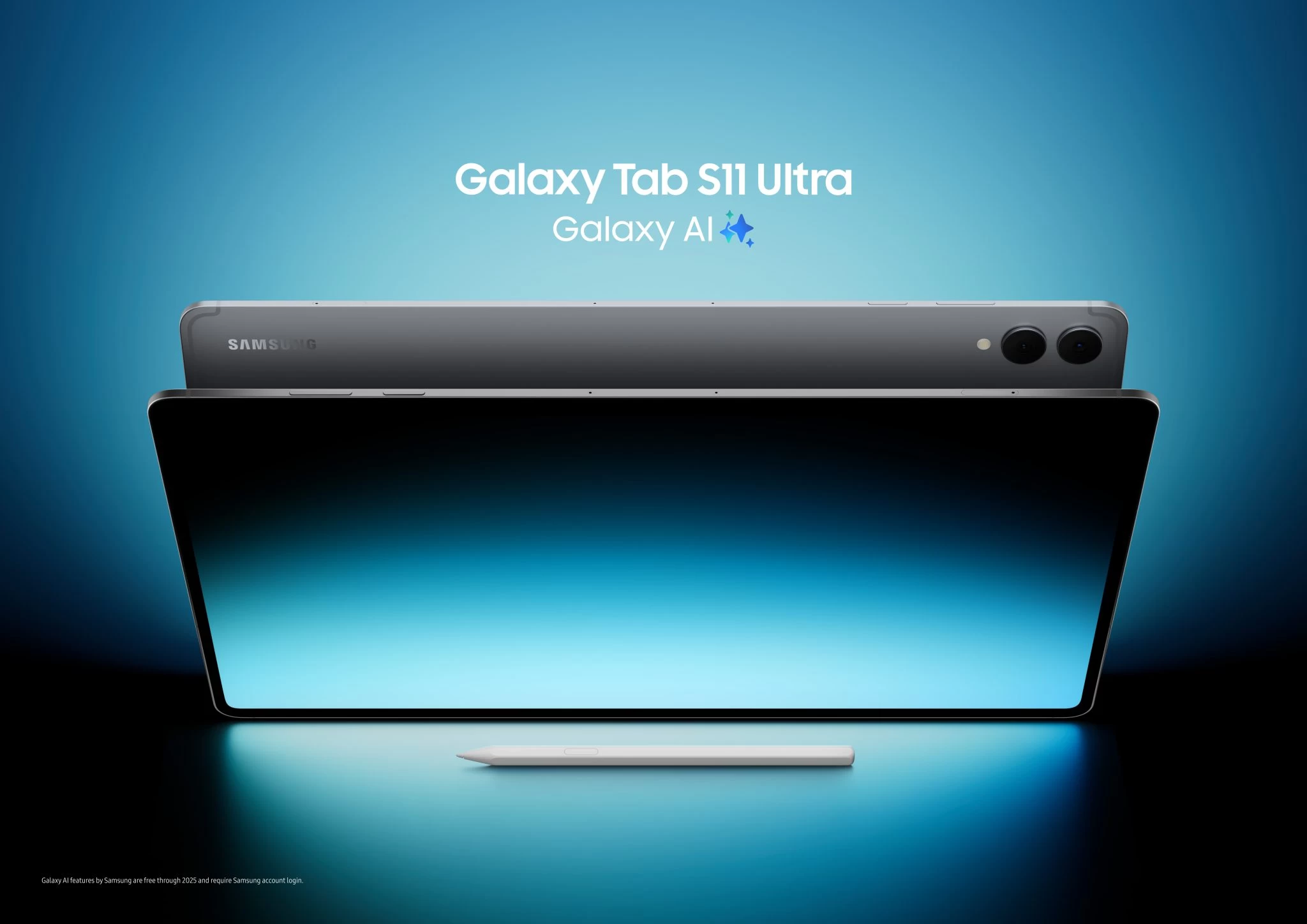
Samsung has unveiled the Galaxy Tab S11 series, its latest flagship tablets bringing a 3nm processor, "effortless productivity," and more, offered in two colors: Gray and Silver. This comes nearly two weeks after it announced the Galaxy Tab S10 Lite, with a 10.9-inch screen.
There are two variants of this generation of tablets from the company, the regular Tab S11 and the Tab S11 Ultra, both of which are powered by One UI 8 (Android 16) and feature things like Gemini Live, which lets you have a real-time conversation with the AI about what is on your screen. You can even point your camera at something and ask Gemini questions about it. Other AI goodies include Writing Assist and Drawing Assist.
Speaking of Writing and Drawing, Samsung has redesigned the S Pen, removing support for Bluetooth. This means that the old Air Actions for remote control no longer work. The new pen now rests on the top edge of the tablet for charging instead of at the back like previous generations. The pen has a new hexagonal shape, and according to Samsung, its new cone-shaped tip allows for greater tilt angles.
Moving on to the internals, both the Tab S11 (11-inch) and Tab S11 Ultra (14.6-inch) are powered by the MediaTek Dimensity 9400+. The Ultra model gets either 12GB or 16GB of RAM, while the regular model sticks to 12GB.
Both tablets feature a Dynamic AMOLED 2X display with a 120Hz refresh rate and can hit 1,600 nits of peak brightness. For cameras, the Tab S11 has a single 13MP rear shooter, whereas the Ultra gets a 13MP main and an 8MP ultrawide. Both share the same 12MP ultrawide front camera. Here's a detailed spec sheet comparing the two models.
| Feature | Galaxy Tab S11 Ultra | Galaxy Tab S11 |
|---|---|---|
| Display | 14.6", 2960x1848, Dynamic AMOLED 2X, 120Hz | 11.0", 2560x1600, Dynamic AMOLED 2X, 120Hz |
| Processor | MediaTek Dimensity 9400+ | MediaTek Dimensity 9400+ |
| RAM/Storage | 12GB+256GB, 12GB+512GB, 16GB+1TB | 12GB+128GB, 12GB+256GB, 12GB+512GB |
| Rear Camera | 13MP + 8MP Ultra Wide | 13MP |
| Front Camera | 12MP Ultra Wide | 12MP Ultra Wide |
| Battery | 11,600mAh | 8,400mAh |
| Charging | 45W | 45W |
| Durability | IP68 | IP68 |
| Dimensions | 12.85 x 8.21 x 0.20 in | 9.99 x 6.51 x 0.22 in |
| Weight | 1.52 lb | 1.06 lb |
Multitasking is one of the biggest reasons people get tablets, and Samsung has overhauled the DeX experience, but it comes with a change that you might not like. There's now this feature within the upgraded DeX called Extended Mode, which transforms the Tab S11 and an external monitor into a proper dual-screen setup.
You can drag and drop apps between your tablet and the secondary display, something that was previously off the table. The potentially unwelcome change comes from the on-tablet DeX mode. Now, instead of making the tablet's own screen look and feel like a Windows or ChromeOS desktop, DeX on its own just opens apps in pop-up windows over the regular Android home screen. Samsung also said that you can create up to four separate, customized workspaces.
The Galaxy Tab S11 and Galaxy Tab S11 Ultra are now available starting September 4th, starting at $799.99 and $1,199.99, respectively.
Hope you enjoyed this news post. Feedback welcome.
Posted Friday 5 September 2025 at 3:13 am AEST (my time).
News posts... 2023: 5,800+ | 2024: 5,700+ | 2025 (till end of August): 4,048
Recommended Comments
There are no comments to display.
Join the conversation
You can post now and register later. If you have an account, sign in now to post with your account.
Note: Your post will require moderator approval before it will be visible.