


3175x175(CURRENT).thumb.jpg.b05acc060982b36f5891ba728e6d953c.jpg)
iPhone's latest software update brings a ton of new features this year and is currently available in beta on supported iPhone models. Its fresh coat of the controversial Liquid Glass is also coming to the Safari web browser, alongside new iPhone wallpapers and a revamped Photos app.
In this article, let's talk about the new way you can customize the Safari browser on your iPhone. A major highlight among new Safari features for iOS 26 is the new Compact mode for the Tab Bar. It serves as the default layout on the new iPhone update, available alongside the two other layouts from previous years.
Use the new Compact Tab Bar layout in Safari
You can follow these steps to customize Tab Bar layouts in Safari:
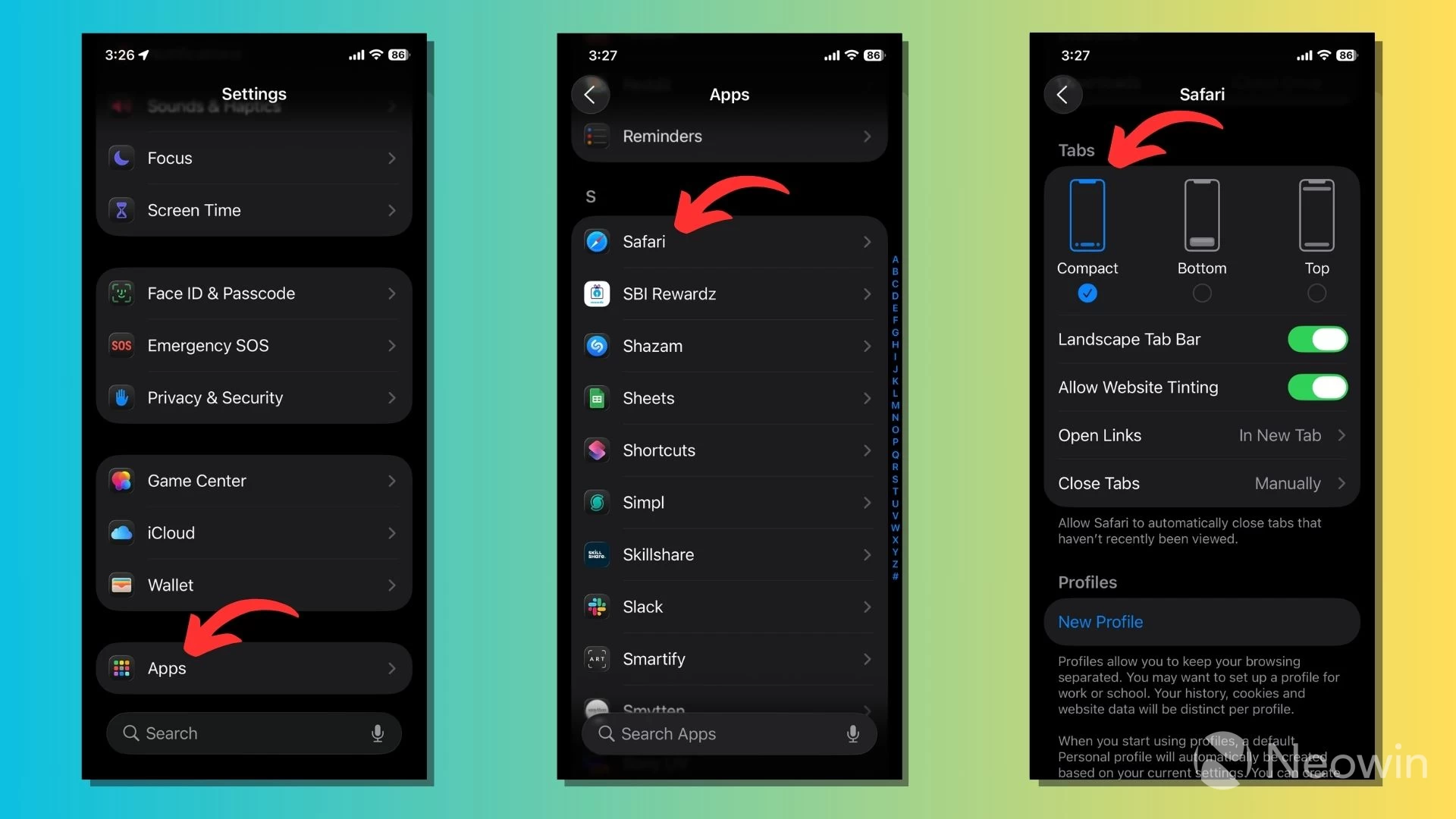
- Go to the Settings app on iOS 26.
- Open the Apps section from the bottom of the screen and scroll down or search to find Safari.
- You will find the three layout options under the Tabs section: Compact, Bottom, and Top.
- Tap on Compact to make it default, if it's not already selected.
Each Safari layout offers its own set of perks and downsides. The new Compact Mode on Safari does what its name says. Its translucent interface uses much less screen real estate compared to the Bottom and Top layouts.
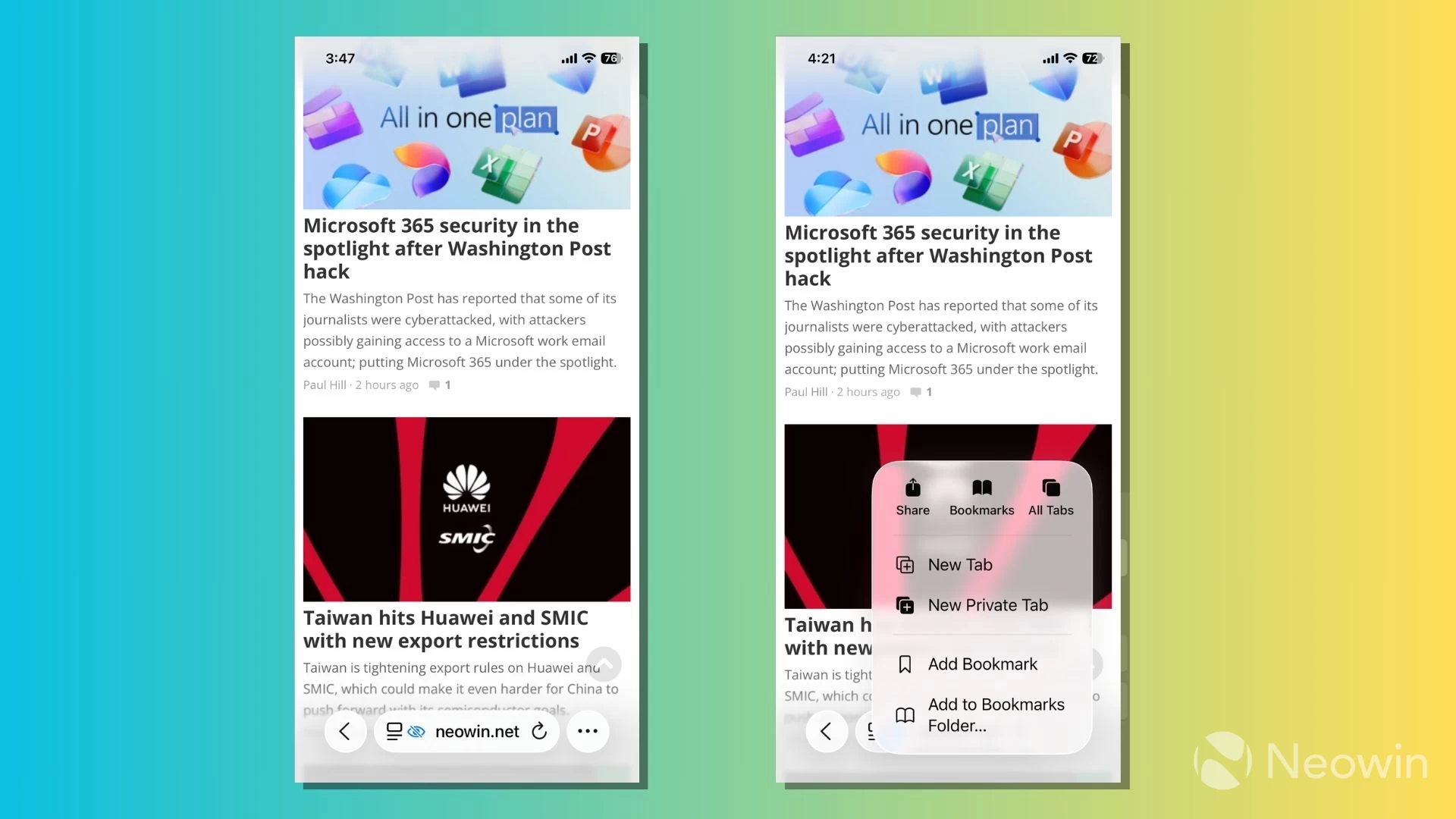
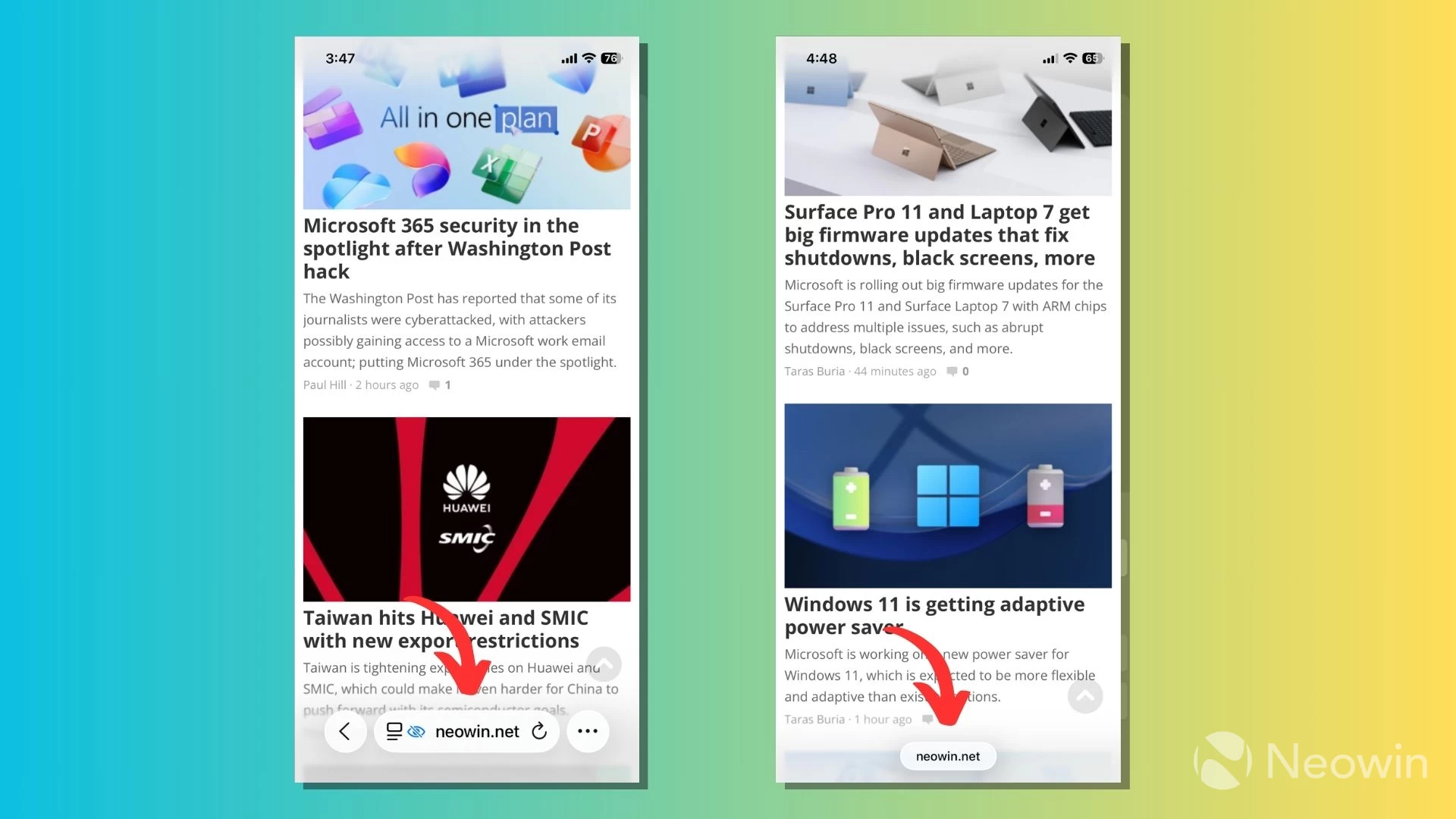
You can find the Back button on the left side of the pill-shaped address bar that doubles up as a search bar. Next to it is a three-dot menu button to access features such as Share, All Tabs, Bookmarks, New Tab, and more.
Use Bottom and Top layouts for quicker access to Safari options
Bottom and Top layouts are almost the same, except that the latter places the address bar at the top of the screen. While the Top layout might be inconvenient when using an iPhone with one hand, some users may prefer to have their address bar in this position, perhaps for a more symmetrical view. After all, it's original and the only Safari layout available until iOS 15.
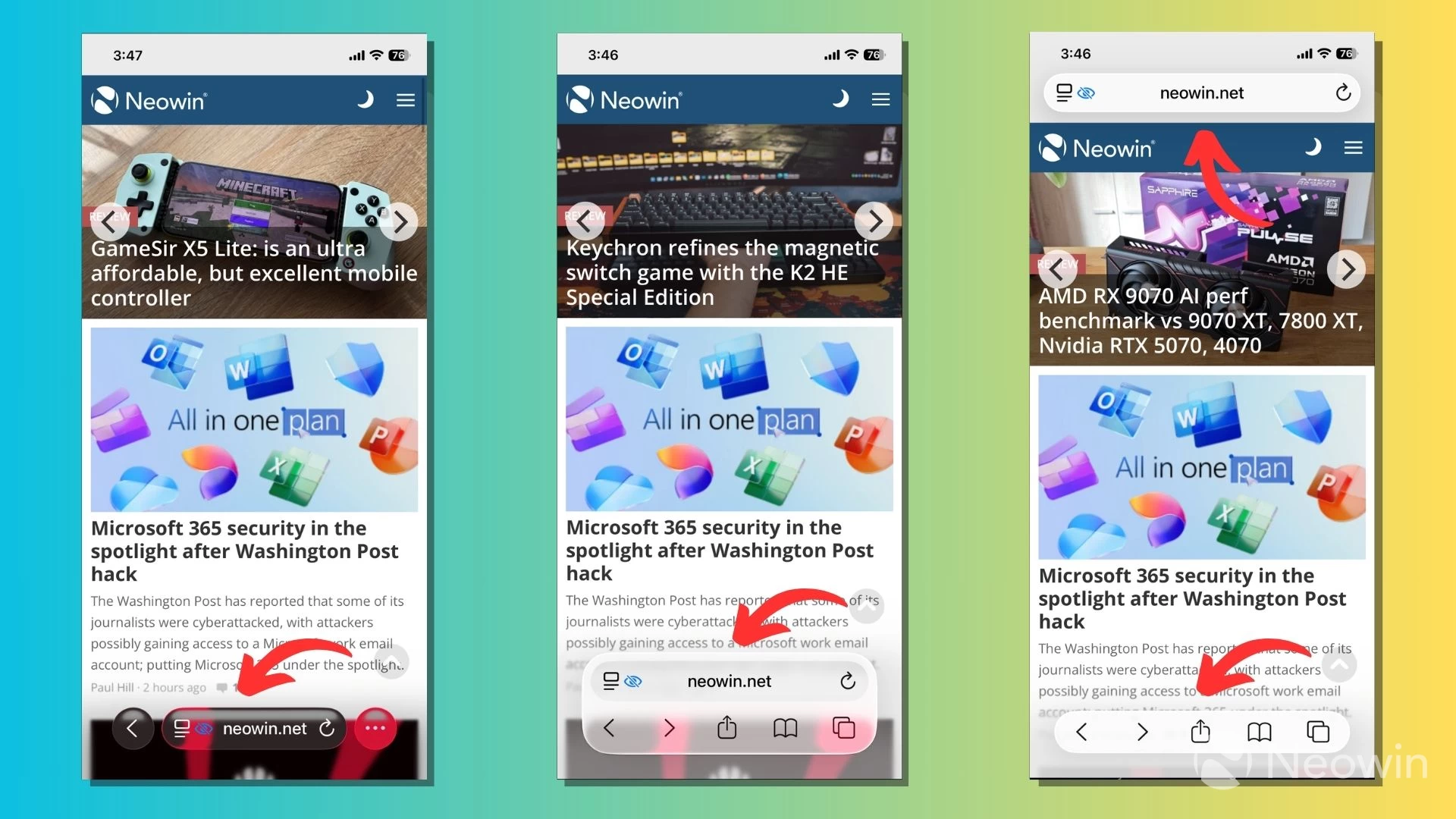
Apple has given the Liquid Design treatment to both the Bottom and Top layouts, featuring a translucent, floating Tab Bar interface that offers a sneak peek of what's behind. Alongside the options for Bookmarks, Share, and All Tabs, you can find the Forward button to go to the next page in the browser. This is not the case with the Compact mode, but iOS already lets you swipe from the right edge of the screen to go forward.
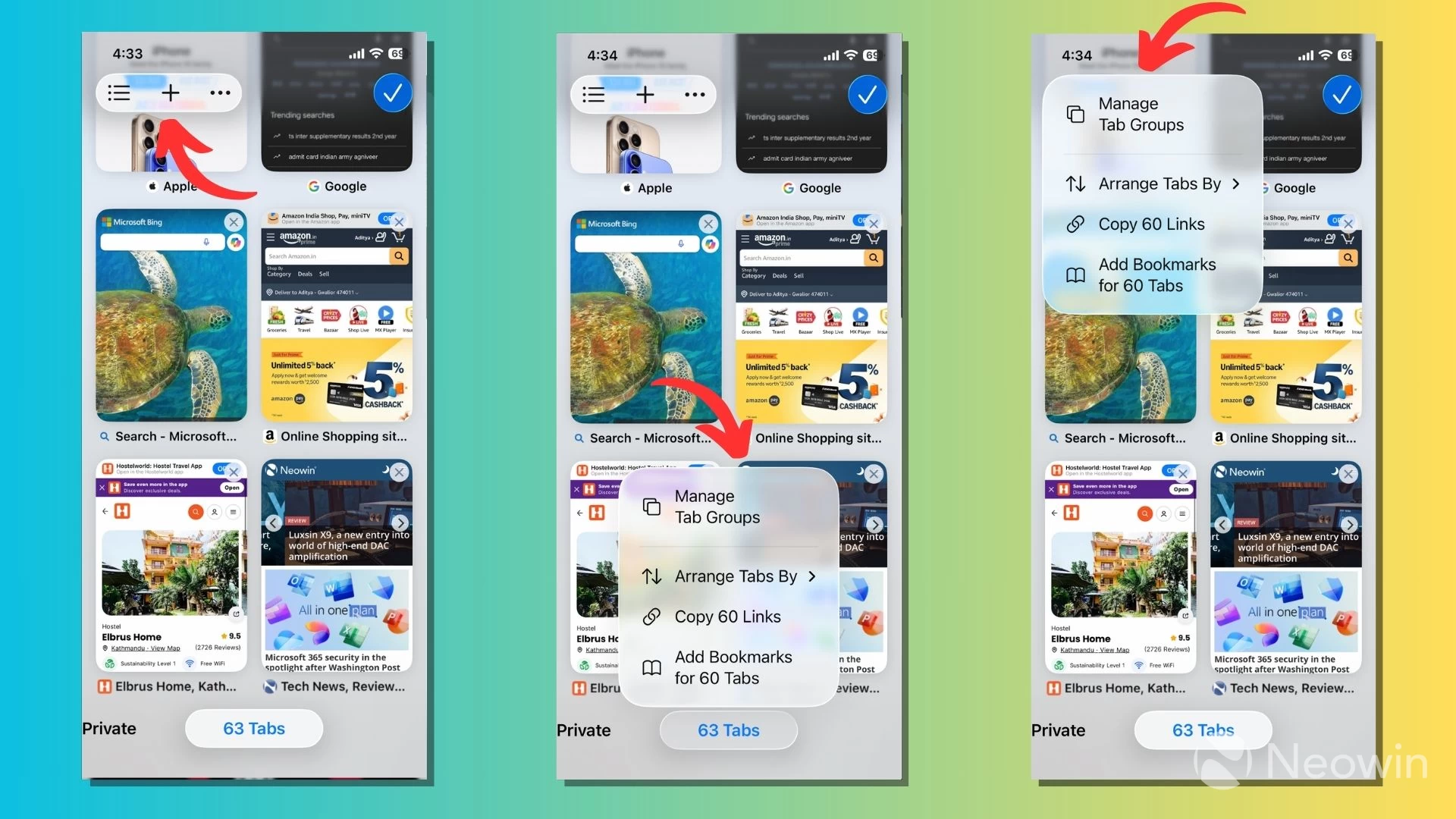
It appears that Apple has made it difficult to use Safari with one hand. It has shifted the New Tab and Tab Groups menu buttons to the top-left corner of the All Tabs page on iOS 26. This is where the Compact mode stands out, as these options are easily accessible. Alternatively, when on the All Tabs page, you can press the tabs pill at the bottom of the screen to access the Tab Groups menu.
One thing you'll notice is that the Compact and Bottom tab layouts shrink into a small pill when you scroll down a web page. The pill is translucent, like the Tab Bar, and changes colors according to its background, providing more screen real estate on your iPhone. However, in the Top layout, the address bar collapses into a pill at the top of the screen. You can scroll up on the screen or tap the pill to get back to the whole UI.
Apart from that, the Safari 26 beta version for iOS 26 and iPadOS 26 brings several under-the-hood features to the table. For instance, Apple has added Screen Time support to WKWebView, which powers the browsing experience for in-app browsers. Safari users on iOS, iPadOS, and macOS can also report issues when they have trouble with a web page, accessible via the Page menu on the left of the address bar in all three layouts.
The new Safari features and changes are currently being tested through the Apple Developer Program. These features are expected to be available to the public when Apple releases the iOS 26 update later this year. We'll continue to update this article as more beta releases arrive.
If you plan to install iOS 26 developer beta, keep in mind that these releases can be unstable, and make sure to back up your data beforehand.
Hope you enjoyed this news post.
Thank you for appreciating my time and effort posting news every day for many years.
News posts... 2023: 5,800+ | 2024: 5,700+ | 2025 (till end of May): 2,377
RIP Matrix | Farewell my friend
Recommended Comments
There are no comments to display.
Join the conversation
You can post now and register later. If you have an account, sign in now to post with your account.
Note: Your post will require moderator approval before it will be visible.