

3175x175(CURRENT).thumb.jpg.b05acc060982b36f5891ba728e6d953c.jpg)
Samsung held its annual Unpacked conference today, during which it announced the new Galaxy S26 lineup and the Galaxy Buds4 series. But besides the anticipated hardware, the event also felt like a massive showcase for Samsung's AI features that the company is integrating across its products.
TM Roh opened the event by calling the Galaxy S26 an "agentic phone," which immediately set the tone for the rest of the keynote. We saw over a dozen new AI features at the event, some are new, some are improvements of existing capabilities, so we've got a lot to unpack.
Here are all the AI features Samsung showcased today:
Now Nudge is an AI agent that runs in the background of a Samsung Galaxy phone. Its purpose is to handle a broader context of what's happening on your screen by allowing different apps to "talk" to one another. For example, if a friend texts you about evening plans, Galaxy AI checks your calendar, spots any conflicts, and shows a pop-up with the relevant info right there in the conversation. You're not even required to switch apps; it all happens automatically.
Now Brief brings AI capabilities to your personalized morning summaries. It also scans multiple apps on your phone for all the events you have planned for the day. It then shows a systemized brief of your reminders, reservations, travel updates, and all the things you'd otherwise piece together by manually checking three different apps.
Circle to Search gets a meaningful upgrade. It already lets you circle a single object to kick off a search; now you can circle multiple items at once. And it works across different purposes, for example, you can circle an outfit of a person on a photo, and it'll find where you can buy that piece.
Photo Assist is Samsung's way of integrating AI into its Gallery app. It allows users to edit their photos by writing prompts. You can swap clothes, restore missing parts of an object, change night to day, and more. Basically, anything that can be done with other in-app AI image editors.
Creative Studio is another AI feature for the Gallery app, which allows you to change the style of your photos. For example, you can turn your selfie into an oil painting or maybe an anime character. Once again, nothing that's exclusive to Samsung devices, since you can do this with almost any AI.
Document Scan is actually one of the more underrated features of Samsung's AI suite. It turns messy document scans into a clean PDF automatically. The AI cleans up distortions, creases, and stray fingers from multi-image scans. Anyone who's ever tried to scan a crumpled receipt knows how much a feature like this can be useful.
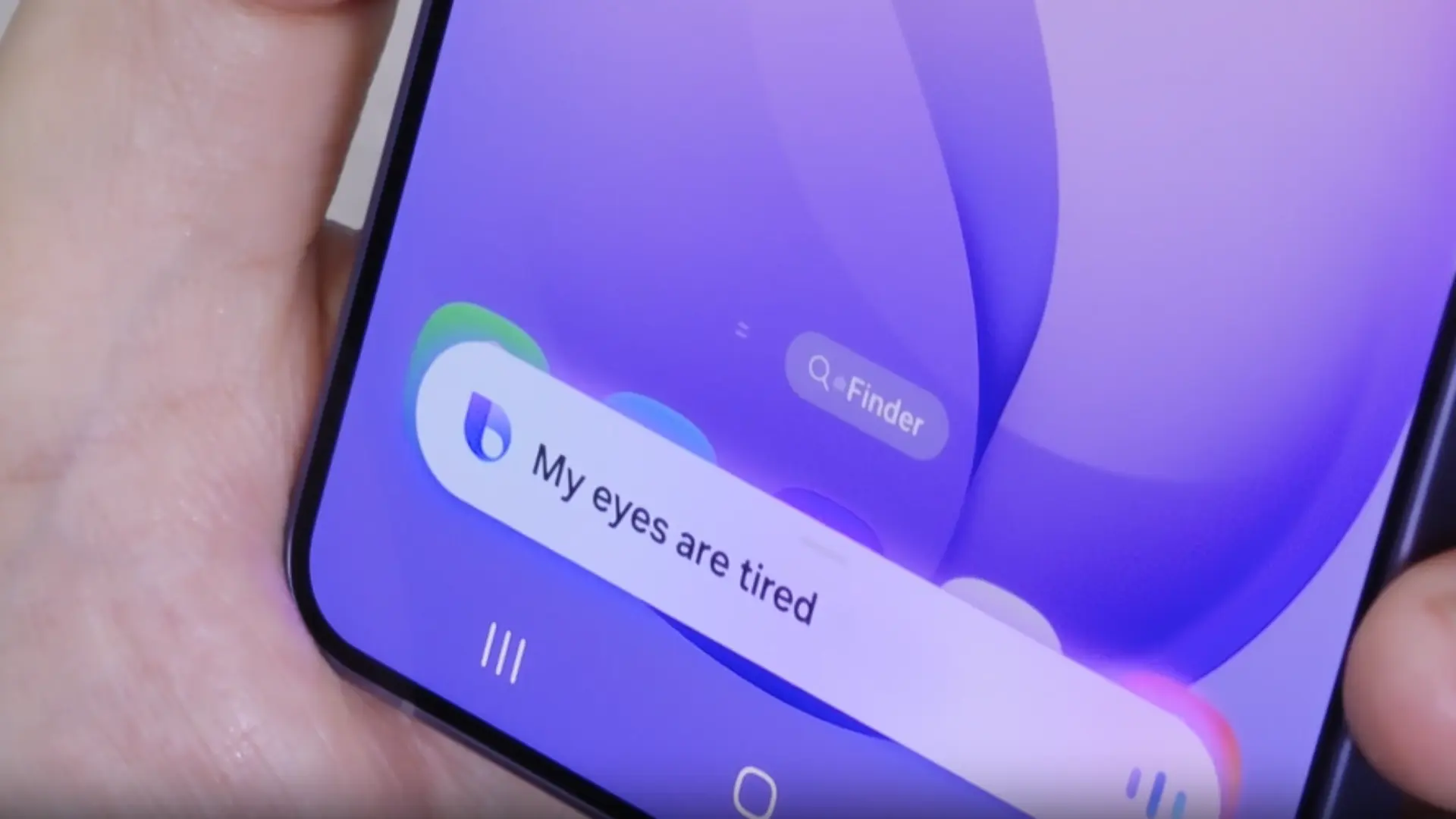
Bixby gets its biggest overhaul in a while. The assistant now handles natural language device control, meaning you can adjust settings by just describing what you want rather than knowing where exactly to look in the menus. Samsung also confirmed the integration of Google's Gemini 3 and Perplexity, which allows users to choose between different AI models to handle their tasks.
The broader agentic AI layer ties this together. You can allow multiple AI agents to talk to one another. For example, you can ask Perplexity to perform research on, let's say, the best restaurants in your area, which will do the search for you and then pass that info to Gemini to make a reservation.
On the privacy side, AI Call Screening identifies and summarizes unknown callers, while Privacy Alerts surface real-time notifications when apps are accessing your data suspiciously.
And finally, we're rounding things out with AI improvements for the camera. Upgraded Nightography now covers video, too, which should result in less grainy nighttime videos. The AI ISP, which previously only processed rear camera shots, now runs on the front camera as well, so the same level of detail and natural skin tones you'd get shooting with the main lens applies to selfies and video calls.
ProScaler upscales content on the display itself, so you should be able to play videos at lower resolutions without losing sharpness. This could be useful if you're trying to save some data, as you won't have to play videos in 4K for them to look decent.

Improved Nightography
Image: Samsung
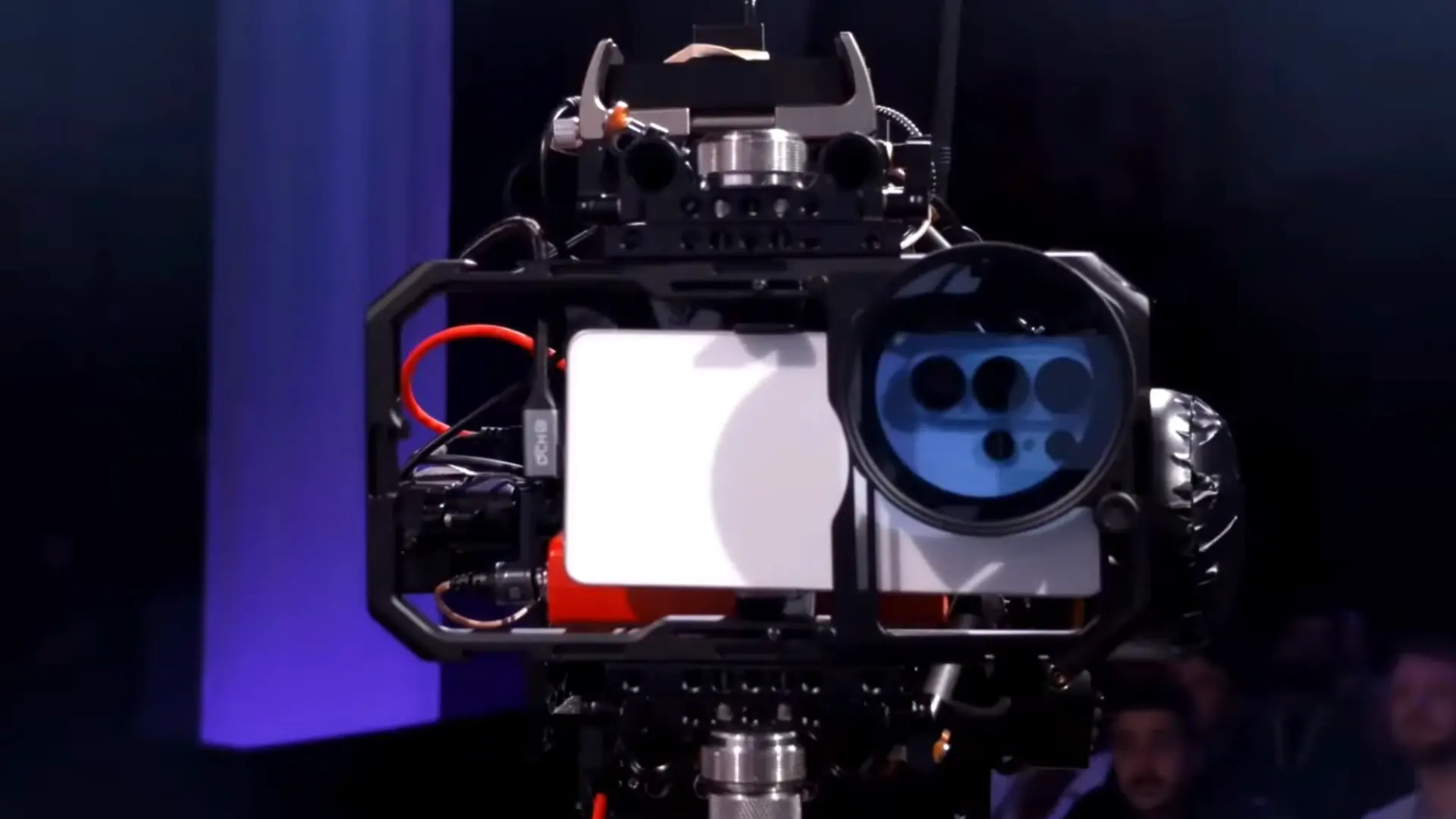
And for anyone shooting professional footage, the S26 Ultra is the first Galaxy phone to support the APV codec, enabling near-lossless 8K video capture at high bit rates. Samsung even shot the entire Unpacked event with an S26 Ultra. Although with some extra gear attached to it. I'll just show you the picture of their setup, and you be the judge of how this would compare to a real-life, everyday scenario:
That's about it. It's a lot of features to absorb in one sitting. Some of them are genuinely useful, some are, well... I'm sure they'll find their target audience, too.
Hope you enjoyed this news post. Feedback welcome.
Posted Thursday 26 February 2026 at 11:38 am AEST (my time).
News posts: 2023 5,800+ | 2024 5,700+ | 2025 5,700+ | 2026 (to end of January) 461
Recommended Comments
There are no comments to display.
Join the conversation
You can post now and register later. If you have an account, sign in now to post with your account.
Note: Your post will require moderator approval before it will be visible.