


3175x175(CURRENT).thumb.jpg.b05acc060982b36f5891ba728e6d953c.jpg)
Windows 11 is getting a dedicated Settings section where you can manually enable or disable hidden and experimental features.
When the Windows Insider Program turned 9, I published an article about all the things that Microsoft needs to fix to bring back the lost enthusiasm. One of those things is Controlled Feature Rollout (CFR), a lottery system that makes it nearly impossible to test everything that Microsoft shipped in a single build. Usually, enthusiasts bypass CFR with apps like ViVeTool, but the problem is that you need dedicated IDs, and the tool itself is not very user-friendly. The good news is that it looks like Microsoft is finally fixing that.
As part of its recent commitment to fix Windows 11 and its pain points, Microsoft promised to make adjustments to the Windows Insider program, particularly to make it easier to access new features. While we wait for those improvements to materialize in new builds (today's releases are slim on new features), enthusiasts discovered that Microsoft is preparing a dedicated section for experimental, in-development features in Windows 11.
@phantomofearth published on X their findings. The new section is currently hidden in build 26300.8155, and it is called "Feature Flags." Inside it, you will find a list of available features and those that are no longer available (rollout has been completed, removed, configured to the default state, and more). There is also a warning that messing with in-development features may cause instabilities or performance issues. Here is what it looks like:
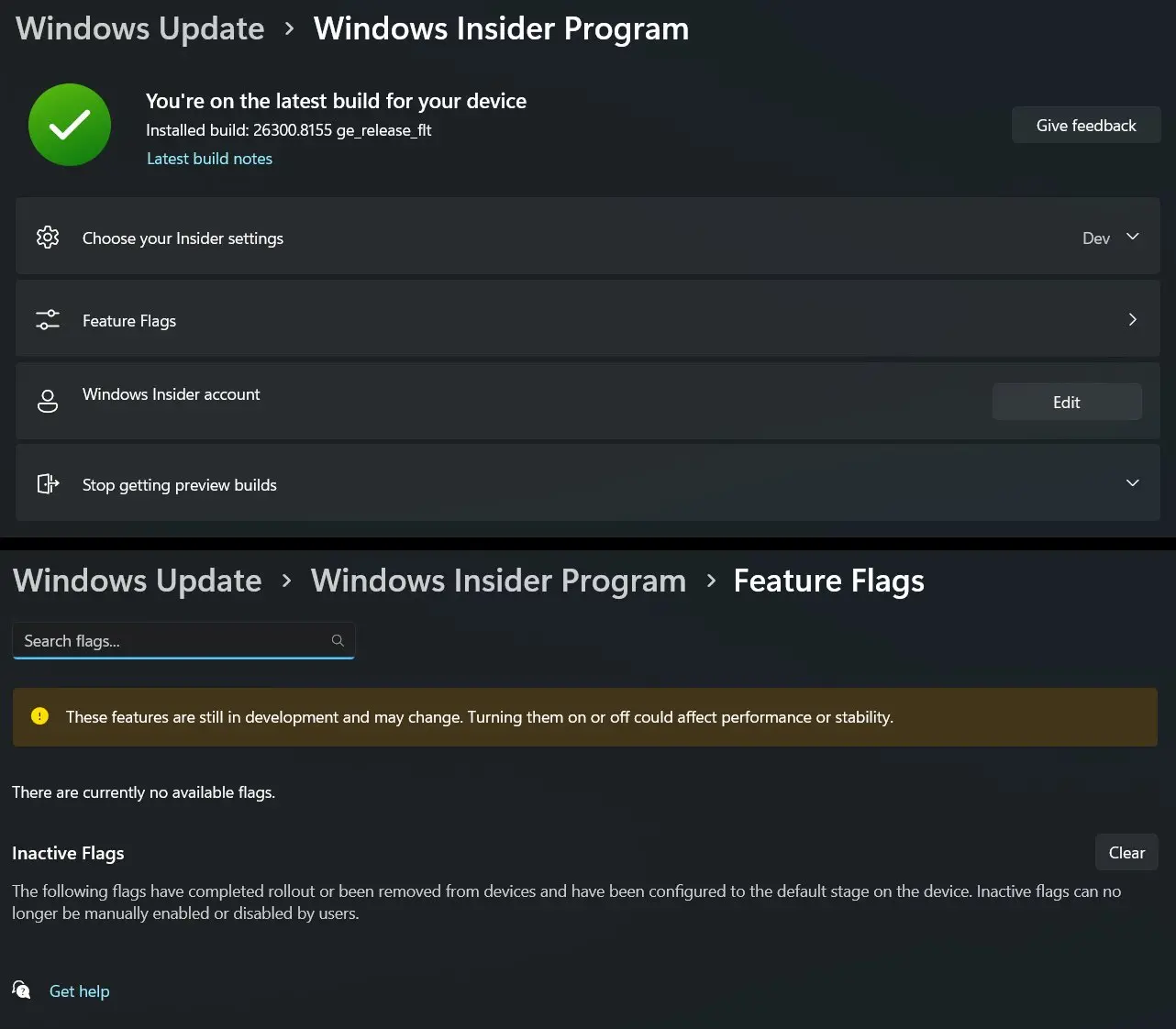
Microsoft has not announced the "Feature Flags" section, so official details remain unknown yet. However, it would be great to see it implemented in public builds so that users can easily enable or disable specific features they are excited about without relying on a rollout lottery. With other long-anticipated features coming soon to Windows 11, the ability to enable in-development stuff with a single click could finally bring back some excitement.
Hope you enjoyed this news post. Feedback welcome.
Posted Saturday 4 April 2026 at 12:22 pm AEST (my time).
News posts: 2023 5,800+ | 2024 5,700+ | 2025 5,700+ | 2026 (to end of March) 1,297
- jenyco2
-
 1
1
Recommended Comments
Join the conversation
You can post now and register later. If you have an account, sign in now to post with your account.
Note: Your post will require moderator approval before it will be visible.